







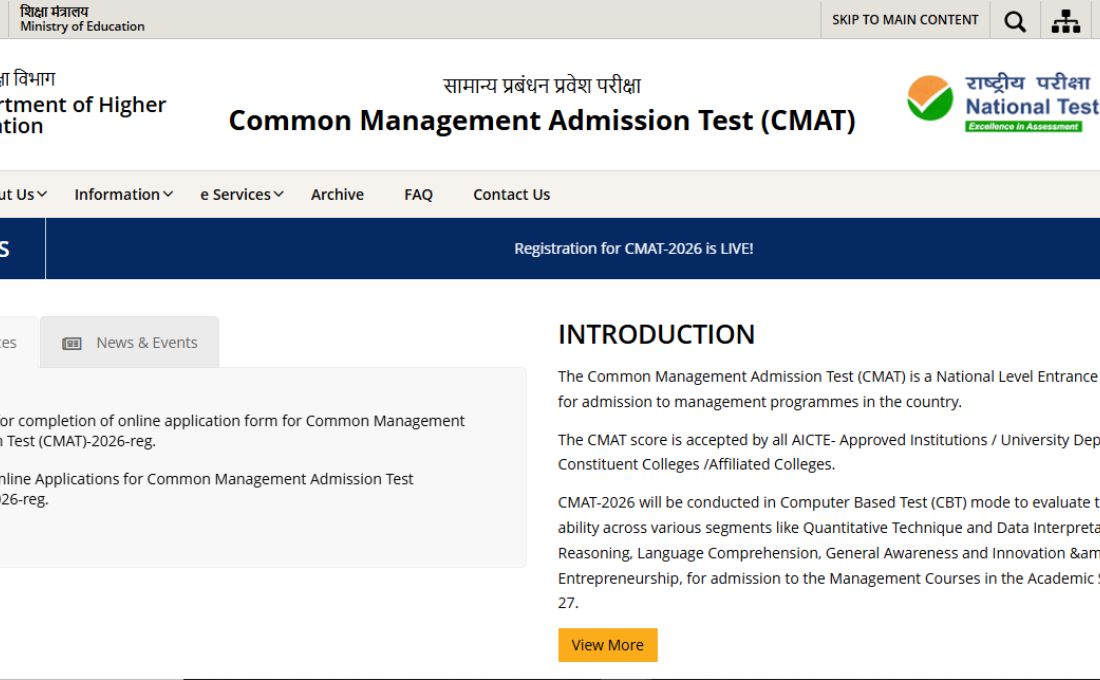
The National Testing Agency is to close the CMAT 2026 Registration Window at its official website on November 17, 2025. As the deadline to fill in the CMAT 2026 registration form is just a few hours away, all the students need to note that they need to login into the official website at https://cmat.nta.nic.in/ and complete their registration process.
The CMAT is one of the India’s biggest entrance examinations to get admission into the MBA course. The NTA has also urged students that the application fee payment window will remain option for the applicants till November 18, 2025, providing a buffer to all the students who complete their registration process today.
Following the complete process, the correcting window for the CMAT 2026 registration window will open at the official portal between November 20 and November 21, 2025. The window will allow students to rectify errors in their submitted forms.
The CMAT 2026 Registration Form has been extended by the National Testing Agency till November 24, 2025 – Check Here
CMAT 2026 Registration Form
The Common Management Admission Test is an online computer-based test conducted by the National Testing Agency, India. The CMAT 2026 exam will be conducted for a duration of 3 hours, where students will be tested for their understanding and knowledge of analytical, linguistic and entrepreneurial competencies. The paper will comprise a total of 100 questions worth 400 marks divided in 5 major sections, i.e., Quantitative Techniques & Data Interpretation, Logical Reasoning, Language Comprehension, General Awareness and Innovation & Entrepreneurship.
CMAT 2026 Registration Form Direct Link – Click to Register
Steps to Register for CMAT 2026
Step 1: Visit the official website of the National Testing Agency at www.cmat.nta.nic.in
Step 2: In the latest news section of the home page, click on the tab for “Registration for CMAT-2026 is LIVE!”
Step 3: A new window will open on the screen. Click on the “CMAT 2026 Registration” highlighted in red colour
Step 4: In a new window, the link for “new registration” will open on the screen
Step 5: Read all the guidelines and fill the asked details
Step 6: Upload all the required documents in the desired sections of the registration form
Step 7: Pay the CMAT 2026 registration Fee
Step 8: Process the registration form
Step 9: Save the CMAT 2026 registration details for later use.