









The Panjab University has released the PU Result 2026 at its official website for B.Sc. (Home Science) (FYUP) 2nd Semester Examination – May, 2025, M.Ed. (General) (Two Year Course) 4th Semester Examination – May, 2025, Bachelor of Arts (Honours) Economics(FYUP) 2nd Semester Examination – May, 2025, etc.
All the students who appeared for the odd semester exams held in October – November 2025 and were waiting for the release of PU Results 2026 can now visit the official website at www.puchd.ac.in to check and access their exam performance. Students need to enter their roll number as the required login credential to check and access their Panjab University Result 2026.
PU Result 2026
The Panjab University, Chandigarh is a “inter-state body corporate” university funded by both center and state governments. All the students are offered admission to courses in faculties like arts, Business Management and Commerce, Collaborative Research Centres, Science, Medical Sciences, Languages, Engineering and Technology, etc.
Every year to test students with their understanding of the syllabus, the university conducts the semester end examinations after which the results are released online at the official website. Similarly, the odd semester exams for the academic session 2025-26 were held in October – November 2025 and the PU Result 2026 has now been released online at the official website.
Panjab University Result 2026
The provisional marksheets of the PU Result 2026 can now be accessed by the students following the detailed path elaborated below in the article. While accessing their Panjab University Result, students need to use their roll number as the required login credential. The final scorecard containing the details like student’s name, father’s name, mother’s name, roll number, date of birth, subject wise marks, etc., will be shared by their respective faculty members within a few days.
| PU Result 2026 | |
| Conducting body | Panjab University |
| Exam name | PU Semester Exam |
| Conducted for | BA, BCom, BBA, BCA, MA, MCom, etc. |
| Category | Result |
| Status | Released |
| PU Result 2026 | March 02, 2026 |
| Login credential | Roll Number |
| Mode | Online |
| Official website | www.puchd.ac.in |
PU Result 2026 Direct Link
The PU Result 2026 has been released online by the Panjab University at its official website. All the students need to note that they can now check and access their PU Result by completing their login process at www.puchd.ac.in using their roll number as the required login credential.
The complete process to be followed by the students has been detailed below in the article, while the direct link connecting with the PU Result 2026 login window has been added ahead. Click on the link, enter the roll number and process the login form to check the PU result.
| PU Result 2026 | ||
| Result | Date | Link |
| B.Sc. (Home Science) (FYUP) 2nd Semester Examination – May, 2025 | March 02, 2026 | Click Here |
| M.Ed. (General) (Two Year Course) 4th Semester Examination – May, 2025 | February 13 2026 | Click Here |
| Bachelor of Arts (Honours) Economics(FYUP) 2nd Semester Examination – May, 2025 | February 12, 2026 | Click Here |
| Certificate Add-on Course 2nd Semester Examination – May, 2025 | January 22, 2026 | Click Here |
| Diploma Add-on Course 2nd Semester Examination – May, 2025 | January 20, 2026 | Click Here |
| Bachelor of Medicine and Bachelor of Surgery (MBBS)Final Professional Part I Semester Examination – December,2025 | January 19, 2026 | Click Here |
|
Bachelor of Arts (Honours) Social Sciences (FYUP) 4th Semester Examination – May, 2025
|
January 19, 2026 | Click Here |
|
B.A.B.Ed.(Middle Stage) 4 Year ITEP 2nd Semester Examination – May, 2025
|
January 05, 2026 | Click Here |
|
B.A.B.Ed.(Preparatory Stage) 4 Year ITEP 2nd Semester Examination – May, 2025
|
January 05, 2026 | Click Here |
|
B.A.B.Ed.(Secondary Stage) 4 Year ITEP 2nd Semester Examination – May, 2025
|
January 05, 2026 | Click Here |
Steps to Check PU Result 2026
Step 1: Visit the official website of the Panjab University at https://puchd.ac.in/
Step 2: On the menu bar of the home page, click on the tab for “Examination”
Step 3: From the displayed options, click on the tab for “Results”
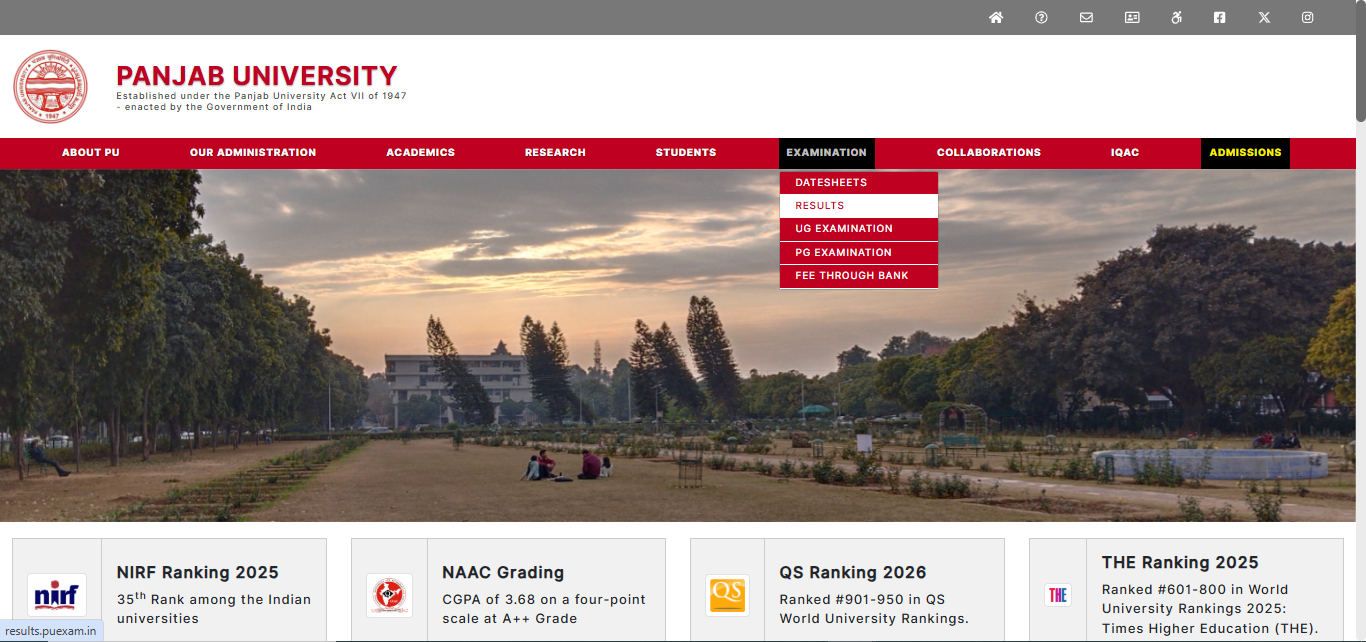
Step 4: A new window will open on the screen sharing the option to select the semester for the PU Result
Step 5: On selecting the result semester, the links connecting with the login form for PU Result will open on the screen
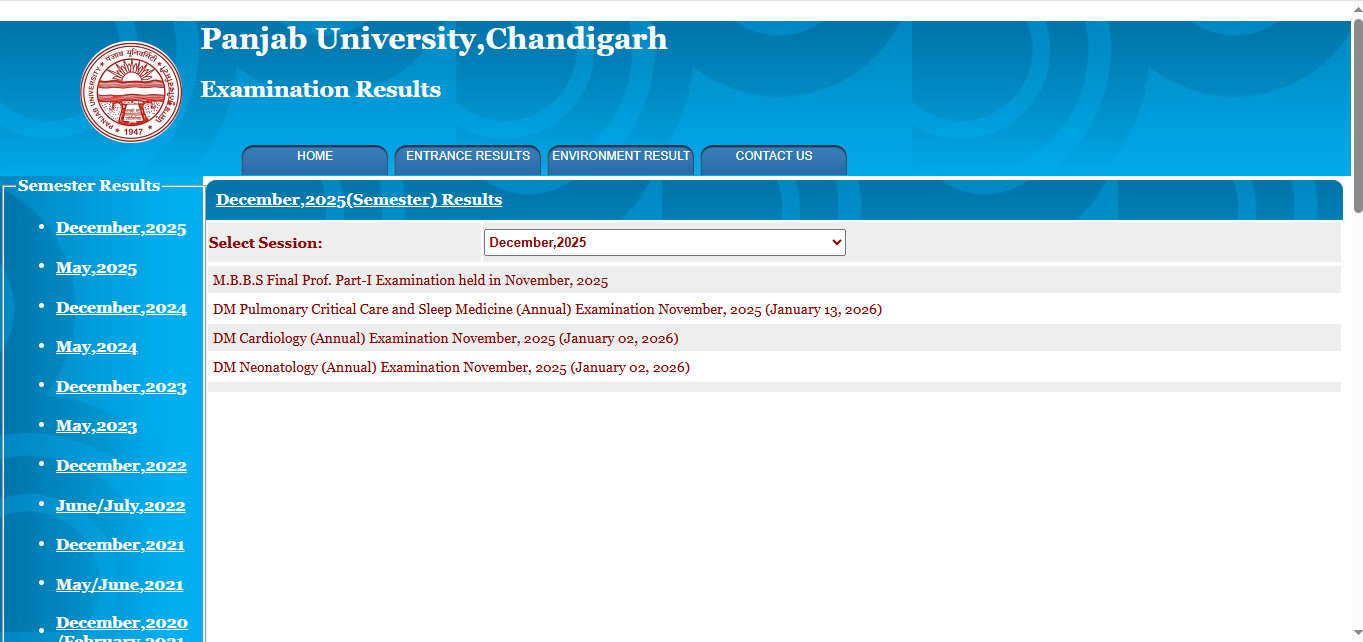
Step 6: Click on the respective link to check the PU Result
Step 7: Enter the “roll number” in the asked section of the PU Result login form
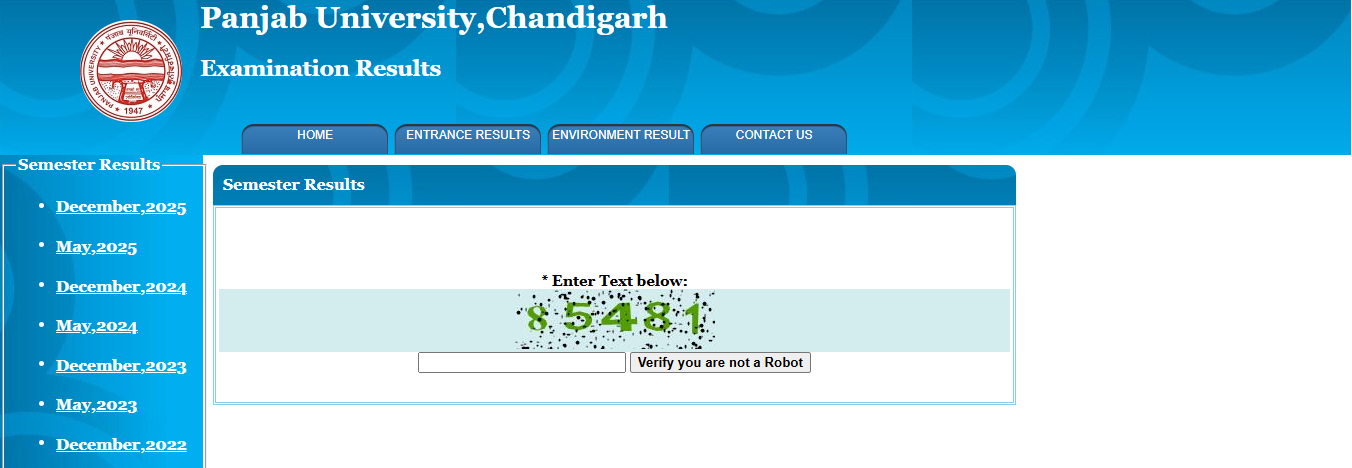
Step 8: The PU Result 2026 will open on the screen
Step 9: Check and save the result for later use.