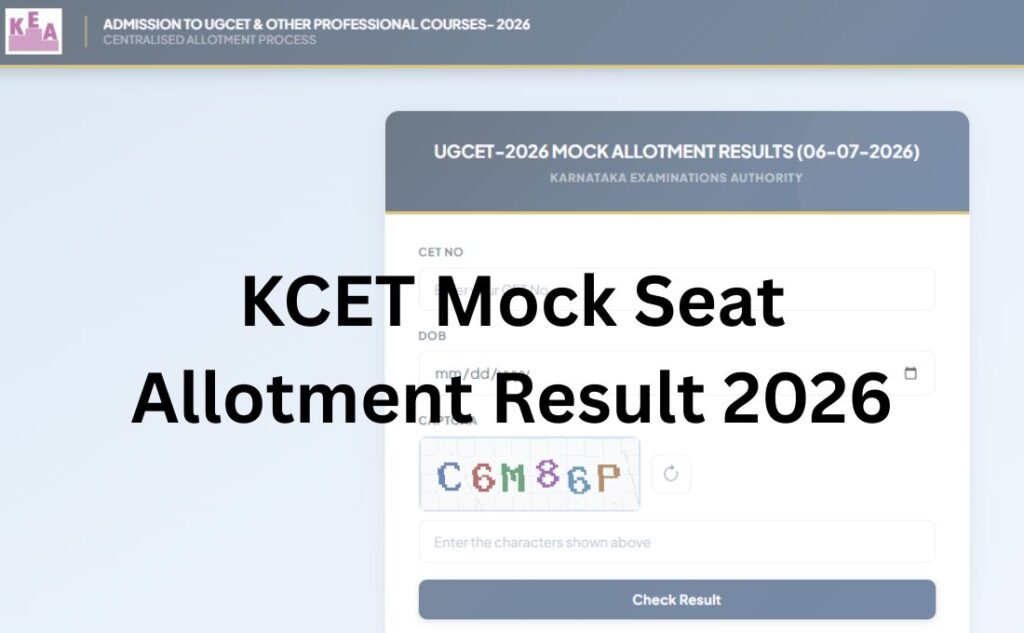

The Karnataka Examination Authority (KEA) has released the KCET Mock Seat Allotment Result 2026 on its official website, so that all the students who appeared for the Karnataka Common Entrance Test counselling 2026 can now log in to the official website at www.cetonline.karnataka.gov.in and check their mock seat allotment result.
The KCET Mock Seat Allotment 2026 is to be considered as an indication of the college and course allocated to them based on their preferences during the choice submission round and the availability of seats. If any of the student feels a need to make changes to their preferences, he/she can log in to the official website and make the required changes till July 09, 2026 (10 AM).
KCET Seat Allotment 2026 Schedule
The KEA board will release the KCET Round 1 Seat Allotment Result 2026 at its official website on July 15, 2026. Check the complete KCET Seat Allotment Schedule 2026 in the table below:
| KCET Seat Allotment 2026 Schedule | |
| Event | Date |
| Last date of rank consideration for mock seat allotment | June 29, 2026 |
| Mock seat allotment result | July 06, 2026 |
| Option entry/editing window after mock allotment |
July 06 – July 09, 2026 (10:00 AM)
|
| Last date to submit/finalise options |
July 09, 2026 (10:00 AM)
|
| Round 1 seat allotment result (scheduled) | July 15, 2026 |
Steps to Check KCET Mock Seat Allotment Result 2026
Below, we have shared the complete process to be followed by the aspirants to check and access their KCET Mock Seat Allotment Result 2026:
Step 1: Visit the official website of the Karnataka Examination Authority (KEA) at www.cetonline.karnataka.gov.in
Step 2: On the menu bar of the home page, click on the tab for “UGCET – 2026 SEAT ALLOTMENT MOCK RESULT LINK (06-07-2026)”
Step 3: On clicking the link, a new window will open on the screen containing the login form
Step 4: Enter the “CET No” and “Date of Birth” in the required sections of the login form
Step 5: Enter the “security captcha” and click on the “Check Result” tab to process the form
Step 6: The KCET Mock Seat Allotment Result 2026 will appear on the screen.
KCET Mock Seat Allotment Result 2026 (Out) – Click to Check
Steps to Make Choices for KCET Counselling 2026
If any student needs to make changes to the choices they made for the KCET Counselling 2026, they can do so by following the steps explained below:
Step 1: Visit the official website of the Karnataka Examination Authority (KEA) at www.cetonline.karnataka.gov.in
Step 2: On the menu bar of the home page, click on the tab for “UGCET – 2026 Options Entry Link – 1”
Step 3: On clicking this link, a new window containing the login form will open on the screen
Step 4: Enter the “Application Number”, “Option Entry CET No” and the “Security Captcha”
Step 5: Click on the tab for “Sent OTP”
Step 6: Enter the “OTP” and process the form
Step 7: All the sections to make choices and make changes to them will appear on the screen
Step 8: Complete the choice submission and process the form.
KCET Counselling 2026 Choice Submission – Click to Make Changes