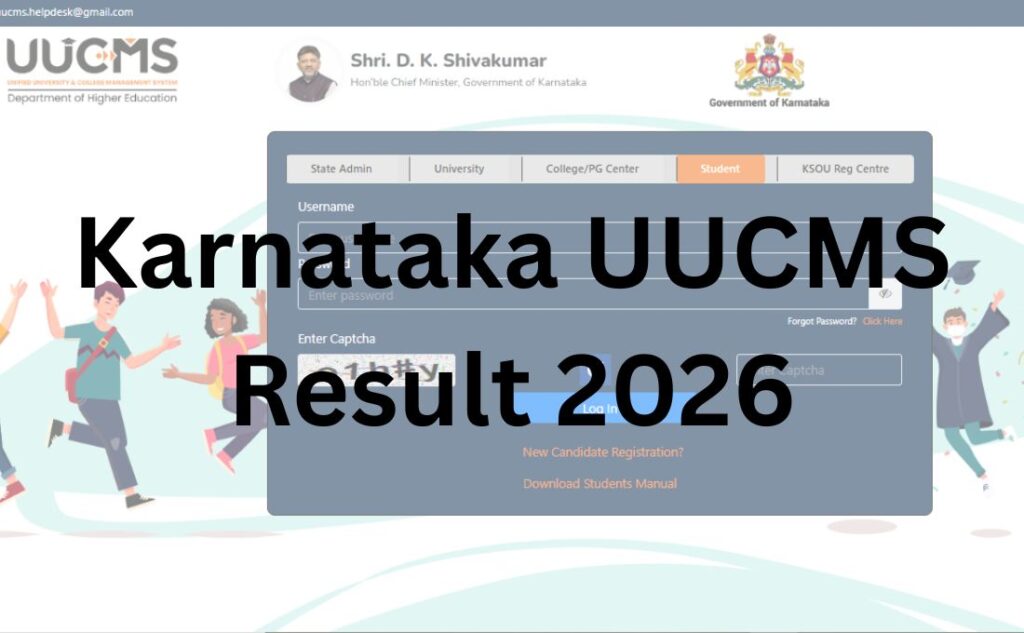

If you’ve searched “UUCMS result” and landed here, you probably already have a candidate ID sitting in an old SMS somewhere and you just want to know if your marks are up. Fair enough – but before you go hunting for a fixed “result date,” there’s one thing worth understanding first, because it’ll save you a lot of confusion later: UUCMS isn’t a university. It’s a shared login system used by more than 24 Karnataka state universities at once.
That single fact explains almost every strange thing students run into with this portal – why your classmate saw their result three days before you, why “UUCMS result date” doesn’t really exist as one number, and why applying for revaluation on the UUCMS site itself doesn’t work the way you’d expect.
This guide walks through all of it – the direct login, how results actually roll out, marksheet downloads, revaluation, and the errors that trip up the most students.
What UUCMS Actually Is (And Why It Matters for Your Result)?
UUCMS stands for Unified University and College Management System – a single digital platform built by Karnataka’s Department of Higher Education. It went live in 2021 as the first system of its kind in the country, and today it’s the backbone for admissions, attendance, internal marks, and examination results across the state’s public higher education network: more than 24 universities and over 3,800 affiliated colleges, covering upwards of 1.5 million students.
Universities like Bangalore University, Bengaluru City University, Bengaluru North University, University of Mysore, Mangalore University, Kuvempu University, Karnatak University Dharwad, and many others all sit on this one system. Your college enters your admission, internal marks, and attendance into UUCMS; the university’s examination wing conducts and evaluates your semester exam; and the result gets pushed to the same UUCMS login you use for everything else.
Why this matters practically: there is no single “UUCMS result 2026 date.” Each university declares each semester’s result on its own timeline, and even within one university, different courses (BA, BCom, BSc, BBA, BCA and so on) and different semesters can go live on different days. So if a friend at another college already has their result and you don’t, it doesn’t mean anything is broken – it usually just means your university or course hasn’t finished evaluation yet.
Direct Result Link
Official portal: uucms.karnataka.gov.in
There is no separate “results” sub-site – the result section lives inside your student login on the same portal you use for everything else on UUCMS.
Important: Do not confuse this with karresults.nic.in. That site belongs to the Karnataka Secondary Education Examination Board (KSEEB) and is used only for SSLC (Class 10) and PUC (Class 11–12) board results – it has nothing to do with UUCMS or university degree results. A surprising number of pages online list karresults.nic.in as an “alternate UUCMS portal,” which is simply incorrect. If you’re looking for your semester result as a college student, karresults.nic.in will not help you.
Login Credentials You’ll Need
Unlike many exam portals, you cannot self-register on UUCMS. Your account is created by your college when you’re admitted, and your login details – usually called your Candidate ID (sometimes shown as enrolment number or USN) and a password – are sent to the mobile number and email you gave at admission, typically via SMS from the college.
To check your result, you’ll generally need:
- Candidate ID / Enrolment Number – issued by your college, not chosen by you
- Password – sent along with the Candidate ID; you can reset it later if needed
- Registered mobile number – used for OTP-based password recovery
- A working captcha entry on the login screen
If you never received these details, the fix isn’t a “forgot password” click – it’s contacting your college’s UUCMS coordinator or examination cell, since they’re the ones who generate the account in the first place.
How to Check Your UUCMS Result – Step by Step?
- Go to uucms.karnataka.gov.in on a browser (desktop tends to be more stable than mobile during peak traffic).
- Click Student Login.
- Enter your Candidate ID and password, then complete the captcha.
- On your dashboard, look for the Examination or Results section.
- Select the correct academic year and semester – this step trips up a lot of students who accidentally check the wrong semester.
- Your subject-wise marks, internal assessment scores, and overall result status will display on screen.
- Use the download or print option to save a copy for your records, even before the official marksheet is issued.
Internal Marks vs. Final Result – Don’t Mix These Up
UUCMS shows two different things that students often confuse:
- Internal Assessment marks – entered by your college throughout the semester (assignments, attendance, internals). These appear in a separate “Internal Marks” tab and are usually visible well before your final result.
- End-semester result – your theory/practical exam marks combined with internals, published only after the university’s evaluation and result-approval process is complete.
Seeing your internal marks on the portal doesn’t mean your final result is close – the two are updated on completely separate timelines.
Downloading Your Marks Card / DigiLocker Marksheet
Once your result is declared, most universities on UUCMS issue a provisional digital marks card directly through the portal, and many also push a verified copy to DigiLocker, so you have a government-recognised digital copy you can share without needing a physical printout.
To download:
- Log in to UUCMS and open the Results section.
- Locate the declared result and click Download Marks Card (label may vary slightly by university).
- Save it as a PDF immediately – don’t rely on being able to re-download instantly during high-traffic hours.
- Separately, check your DigiLocker account (linked to your Aadhaar-registered mobile) for an issued copy, if your university has enabled this integration.
Keep in mind: a provisional marks card is not the same as your final/original marksheet, which is typically issued later by the university’s examination section, often on request or after convocation-linked processes for the final year.
Passing Marks
Passing criteria differ by university and course, but the general pattern across most Karnataka state universities under UUCMS is:
- A minimum of around 35–40% in each theory paper
- A minimum of around 35–40% in practicals, where applicable
- Combined internal + external marks usually need to cross the same threshold per subject
Some universities also apply a small grace-mark allowance in specific circumstances. Because these numbers genuinely vary by university and by course/regulation year, treat the above as a general reference only – confirm your exact passing criteria from your own university’s examination handbook or COE notification.
Revaluation, Retotalling & Photocopy of Answer Scripts
This is the part most guides get wrong: you cannot apply for revaluation on UUCMS itself. UUCMS is a marks-viewing and record-management system – it isn’t the examination authority. Revaluation (sometimes called challenge valuation), retotalling, and answer-script photocopy requests are handled separately by each affiliated university’s own examination section, often through that university’s dedicated exam portal rather than uucms.karnataka.gov.in.
For example, VTU-affiliated results run revaluation through VTU’s own exam portal, while a university like Bangalore University or University of Mysore manages its revaluation applications through its own Controller of Examinations office and website. The process generally follows this shape:
- Eligibility: Open to all students regardless of the marks scored, within a fixed window after result declaration (commonly 10–15 days, but this varies).
- Application: Submitted online through the specific university’s exam portal, sometimes routed via your college.
- Fee: Charged per paper/subject; amounts differ by university and by whether you’re also requesting a photocopy of the answer script.
- Outcome: Marks are revised only if the re-evaluation finds a difference beyond the university’s own threshold – some universities also require multiple evaluators to agree before a change is made.
Bottom line: for revaluation, go to your specific university’s website or examination cell – not UUCMS.
Supplementary / Backlog Result
If you haven’t cleared one or more subjects, most universities under UUCMS conduct supplementary or backlog examinations separately from the regular semester cycle – commonly scheduled a few months later, though the exact cycle depends on your university and course. These results are also published through the same UUCMS student login once evaluation is complete, under the relevant exam session. Check your specific university’s academic calendar for the applicable supplementary exam window.
Name-Wise Result Search
UUCMS is built around Candidate ID-based login rather than public name-wise search. Unlike some university portals that let you search a merit list or result sheet by name and roll number without logging in, UUCMS results are only visible after authenticated login. If you don’t have your Candidate ID, your college is the fastest route to recovering it – not a name search on the portal.
Previous Year / Archived Results
Once you’re logged in, past semester results usually remain visible in your account history under the Examination or Results tab, letting you view or re-download older semester marks cards without needing to request them freshly from your college. If an older result doesn’t appear, it may predate your university’s UUCMS onboarding – in which case the archived record would sit with the university’s own legacy result portal instead.
Common Problems Students Face – And Fixes
| Problem | Likely Cause | What to Do |
|---|---|---|
| “Invalid credentials” on login | Candidate ID or password typed incorrectly, or account not yet activated by college | Re-check for extra spaces; if newly admitted, confirm your college has completed UUCMS registration for you |
| Result section is empty/blank | Your university/course hasn’t declared results yet | Wait – results roll out university-by-university and course-by-course, not all at once |
| Site loading slowly or timing out | High traffic right after a large university’s result goes live | Try during off-peak hours (early morning/late night); avoid refreshing repeatedly |
| Forgot password, OTP not arriving | Registered mobile number outdated or SIM inactive | Contact your college’s UUCMS coordinator to update your mobile number on record |
| Marks card download fails midway | Server load, unstable connection | Retry later; use a stable Wi-Fi connection instead of mobile data during peak hours |
| Internal marks and final result don’t match your expectation | Internal marks are entered separately from the final exam evaluation | These are two different components – check both tabs separately before raising a discrepancy query |
| Can’t find revaluation option on UUCMS | Revaluation isn’t handled through UUCMS at all | Visit your specific university’s own examination portal or COE office |
What to Do After Your Result?
- If you’ve passed: Download and save your provisional marks card and DigiLocker copy immediately – you’ll need these for admission to the next semester, internships, and job applications long before your final marksheet is issued.
- If you’re short in one or two subjects: Check your university’s supplementary/backlog exam notification and application window.
- If you believe your marks are wrong: Apply for revaluation/retotalling directly through your specific university’s examination portal, within the stated deadline – not through UUCMS.
- If you’re graduating: Start tracking your university’s convocation and original-marksheet/degree-certificate issuance process separately, since UUCMS typically only carries provisional records.
UUCMS Result 2026 University Wise
The Department of Higher Education, Government of Karnataka has released the UUCMS Result 2026 university-wise so that all the students, irrespective of their university or institution, can check and access their results. Below, we have added the list and direct links for some of the universities with UUCMS Result:
| University Name |
UUCMS Login Result
|
| Bagalkot University | Click Here |
| Bangalore University | Click Here |
| Bengaluru City University | Click Here |
| Bengaluru North University | Click Here |
| Bidar University | Click Here |
| Chamarajanagar University | Click Here |
| Davangere University | Click Here |
| Dr. B. R. Ambedkar School of Economics University | Click Here |
| Gulbarga University | Click Here |
| Hassan University | Click Here |
| Haveri University | Click Here |
| Kannada University | Click Here |
| Karnatak University | Click Here |
| Karnataka Janapada Vishwavidyalaya | Click Here |
| Karnataka Samskrit University | Click Here |
| Karnataka State Akkamahadevi Women’s University | Click Here |
| Karnataka State Dr. Gangubhai Hangal Music and Performing Arts University | Click Here |
| Karnataka State Open University | Click Here |
| Kodagu University | Click Here |
| Koppal University | Click Here |
| Kuvempu University | Click Here |
| Maharani Cluster University | Click Here |
| Mandya University | Click Here |
| Mangalore University | Click Here |
| Nrupathunga University | Click Here |
| Raichur University | Click Here |
| Rani Channamma University | Click Here |
| St. Joseph University | Click Here |
| Tumkur University | Click Here |
| University of Mysore | Click Here |
| Vijayanagara Sri Krishnadevaraya University | Click Here |
| Visvesvaraya Technological University | Click Here |
Important Links
| Resource | Link |
|---|---|
| UUCMS Official Portal | uucms.karnataka.gov.in |
| Department of Higher Education, Karnataka | Search “Department of Collegiate and Technical Education Karnataka” for the current departmental site |
| Your affiliated university’s exam portal | Varies by university – search “[Your University Name] Controller of Examinations” |
| DigiLocker | digilocker.gov.in |
UUCMS Login Result 2026 – Frequently Asked Questions
Q1. Is UUCMS a university?
Ans. No. UUCMS (Unified University and College Management System) is a shared digital platform used by more than 24 Karnataka state universities for admissions, internal marks, and examination results. It manages the system – it isn’t a university itself.
Q2. Why hasn’t my UUCMS result been declared yet even though others have theirs?
Ans. Results are declared on a rolling basis, separately by each university and often by course and semester. Your specific university, course, or semester may simply still be under evaluation while another has already finished.
Q3. What is my UUCMS Candidate ID and where do I get it?
Ans. Your Candidate ID is issued by your college when you’re admitted and shared via SMS or email to your registered contact details. You cannot self-register or generate one yourself – contact your college’s UUCMS coordinator if you never received it.
Q4. Is karresults.nic.in connected to UUCMS?
Ans. No. karresults.nic.in belongs to the Karnataka Secondary Education Examination Board and is used only for SSLC (Class 10) and PUC (Class 11-12) board results. It is unrelated to UUCMS university semester results.
Q5. Can I apply for revaluation through the UUCMS website?
Ans. No. Revaluation, retotalling, and answer-script photocopy applications are handled separately by each affiliated university’s own examination section or exam portal, not through uucms.karnataka.gov.in.
Q6. What if I forgot my UUCMS password?
Ans. Use the “Forgot Password” option with your registered mobile number for an OTP reset. If your mobile number on record is outdated, you’ll need your college to update it before you can recover access.
Q7. Does UUCMS show internal assessment marks separately from the final result?
Ans. Yes. Internal marks entered by your college appear in a separate tab and are typically visible earlier than your final semester result, which only appears after the university completes evaluation.
Q8. How do I download my UUCMS marksheet?
Ans. Log in, open the Results section, select your declared semester result, and use the Download Marks Card option. Many universities also issue a verified copy through DigiLocker.
Q9. Is the UUCMS marks card the same as my final degree marksheet?
Ans. No. It’s a provisional digital marks card. Your final/original marksheet is typically issued later through your university’s examination section.
Q10. What are the passing marks on UUCMS-affiliated university exams?
Ans. This varies by university and course, but most require roughly 35–40% in each theory paper and practical component. Confirm the exact figure with your specific university’s examination regulations.
Q11. Can I check my UUCMS result by name instead of logging in?
Ans. No. UUCMS results are only accessible after authenticated login with your Candidate ID and password – there’s no public name-wise search as some standalone university portals offer.
Q12. My UUCMS login shows “invalid credentials” even though I’m sure they’re correct. What now?
Ans. Double-check for extra spaces or autofill errors first. If it persists, your account may not be fully activated yet – check with your college’s examination cell.
Q13. Which universities use the UUCMS portal?
Ans. More than 24 Karnataka state universities are onboarded, including Bangalore University, Bengaluru City University, Bengaluru North University, University of Mysore, Mangalore University, Kuvempu University, Karnatak University Dharwad, and others. Coverage has expanded since UUCMS launched in 2021, so check with your specific institution if you’re unsure.
Q14. Can I access old semester results on UUCMS?
Ans. Yes, previous results usually remain visible in your login history. If an older result predates your university joining UUCMS, it may only exist on that university’s earlier, separate result portal.
Q15. Is there a supplementary exam result on UUCMS too?
Ans. Yes, supplementary/backlog exam results are published through the same UUCMS login once your university completes evaluation, under the relevant exam session.
Q16. Why does the UUCMS website load slowly during result time?
Ans. Heavy traffic when a large university’s result goes live can slow the portal. Trying during off-peak hours, such as early morning, usually works better than repeatedly refreshing during peak load.
Q17. Do I need to pay any fee to check my result on UUCMS?
Ans. No, viewing and downloading your provisional marks card through your student login is free. Fees only apply separately for services like revaluation, photocopy of answer scripts, or physical marksheet reissue through your university.
Q18. Who do I contact if my UUCMS issue isn’t resolved?
Ans. Start with your college’s UUCMS coordinator or examination cell, since your account and academic records originate from your college. For portal-wide technical issues, your university’s examination section is the next point of contact.