
If you’re a student at Mahaveer University (MVU), Meerut and looking for your semester or annual exam result, this guide gives you the exact official link, the step-by-step checking process, and answers to every common result-related question — including revaluation, supplementary exams, and the university’s CGPA grading system.
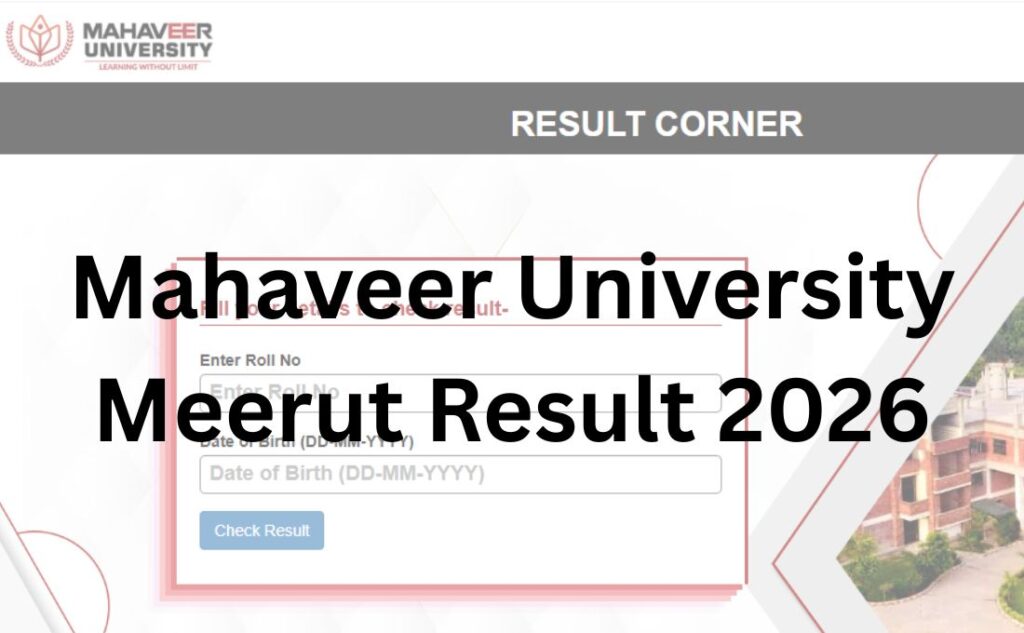
Unlike many private universities, Mahaveer University Meerut runs a public Result Corner portal where students can look up their result directly — you don’t necessarily need to log into a private student account just to view your semester result. Below, we walk through exactly how to use it correctly.
Note: Mahaveer University, Meerut (MVU) is a distinct institution from “Mahaveer Institute of Engineering & Technology (MIET), Meerut,” an older, separate college in the same city. Make sure you’re on mvu.edu.in, MVU’s official domain, and not confusing it with MIET’s site.
Quick Highlights Table
| Detail | Information |
|---|---|
| University Name | Mahaveer University, Meerut (MVU) |
| Established | 2023, under U.P. Private University Act No. 08 of 2023 (notified 21 August 2023) |
| Recognition | UGC-recognised under Section 2(f); approvals include PCI, NCTE, Ministry of Ayush (programme-specific) |
| Location | Sardhana Road, Meerut, Uttar Pradesh – 250341 |
| Courses Covered | UG, PG, Diploma, Ph.D. across Engineering, Pharmacy, Ayurveda, Nursing, Management, Law, Arts, Agriculture, Education |
| UG/PG | Both |
| Category | University Result |
| Official Website | mvu.edu.in |
| Result Portal | Result Corner (mahaveer.eduscol.in) |
| ERP/Student Login | collegeportal.eduscol.in |
| Required Credentials | Enrollment Number / Roll Number (portal-dependent) |
| Grading System | UGC 10-point CGPA scale; Percentage = 10 × CGPA |
| Marksheet Availability | Viewable/downloadable via Result Corner; original from Controller of Examination (COE) office |
| Revaluation | Available via Special Examination Form/notification |
| Supplementary Result | Declared separately, announced on the Notice Board |
| Contact | 1800 313 3742, info@mvu.edu.in |
Mahaveer University Meerut Result 2026 Direct Result Link
The Mahaveer University Meerut Result 2026 has been released online by the university at its official website and can now be accessed by clicking on the direct links attached in the table below:
| Mahaveer University Meerut Result 2026 Direct Link | ||
| Result | Date | Direct Link |
| LLM IV’th Sem Result 2025-2026 | July 28, 2026 | |
| D.El.Ed. II’nd Sem Result 2025-2026 | July 02, 2026 | |
| B.Sc.(Ag.) Hon. IV’th Sem Result 2025-2026 | July 02, 2026 | |
| B.Sc.(Ag.) Hon. II’nd Sem Result 2025-2026 | July 02, 2026 | |
| BA IV’th Sem Result 2025-2026 | July 02, 2026 | |
| BA II’nd Sem Result 2025-2026 | July 02, 2026 | |
| B.Pharm II’nd Sem Result 2025-2026 | July 02, 2026 | |
| B.Pharm IV’th Sem Result 2025-2026 | July 02, 2026 | |
| B.Sc Botany, Zoology, Chemistry II’nd Sem Result 2025-2026 | July 01, 2026 | |
| MA History II’nd Sem Result 2025-2026 | July 01, 2026 | |
About Mahaveer University, Meerut
Mahaveer University, Meerut was established under the Uttar Pradesh Private University Act (Act No. 08 of 2023), notified by the Uttar Pradesh government in August 2023. It is recognised by the UGC under Section 2(f) of the UGC Act. MVU is an evolution of the long-running Mahaveer Educational Park group of institutions in Meerut.
The university runs faculties across Agricultural Science, Arts & Humanities, Ayurveda, Allied & Healthcare Sciences, Commerce & Management, Computer Application, Education, Engineering & Technology, Legal Studies, Naturopathy & Yogic Science, Nursing, Library Science, Pharmacy, and Science. It is positioned as a multidisciplinary campus with programmes ranging from undergraduate to doctoral level, including BAMS, B.Tech, B.Pharm, B.Sc Nursing, BBA, MBA, LLB, and Ph.D.
Latest Result Update
The Controller of Examination (COE) office at MVU regularly posts notices on the “Examination” page of mvu.edu.in, including semester date sheets, exam form notifications, and supplementary exam schedules for programmes such as BA, MA, B.Sc, M.Sc, B.Sc (Agriculture), M.Sc (Agriculture), B.Lib, M.Lib, and BAMS.
Because each faculty and semester has its own exam and result timeline, the exact declared/undeclared status for your programme can only be confirmed on the live Notice Board on mvu.edu.in/examination or by checking the Result Corner directly. Treat any date not sourced from that page as unconfirmed.
Courses Covered Under the Mahaveer University Result System
| Faculty | Representative Programmes |
|---|---|
| Engineering & Technology | B.Tech, M.Tech |
| Pharmacy | B.Pharm, D.Pharm |
| Ayurveda | BAMS |
| Nursing | B.Sc Nursing |
| Allied & Healthcare Sciences | Diploma & UG allied health courses |
| Agricultural Science | B.Sc (Ag.) Hons, M.Sc (Ag.) |
| Science | B.Sc, M.Sc (Physics, Chemistry, Botany, Zoology, Maths) |
| Arts & Humanities | BA, MA |
| Commerce & Management | B.Com, BBA, MBA |
| Computer Application | BCA, MCA |
| Legal Studies | LLB, LLM |
| Education | B.El.Ed., D.El.Ed. |
| Library Science | B.Lib, M.Lib |
| Naturopathy & Yogic Science | BNYS and related programmes |
How to Check Mahaveer University Meerut Result: Step-by-Step?
- Visit the official website: Go to mvu.edu.in.
- Click “MVU” in the top menu, then “Result Corner”: Or go directly to the Result Corner link listed on the Examination page.
- Select your course and semester/year: The portal typically asks you to choose your programme and exam session.
- Enter your Enrollment Number/Roll Number: As provided at admission or printed on your admit card.
- Submit/Search: Click the search or submit button to fetch your record.
- View your result: Subject-wise marks, CGPA, and status will be displayed on-screen.
- Download or print: Save a PDF or screenshot for your records.
- For account-level access: Use collegeportal.eduscol.in with your student ERP credentials if you need broader academic records beyond a single result.
Login Credentials Required
| Credential | Where You Get It |
|---|---|
| Enrollment Number | Issued at admission; printed on ID card/admission letter |
| Roll Number | Allotted at the time of filling the examination form |
| ERP Username & Password | Provided after admission for collegeportal.eduscol.in access |
If your enrollment number or ERP password isn’t working, contact the Examination Cell or Controller of Examination office at 1800 313 3742 or info@mvu.edu.in rather than repeatedly guessing, which can lock the portal session.
Details Mentioned on the Mahaveer University Result
Your result typically displays:
- Student Name
- Enrollment/Roll Number
- Programme and Semester/Year
- Subject-wise marks (Mid-Term/MTE and End-Term/ETE components)
- Internal assessment (quizzes, assignments, seminars) where applicable
- Semester Grade Point Average (SGPA)
- Cumulative Grade Point Average (CGPA)
- Equivalent percentage (Percentage = 10 × CGPA)
- Pass/reappear status
How to Download Your Marksheet?
- Open the Result Corner and pull up your semester result as described above.
- Use the browser’s print/save-as-PDF option, or use the portal’s download button if available.
- Store the digital copy safely for admission, scholarship, or placement purposes.
Note: The Result Corner copy is a provisional online record. For the original signed marksheet, visit or contact the Controller of Examination (COE) office, since original mark sheets and degree/provisional certificates require in-person verification and a checklist submission (ID proof, previous marksheets, and fee receipt).
Grading System & Passing Criteria
Mahaveer University follows the UGC-recommended 10-point CGPA grading scale, applied through continuous evaluation across:
- Mid Semester Examination (MTE)
- End Semester Examination (ETE)
- Internal components: written quizzes, assignments, project work, and seminars conducted throughout the semester
Your Semester Grade Point Average (SGPA) is calculated each semester, and these are cumulated into your overall CGPA. The university uses the standard formula:
Equivalent Percentage = 10 × CGPA
For subject-wise passing marks (minimum SGPA/grade required to clear a paper) specific to your programme, refer to your faculty’s Examination Ordinance, available under “Act, Statute and Ordinances” on mvu.edu.in, since exact thresholds can differ by programme (e.g., B.Pharm, BAMS, and B.Tech ordinances are published separately).
Revaluation Process
If you want your answer sheet re-checked:
- Watch for the notification: The COE office announces revaluation windows through the Notice Board.
- Fill the Special Examination Form: Download it from the “Download Forms” section on the Examination page.
- Submit with the fee: Pay the prescribed per-subject fee as instructed in the notice, via Pay Now (registration.eduscol.in) or as directed.
- Processing: Your answer script is re-evaluated by the concerned faculty.
- Revised Result: Updated marks, if changed, are reflected on the Result Corner once processing completes.
Supplementary / Backlog Result
If you have a backlog subject or are appearing in a supplementary exam (for example, BAMS 1st Professional Supplementary):
- Supplementary exam schedules and results are announced separately on the Notice Board.
- Check your result the same way — through the Result Corner, selecting the relevant supplementary exam session.
- Clear pending backlogs as per your faculty’s promotion rules, since unresolved backlogs can delay progression to the next semester or final degree issuance.
Name-Wise Result
Mahaveer University’s Result Corner is generally accessed by enrollment/roll number rather than a free-text name search, to protect student privacy. If you need to verify someone else’s academic record (for employment or admission verification), contact the Controller of Examinations office directly instead of searching by name.
Previous Year Results
Earlier semester results usually remain accessible through the Result Corner by selecting the relevant past session, or through your ERP account’s academic history. If an older result isn’t visible online, request a certified copy from the COE office.
Common Problems While Checking Results (and Fixes)
| Problem | Likely Cause | Solution |
|---|---|---|
| Result Corner page not loading | High traffic right after declaration, or server load | Wait a few minutes and retry; avoid refreshing repeatedly |
| “Record not found” error | Wrong enrollment/roll number, or result not yet declared for your batch | Recheck the number; confirm declaration status on the Notice Board |
| ERP login failure | Incorrect username/password | Use the reset option or contact the Examination Cell |
| Result shows incomplete marks | Internal marks not yet uploaded by department | Contact your department/faculty coordinator |
| Browser display issue | Outdated browser or cached data | Clear cache or try a different browser |
What to Do After Your Result?
- If you passed: Save/print your Result Corner marksheet; proceed with next semester registration.
- If you have a backlog: Watch for the supplementary exam notification and apply as instructed.
- If you want to challenge your marks: Submit the Special Examination (revaluation) Form within the notified window.
- For higher studies: Request your original marksheet/transcript from the COE office using the Checklist for Degree/Diploma.
- For migration to another university: Use the Checklist for Migration and submit the required documents (ID proof, original marksheet, migration fee receipt).
- For placements: Connect with the Training and Placement Cell using your verified academic records.
Important Links Table
| Resource | Link |
|---|---|
| Official Website | mvu.edu.in |
| Result Corner | mahaveer.eduscol.in |
| ERP/Student Login | collegeportal.eduscol.in |
| Examination Page (Notices, Date Sheets, Forms) | mvu.edu.in/examination |
| Student Corner | mvu.edu.in/student-corner |
| Pay Now Portal | registration.eduscol.in/Admission/Mahaveer |
| Act, Statute & Ordinances | mvu.edu.in/statute-and-ordinances |
| Contact Us | mvu.edu.in/contact |
| Toll-Free Number | 1800 313 3742 |
| info@mvu.edu.in |
Frequently Asked Questions
Q1. Has the Mahaveer University Meerut result been declared?
Ans. Result timelines vary by faculty and semester. Check the Notice Board on mvu.edu.in/examination or search directly on the Result Corner to see the current status for your programme.
Q2. Where can I check my Mahaveer University Meerut result?
Ans. Visit the official Result Corner portal linked from mvu.edu.in under the “MVU” menu, and search using your enrollment/roll number and exam session.
Q3. Is there a direct link to check MVU result without logging in?
Ans. Yes. Mahaveer University’s Result Corner allows students to look up their result using their enrollment or roll number, without needing a separate ERP login for a single result check.
Q4. What details do I need to check my result?
Ans. You typically need your enrollment number or roll number and to select your correct programme and exam session on the Result Corner.
Q5. What if I can’t log into the ERP portal?
Ans. Use the password reset option on collegeportal.eduscol.in, or contact the Examination Cell at 1800 313 3742 or info@mvu.edu.in.
Q6. How do I download my marksheet?
Ans. Open your result on the Result Corner and use your browser’s save-as-PDF or the portal’s download option to keep a digital copy.
Q7. Is the Result Corner copy the same as my original marksheet?
Ans. No. It’s a provisional digital record. The original signed marksheet must be collected from the Controller of Examinations’ office after submitting the required checklist and documents.
Q8. What grading system does Mahaveer University use?
Ans. MVU follows the UGC-recommended 10-point CGPA scale. Your equivalent percentage is calculated as 10 × CGPA.
Q9. How do I apply for revaluation?
Ans. Watch for the revaluation notification on the Notice Board, then submit the Special Examination Form along with the prescribed fee within the given window.
Q10. How long does revaluation take?
Ans. Processing time depends on the volume of applications and faculty schedules; the university announces revised results on the Result Corner once complete.
Q11. How can I check my supplementary/backlog result?
Ans. Supplementary results are declared separately and announced on the Notice Board. Check them on the Result Corner the same way as your regular result, selecting the correct exam session.
Q12. Can I check someone else’s result by name?
Ans. The Result Corner is designed for individual lookup by enrollment/roll number, not free-text name search, to protect student privacy. For verification purposes, contact the COE office.
Q13. Can I access my previous semester results online?
Ans. Yes, generally previous results remain accessible by selecting the relevant past session on the Result Corner. If unavailable, request a certified copy from the COE office.
Q14. Why is the Result Corner page not loading?
Ans. This is usually due to heavy traffic right after a result is declared. Wait a few minutes, avoid refreshing repeatedly, or try a different browser.
Q15. Is Mahaveer University Meerut recognised by UGC?
Ans. Yes. It was established under U.P. Private University Act No. 08 of 2023 and is recognised under Section 2(f) of the UGC Act, with additional programme-specific approvals from bodies such as PCI, NCTE, and the Ministry of Ayush.
Q16. Is Mahaveer University Meerut the same as Mahaveer Institute of Engineering & Technology (MIET)?
Ans. No. They are separate institutions in Meerut. Mahaveer University (MVU) is the newer, full-fledged private university at mvu.edu.in; MIET is a different, older engineering college affiliated to AKTU Lucknow.
Q17. How do I contact the Examination Cell for result-related issues?
Ans. Call the university’s toll-free number 1800 313 3742 or email info@mvu.edu.in for login, marksheet, or result-related queries.
| Also Check | |
| UUCMS Result 2026 | |
| RTMNU Result 2026 | |
| SPPU Result 2026 | |
| Sikkim University Result 2026 | |
| AKTU One View Result 2026 | |
| SGBAU Result 2026 | |
| Osmania University Result 2026 | |