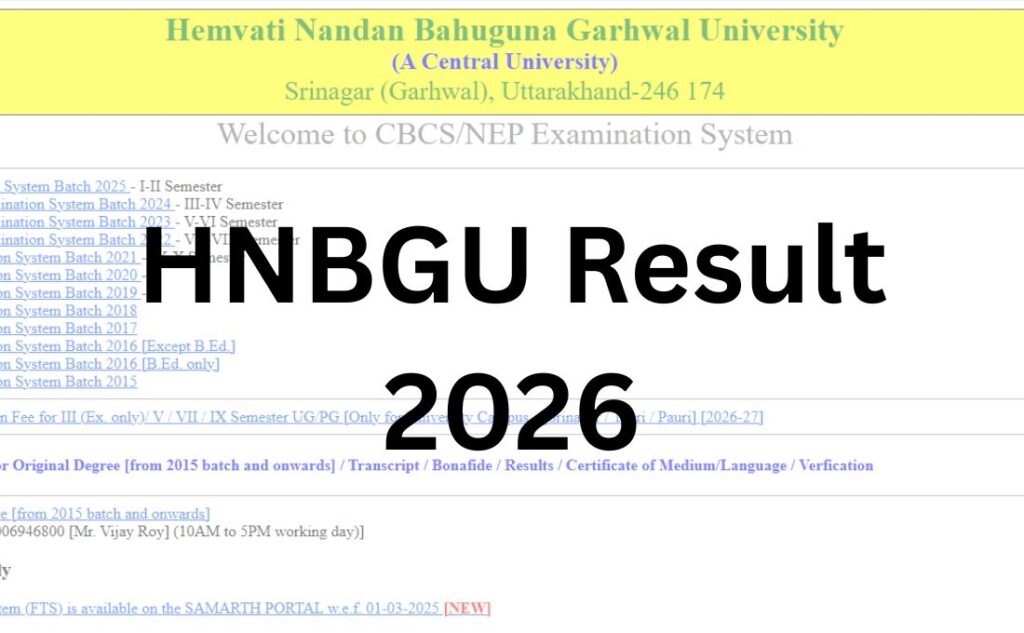

If you’re a student of Hemvati Nandan Bahuguna Garhwal University (HNBGU), waiting for your semester result can be stressful — especially when the university’s exam portal isn’t as widely known as bigger university systems. This guide gives you everything in one place: the official links, a step-by-step checking process, what to do if your result doesn’t show up, and answers to every common HNBGU result question.
Quick summary: HNBGU is a Central University based in Srinagar, Garhwal, Uttarakhand. It does not announce results for all courses on a single fixed date. Instead, results for each semester and course are released in phases through official notifications on the Examination section of the website and through the CBCS/Samarth exam portal. This page explains exactly how that system works and how you should check your result.
Important note: HNBGU frequently updates exam dates, mark-submission deadlines, and result-related notifications throughout the year. Always cross-check the latest notification on the official website before relying on any third-party source, including this one.
Quick Highlights Table
| Detail | Information |
|---|---|
| University Name | Hemvati Nandan Bahuguna Garhwal University (HNBGU) |
| University Type | Central University (status granted in 2009) |
| Established | 1973 |
| Location | Srinagar, Garhwal, Uttarakhand |
| Campuses | BCC Campus Srinagar, BGR Campus Pauri, SRT Campus Tehri |
| Result Status | Released in phases, course-wise and semester-wise — check official notifications for your specific course |
| Academic Session | 2025–26 (Odd and Even semesters) |
| Courses Covered | UG, PG, Diploma, PGD, Integrated, Ph.D./Pre-Ph.D. |
| UG/PG | Both |
| Category | University Result |
| Official Website | hnbgu.ac.in |
| Result/Exam Portal | online.hnbgu.ac.in (Samarth-based CBCS portal) |
| Required Credentials | Roll number / Enrollment number / Registration number |
| Marksheet Availability | Yes, downloadable as provisional marksheet/award list after declaration |
| Revaluation | Available; apply through the official Examination section within the notified window |
| Supplementary/Back Paper | Available for eligible students; separate notification and form required |
| Accreditation | NAAC “A” Grade |
Direct Result Link
There is no single “click here for HNBGU Result” button that works for every course — this is the most important thing to understand before you search further. HNBGU publishes results through two official channels:
- Official website: hnbgu.ac.in → Examination → Main Examination / Professional Examination → Result tab
- Exam/CBCS portal: online.hnbgu.ac.in — used for semester examination forms, admit cards, and in many cases for checking marks/results directly with your credentials
How to reach the correct result page:
- Go to hnbgu.ac.in
- Click on “Examination” in the top menu
- Choose “Main Examination” (for regular UG/PG courses) or “Professional Examination” (for professional courses like B.Ed, LLB, MBA, B.Tech, etc.)
- Click the “Result” tab on that page — this tab lists course-wise and semester-wise result links as and when they are published
Note: If a result link for your specific semester isn’t listed yet, it simply means that result hasn’t been declared yet. Keep checking the Result tab or the “What’s New” section on the homepage.
About Hemvati Nandan Bahuguna Garhwal University
HNBGU was established in 1973 following a regional movement demanding better access to higher education in the Garhwal Himalayan region. In 2009, a parliamentary act elevated it to Central University status, significantly expanding its academic infrastructure and reach.
The university operates across three campuses: the Birla Campus (BCC) in Srinagar with its Chauras extension, the BGR Campus in Pauri, and the SRT Campus in Tehri. Together, these campuses host 11 Schools of Study and around 49 departments, covering disciplines from Agriculture, Engineering, and Law to Humanities, Management, and Life Sciences.
HNBGU holds a NAAC “A” grade accreditation and is a founding member of the Indian Himalayan Central Universities’ Consortium, which brings together institutions across the Himalayan region for collaborative research and academic development. The university follows the Choice Based Credit System (CBCS) and has been progressively aligning its curriculum with the National Education Policy (NEP) 2020.
Latest Result Update
As of late July 2026, HNBGU’s Main Examination notifications page shows an active, rolling examination and result cycle for the 2025–26 academic session:
- Odd Semester 2025–26 examinations were conducted, with a UFM (Unfair Means) decision notification issued in June 2026, indicating that odd-semester evaluation was substantially underway.
- Even Semester 2025–26 exam forms, date sheets, and mark-submission deadlines were issued between March and June 2026, meaning even-semester results follow a few weeks to a few months after those exams conclude, once colleges upload internal and external marks.
- A Ph.D. Entrance Examination 2025–26 result declaration notification was also posted on the homepage in mid-2026.
What this means for you: HNBGU generally declares semester results within a few weeks to about 2–3 months after examinations finish, depending on how quickly individual colleges submit internal and practical marks. Because this varies by course and campus, the only reliable way to know if your specific result is out is to check the Result tab under Main Examination or Professional Examination for your course code.
If you don’t see your result listed yet, it has not been officially declared — please don’t rely on unofficial WhatsApp forwards or third-party “leaked result” claims.
Courses Covered Under HNBGU Result
| Course Category | Examples |
|---|---|
| Undergraduate (UG) | BA, BSc, BCom, BCA, BBA, B.Sc. (Agriculture), B.Sc. (Forestry), B.Sc. (Horticulture) |
| Postgraduate (PG) | MA, MSc, MCom, MBA, MCA, M.Sc. (Biotechnology), M.Sc. (Yogic Science) |
| Professional Courses | LLB, BA LLB, B.Ed, M.Ed, B.P.Ed, M.P.Ed, B.Tech, M.Tech |
| Integrated & Diploma | 4-Year ITEP (B.Ed integrated), PGD (Post Graduate Diploma), Certificate courses |
| Research Programmes | Pre-Ph.D. Course Work, Ph.D. |
How to Check HNBGU Result: Step-by-Step
Method 1 — Through the Official Website
- Visit hnbgu.ac.in
- Click on the “Examination” menu
- Select “Main Examination” or “Professional Examination” depending on your course
- Click the “Result” tab
- Find and click the result link matching your course, semester, and batch year
- Your result/award list will open — usually as a PDF list rather than an individual name-search tool
- Locate your roll number in the list and note your result status
Method 2 — Through the CBCS/Samarth Exam Portal
- Visit online.hnbgu.ac.in
- Log in using your enrollment number/roll number and the password or DOB set during registration
- Navigate to the results or marks section of your student dashboard
- View or download your semester-wise result
Method 3 — Through the University Learning/Samarth Ecosystem
Some marksheet and grade-card downloads are also linked through HNBGU’s Samarth-based systems (the same ecosystem used for admissions and endowment portals). If Method 1 or 2 doesn’t show your result, check for a direct link inside your student login dashboard.
Login Credentials Required
To check or download your result through the exam portal, keep the following ready:
- Roll Number (issued on your admit card)
- Enrollment Number (issued at admission, format usually includes your batch year)
- Registration Number (for some professional/PG courses)
- Date of Birth (used as password for first-time or default login on some portals)
- Captcha code (as displayed on the login screen)
Tip: Keep both your roll number and enrollment number handy — different HNBGU systems (main website vs. Samarth portal) may ask for either one.
Details Mentioned on the HNBGU Result
A typical HNBGU result/marksheet includes:
- Candidate’s Name
- Roll Number and Enrollment Number
- Course Name and Semester/Year
- Subject-wise / Paper-wise Marks (Internal + External where applicable)
- Total Marks Obtained
- SGPA (Semester Grade Point Average) for CBCS/NEP courses
- CGPA (Cumulative Grade Point Average), where applicable
- Result Status (Pass / Fail / Reappear / Back)
- Division/Grade
- Examination Session (e.g., 2025–26 Even Semester)
SGPA vs CGPA: SGPA reflects your grade points for one semester alone. CGPA is the cumulative average across all completed semesters, calculated by dividing total earned grade points by total credits attempted.
How to Download Your HNBGU Marksheet?
- Open the declared result link for your course/semester on hnbgu.ac.in or online.hnbgu.ac.in
- Locate your roll number in the award list or your personal result view
- Take a screenshot or use Ctrl+P → Save as PDF if the result opens as a webpage, or directly download the PDF if one is provided
- Print at least one hard copy for admission, scholarship, or job-application purposes
- Visit your college’s examination cell to collect the original mark sheet, since the online copy is provisional and used mainly for reference
Important: The online result is a provisional result. The final, original marksheet must be collected physically from your college/department as per HNBGU’s process — this is standard practice for most Indian central universities.
Passing Marks
HNBGU, like most Indian central universities under CBCS/NEP frameworks, generally requires students to secure minimum qualifying marks in theory, practical, and internal/sessional components, plus an overall minimum aggregate to pass a semester.
Because exact pass-percentage rules can be revised by academic regulation and may vary slightly by course (UG vs PG vs professional programmes), we recommend verifying the exact current passing criteria from your official date sheet, examination scheme notification, or ordinance document on hnbgu.ac.in rather than relying on a fixed number here. Notifications such as “UFM Decision” and “Scheme for Some Left Over Subjects” published on the Main Examination page often clarify these rules for a specific semester.
If you are on the border of pass/fail marks, check whether grace marks provisions apply for your course — this is also confirmed through official examination scheme notifications, not through generic online claims.
Revaluation Process
If you believe your answer sheet was undervalued, HNBGU allows revaluation/rechecking requests within a notified window after result declaration. The general process:
- Visit the official website or exam portal after your result is declared
- Look for the Revaluation/Rechecking application link under Examination
- Log in with your credentials
- Select the subject(s) you want revalued
- Pay the prescribed revaluation fee online
- Submit the application within the deadline mentioned in the specific result/revaluation notification
Eligibility, fees, and the exact timeline (commonly 15–30 days after result declaration in many Indian universities) are set separately for each exam cycle — always check the specific revaluation notification linked with your result, since these details can change from semester to semester.
Supplementary / Back Paper Result
Students who fail in one or more papers can appear for back paper (supplementary) examinations, generally held for a specific window of subjects (III, V, VII, IX semester back papers, for example, have been separately notified by HNBGU in past cycles).
Process:
- Watch for the “Back Paper Examination Form” notification under Main Examination
- Fill the back paper exam form within the notified dates and pay the fee
- Appear for the back paper exam as per the date sheet
- Once evaluated, back paper results are published the same way as regular results — through the Result tab, listed against your roll number
Name-wise Result
HNBGU predominantly publishes results as roll-number-based award lists (PDFs) rather than an individual “enter your name and see your result” search tool for every course. Some entrance-exam results (like PG entrance results) may offer name-and-category-based viewing. For most semester exams, keep your roll number ready rather than relying on a name search.
Previous Year Results
HNBGU maintains an Archives section on its website (accessible via the site footer) where older notifications, including some previous result and date sheet PDFs, may still be available. If you need an old semester result and it’s no longer listed on the current Result tab, check:
- hnbgu.ac.in/archive
- Or contact the examination cell directly using the emails listed in the Important Links table below
Common Problems While Checking HNBGU Result (and Solutions)
| Problem | Likely Cause | Solution |
|---|---|---|
| Website loading slowly or not opening | High traffic right after a result is declared | Wait a few minutes and retry; try during off-peak hours (early morning) |
| “Result not declared” for your course | Your specific semester/course result genuinely hasn’t been released yet | Check the Result tab periodically; results are released course-wise, not all at once |
| Roll number not found in the list | Wrong roll number entered, or you’re looking at the wrong semester’s PDF | Double-check your admit card; confirm you’re viewing the correct semester/batch PDF |
| Login/credential errors on online.hnbgu.ac.in | Incorrect enrollment number or default password format | Try your DOB in DD-MM-YYYY or DDMMYYYY format; contact your college if it still fails |
| Captcha not loading | Browser extension or slow connection | Refresh the page, disable ad-blockers, or try a different browser |
| PDF result not opening on mobile | Mobile browser PDF-viewer issue | Try downloading via Chrome/desktop, or use a PDF reader app |
What to Do After the HNBGU Result?
If you passed:
- Download and print your result and keep it for admission to the next semester, scholarships, or job applications
- Collect your original marksheet from your department’s examination section
If you have a backlog:
- Check the back paper examination form notification and apply within the given window
If you’re not satisfied with your marks:
- Apply for revaluation/rechecking within the notified timeline
If this is your final semester:
- Watch for convocation notifications (HNBGU has held recent convocations, including its 12th Convocation in 2026) to plan for your original degree certificate
- Start preparing documents for higher studies, competitive exams, or placements through the University Career Counselling and Placement Service (UCCPS)
Important Links Table
| Resource | Link |
|---|---|
| Official Website | https://www.hnbgu.ac.in |
| Examination Section | https://hnbgu.ac.in/examination |
| Main Examination (Result Tab) | https://hnbgu.ac.in/main-examination |
| Professional Examination (Result Tab) | https://hnbgu.ac.in/professional-examination |
| Entrance Examination | https://hnbgu.ac.in/entrance-examination |
| Exam/CBCS Portal | online.hnbgu.ac.in |
| Academic Calendar | https://hnbgu.ac.in/academic-calendar |
| Notifications/Circulars | https://hnbgu.ac.in/notification-circulars |
| Central Library | http://library.hnbgu.ac.in |
| Student Grievance Portal | https://hnbgu.samarth.ac.in/index.php/pgportal/grievance-public/public |
| Examination Cell Email | soexamhnbgu@gmail.com, arexamhnbgu@gmail.com, drexamhnbgu@gmail.com |
| University Phone | 01346-252143 |
HNBGU Result 2026 – FAQ
Q1. Is the HNBGU Result 2026 declared?
Ans. HNBGU does not declare results for all courses at once. Results are released course-wise and semester-wise through notifications on the Examination section of hnbgu.ac.in. Check the Result tab under Main Examination or Professional Examination for your specific course and semester to see if it has been published.
Q2. What is the official website to check HNBGU Result?
Ans. The official website is hnbgu.ac.in. Go to Examination → Main Examination or Professional Examination → Result tab. You can also check the exam/CBCS portal at online.hnbgu.ac.in using your login credentials.
Q3. How can I check my HNBGU result using roll number?
Ans. Visit hnbgu.ac.in, open the Examination section, select the Result tab for your course, and open the relevant semester’s award list PDF. Locate your roll number in that list to see your marks and result status.
Q4. What details do I need to check my HNBGU result online?
Ans. You typically need your roll number and/or enrollment number. For the online.hnbgu.ac.in portal, you may also need your date of birth as a password and to solve a captcha.
Q5. Is HNBGU result available name-wise?
Ans. Most HNBGU semester results are published as roll-number-based PDF award lists rather than individual name-search tools. Keep your roll number ready instead of relying on a name search.
Q6. How do I download my HNBGU marksheet?
Ans. Open your declared result on hnbgu.ac.in or online.hnbgu.ac.in, locate your roll number, and save or print the page as PDF. This is a provisional marksheet; collect your original marksheet from your college’s examination cell.
Q7. What are the passing marks for HNBGU exams?
Ans. Passing criteria (minimum marks in theory, practical, and overall aggregate) are set through official examination scheme notifications and can vary by course and academic year. Check the specific date sheet or scheme notification for your semester on hnbgu.ac.in rather than relying on a generic figure.
Q8. How does HNBGU revaluation work?
Ans. After your result is declared, you can apply for revaluation/rechecking of specific subjects through the Examination section of the official website within the notified deadline, after paying the prescribed fee online. Exact fees and timelines are announced with each result cycle.
Q9. What is the HNBGU back paper/supplementary exam process?
Ans. Students who fail one or more papers can apply for back paper exams through a separate notification and form released under Main Examination. After the back paper exam, results are published the same way as regular semester results.
Q10. My HNBGU result is not showing — what should I do?
Ans. This usually means your specific course/semester result hasn’t been declared yet. Recheck the Result tab periodically, confirm you’re looking at the correct semester and batch, and avoid relying on unofficial “leaked result” sources.
Q11. What is online.hnbgu.ac.in used for?
Ans. It is HNBGU’s Samarth-based CBCS exam portal, used for examination form submission, admit cards, and in many cases for checking results and marks directly through student login.
Q12. Does HNBGU provide SGPA and CGPA on the result?
Ans. Yes, for CBCS/NEP-based courses, results typically show SGPA for the current semester and CGPA as the cumulative average across completed semesters.
Q13. How long does HNBGU take to declare results after exams?
Ans. Based on recent notification patterns, results are generally released within a few weeks to about two to three months after exams conclude, depending on how quickly colleges submit internal and practical marks. Timelines vary by course.
Q14. Can I check previous year HNBGU results?
Ans. Older result and notification PDFs may still be available in the Archives section (hnbgu.ac.in/archive). If you can’t find a specific old result, contact the examination cell via the emails listed on the official contact page.
Q15. What should I do if the HNBGU website is slow after result declaration?
Ans. Heavy traffic right after a result announcement can slow the site. Wait a few minutes and retry, or check during off-peak hours such as early morning.
Q16. Is the HNBGU online result the final marksheet?
Ans. No. The online result is provisional. You must collect the original marksheet/degree-related documents from your college’s examination cell as per HNBGU’s official process.
Q17. Who do I contact for HNBGU result-related issues?
Ans. You can email the examination cell at soexamhnbgu@gmail.com, arexamhnbgu@gmail.com, or drexamhnbgu@gmail.com, or call the university at 01346-252143.
Q18. Does HNBGU declare Ph.D. and entrance exam results separately?
Ans. Yes. Entrance examination results (including PG entrance and Ph.D. entrance) are notified separately under the Entrance Examination section and the “What’s New” updates on the homepage, distinct from regular semester results.