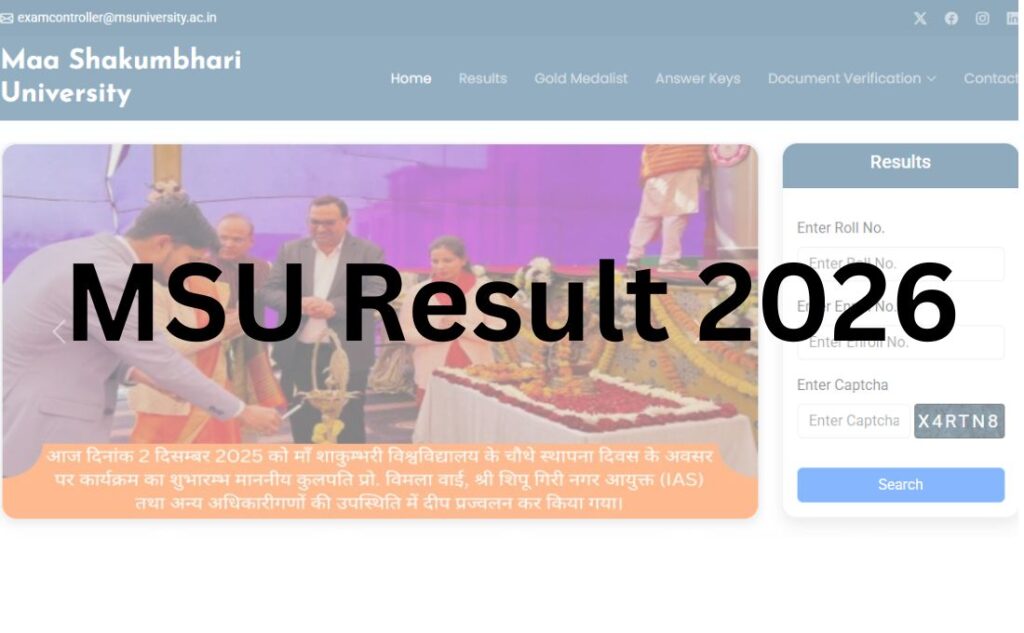

Waiting for your MSU result? You’re in the right place. This guide covers everything you need to check the Maa Shakumbhari University (MSU) result for UG, PG, and back paper exams — including the direct link, step-by-step instructions, revaluation process, and answers to common problems students face while checking their marks.
Maa Shakumbhari University, Saharanpur, releases results for its affiliated colleges through its official result portal. As of now, the university has been declaring main and back paper results for various UG and PG courses through notifications published on its official website. It has also announced a special back paper examination for courses like BA, BCom, BSc, BCA, BBA, three-year LLB, BA-LLB, BCom-LLB, and BSc Agriculture (Honours).
Important Note: Result dates vary by course, semester, and college. Always cross-check your specific result status on the official MSU website before relying on any third-party source.
In this article, you’ll learn how to check your result, download your marksheet, understand passing criteria, apply for revaluation, and fix common technical issues — all in one place.
Quick Highlights Table
| Detail | Information |
|---|---|
| University Name | Maa Shakumbhari University (MSU), Saharanpur |
| Established | 2021, under the UP State Universities Act, 2019 |
| Location | Punwarka, Saharanpur, Uttar Pradesh – 247120 |
| Result Status | Results being declared course-wise and semester-wise; back paper results also being released |
| Academic Session | 2025–26 |
| Courses Covered | UG (BA, BSc, BCom, BBA, BCA, LLB, BSc Agriculture) and PG (MA, MSc, MCom, MBA, MSW, LLM) |
| UG/PG | Both |
| Category | University Result |
| Official Website | msuniversity.ac.in |
| Result Portal | msuresults.com |
| Required Credentials | Roll Number / Enrollment Number |
| Marksheet Availability | Available for download and print on result portal |
| Revaluation | Available through the Answer Book, Scrutiny & Challenge Evaluation portal (onlinemsu.com) |
| Supplementary/Back Paper Result | Declared separately; special back exam recently notified |
| Latest Update | Notification dated 24 July 2026 regarding declaration of main and back exam results for various courses |
MSU Result 2026 Direct Link
Here are the official links to check your MSU result:
- Official University Website: msuniversity.ac.in
- Official Result Portal: msuresults.com
- Answer Key Portal: msuresults.com/Anskey
- Revaluation / Scrutiny Portal: onlinemsu.com
| MSU Result 2026 | ||||||
| College / Campus | Exam Type | Course Name | Sem/ Year | Exam | Date | Link |
| COLLEGE | SEMESTER | 251 – B.A. | IV | Jun.-2026 | July 31, 2026 | Click Here |
| COLLEGE | SEMESTER | 251 – B.A. | II | Jun.-2026 | July 31, 2026 | Click Here |
| COLLEGE | SEMESTER | 253 – B.Com. | IV | Jun.-2026 | July 29, 2026 | Click Here |
| COLLEGE | SEMESTER | 253 – B.Com. | II | Jun.-2026 | July 29, 2026 | Click Here |
| COLLEGE | SEMESTER | 252 – B.Sc. | IV | Jun.-2026 | July 29, 2026 | Click Here |
| COLLEGE | SEMESTER | 252 – B.Sc. | II | Jun.-2026 | July 29, 2026 | Click Here |
| COLLEGE | SEMESTER | 209 – B.Sc.Ag.(Hons.) (Old) | VI | Jun.-2026 | July 28, 2026 | Click Here |
| COLLEGE | SEMESTER | 209 – B.Sc.Ag.(Hons.) (Old) | IV | Jun.-2026 | July 28, 2026 | Click Here |
| COLLEGE | SEMESTER | 209 – B.Sc.Ag.(Hons.) (Old) | II | Jun.-2026 | July 28, 2026 | Click Here |
| CAMPUS | SEMESTER | 822 – M.B.A. (Artificial Intelligence and Machine Learning) | II | Jun.-2026 | July 24, 2026 | Click Here |
About Maa Shakumbhari University
Maa Shakumbhari University is a state university located in Punwarka, Saharanpur, Uttar Pradesh. It was established under the Uttar Pradesh State Universities Act, 2019, and was formally inaugurated in December 2021. Before becoming a full-fledged university, the institution operated as a government degree college and was briefly known as Saharanpur State University.
The university is governed by a Chancellor (the Governor of Uttar Pradesh) and a Vice-Chancellor who oversees academic administration. MSU affiliates over 200 government, aided, and self-financed colleges across the Saharanpur, Muzaffarnagar, and Shamli districts, offering undergraduate, postgraduate, diploma, and doctoral programmes.
MSU conducts semester-wise examinations for its affiliated colleges and its own university campus courses, and it regularly updates students through its “Press Release and Notification” section. The university has also held multiple convocation ceremonies, most recently conferring degrees to thousands of graduating students.
Courses Covered Under MSU Result
| Undergraduate (UG) | Postgraduate (PG) |
|---|---|
| BA | MA (Hindi, English, History, Political Science, Sociology, Economics, Psychology, Philosophy, Sanskrit, Public Administration, and more) |
| BSc | MSc (Physics, Chemistry, Mathematics, Zoology, Botany, Statistics, Environmental Studies) |
| BCom | MCom |
| BCA | MBA |
| BBA | MSW (Social Work) |
| LLB (3-Year) | LLM (Master of Law) |
| BA-LLB | — |
| BCom-LLB | — |
| BSc Agriculture (Honours) | — |
| BEd | MEd |
Diploma, certificate, and PhD/research programmes are also offered, though results for these are typically announced separately through the Controller of Examination office.
How to Check MSU Result (Step-by-Step)?
Follow these steps carefully to check your result without errors:
- Visit the official result portal at msuresults.com (or click the “Result” link on msuniversity.ac.in).
- Locate the results section — look for “View Results” or “Semester and Annual Results” on the homepage.
- Select your course and semester — for example, “BA 6th Semester” or “MA IV Semester.”
- Enter your Roll Number or Enrollment Number exactly as printed on your admit card.
- Complete the captcha verification if prompted.
- Click Submit — your result will appear on the screen with subject-wise marks.
- Download the PDF of your result using the download button.
- Save and print a copy for your records, including admission, scholarship, or job applications.
Login Credentials Required for MSU Result
To access your result on the portal, you may need one or more of the following:
- Roll Number — printed on your admit card
- Registration/Enrollment Number — assigned at the time of admission
- Date of Birth (DOB) — in DD/MM/YYYY format, used as a secondary verification in some systems
- Captcha Code — a security check to confirm you’re not a bot
Tip: If you’ve lost your roll number, contact your college’s examination department — MSU’s result portal does not usually allow name-based search without it.
Details Mentioned on the MSU Result
Once your result is generated, it typically includes:
- Student Name
- Roll Number and Enrollment Number
- Course and Semester/Year
- Examination Session (e.g., Odd Semester 2025–26)
- Subject-wise Marks (Theory and Practical, where applicable)
- Total Marks Obtained
- CGPA/SGPA (for courses under the credit system)
- Percentage
- Division (First, Second, Third)
- Overall Result Status (Pass/Fail/Reappear)
Always verify that your name, roll number, and subject details are correctly printed. Report any discrepancy to your college’s exam cell immediately.
How to Download MSU Marksheet?
- Go to msuresults.com.
- Select your course, semester, and enter your roll number.
- Once your result appears on the screen, click the “Download” or “Print” option.
- Save the PDF marksheet to your device.
- Take a physical printout and keep both digital and hard copies safe.
Note: The online marksheet is usually provisional. For admissions abroad, higher studies, or official verification, you may need an original marksheet or transcript issued by the Controller of Examination office at MSU.
Passing Marks in MSU Examinations
While exact passing criteria can vary slightly by course and can be updated by the university, the general pattern followed by most Indian state universities — including MSU — is:
- Theory papers: Minimum 33% marks required to pass
- Practical papers: Minimum 33%–40% marks required to pass (course-dependent)
- Overall aggregate: Minimum 33%–36% combined marks required, depending on the course and university ordinance
- Grace Marks: Some universities award limited grace marks (usually up to 1–2%) to help students clear a paper by a narrow margin, as per university rules
Always verify exact passing criteria for your specific course through your college or the MSU Examination Committee, as ordinances can differ between UG, PG, and professional courses like LLB and BEd.
MSU Revaluation Process
If you’re not satisfied with your result, MSU allows students to apply for re-evaluation, scrutiny, or a challenge evaluation of their answer sheets through a dedicated portal.
Where to apply: onlinemsu.com (Answer Book, Scrutiny & Challenge Evaluation)
General process:
- Eligibility: Only theory papers are usually eligible for revaluation; practical and internal marks are typically not covered.
- Application window: Revaluation forms must be submitted within a specific window after result declaration — check the notification for exact dates.
- Fees: A prescribed fee per paper/subject applies (amount varies by course and is announced with each revaluation notice).
- Process: Students select the subject/paper, pay the fee online, and submit the request through the portal.
- Result of revaluation: Revised marks (if any) are published separately and may take a few weeks to process.
Important: Revaluation is usually a one-time opportunity per paper. Read the official revaluation notification carefully before applying, as rules can change each session.
MSU Supplementary / Back Paper Result
Students who fail in one or more papers can appear for the back paper (supplementary) examination.
- MSU has recently notified a Special Back Paper Examination 2026 for UG courses including BA, BCom, BSc, BCA, BBA, LLB, BA-LLB, BCom-LLB, and BSc Agriculture (Honours).
- Students need to fill the examination form for the back paper exam within the notified window.
- Back paper results are declared separately from main results, usually a few weeks after the back exam is conducted.
- Check the “Press Release and Notification” section on msuniversity.ac.in for the exact back paper exam schedule and result date relevant to your course.
Name-Wise MSU Result
Currently, the official MSU result portal (msuresults.com) requires a roll number or enrollment number to fetch results — a pure name-wise search is generally not supported for security and accuracy reasons. This is standard practice across Indian university result portals to prevent identity mix-ups.
If you don’t remember your roll number, check your admit card, ID card, or contact your college’s examination department.
Previous Year MSU Results
MSU’s result portal typically retains an archive of previous semester and annual results. If you need an older result (for example, from a previous semester or academic year):
- Visit msuresults.com.
- Look for an archive or “Previous Results” option, or select the relevant academic session from the dropdown while checking your result.
- If the older result isn’t available online, contact the Controller of Examination office for a certified copy.
Common Problems While Checking MSU Result (With Solutions)
| Problem | Likely Cause | Solution |
|---|---|---|
| Website not loading / slow | High traffic right after result declaration | Wait a few minutes and retry, or try during off-peak hours (early morning/late night) |
| “Result Not Found” error | Result not yet declared for your course, or incorrect roll number | Double-check your roll number; confirm from your college if your course result is out |
| Invalid credentials error | Wrong roll number/enrollment number entered | Re-check your admit card and re-enter carefully, avoiding extra spaces |
| Captcha not working | Browser compatibility issue | Refresh the page, clear cache, or try a different browser (Chrome/Firefox) |
| Server error / 500 error | Server overload | Try again after some time; avoid refreshing repeatedly, which increases load |
| PDF not downloading | Pop-up blocker or slow connection | Disable pop-up blocker temporarily and check your internet connection |
| Marks appear incorrect | Data entry error at college/university level | Contact your college examination cell immediately with proof (admit card, answer sheet) |
What to Do After Your MSU Result?
If you passed:
- Download and print your marksheet immediately.
- Proceed with admission to the next semester/year as per your college’s schedule.
- Use your marksheet for scholarship applications, higher studies, or job applications where required.
If you have a backlog/failed a paper:
- Check the back paper examination notification and fill the form within the deadline.
- Prepare a study plan focusing on the failed subject(s).
If you want to challenge your marks:
- Apply for revaluation/scrutiny through onlinemsu.com within the specified window.
If you’re graduating:
- Apply for your original degree/provisional certificate through the university.
- Check convocation details on the MSU website if you wish to attend the degree ceremony.
If you’re applying for higher studies or jobs:
- Request an official transcript or migration certificate from the Controller of Examination office, as online marksheets are usually provisional documents.
Important MSU Links Table
| Link | URL |
|---|---|
| Official Website | www.msuniversity.ac.in |
| Result Portal | www.msuresults.com |
| Press Release & Notifications | www.msuniversity.ac.in/press-release-and-notification |
| Examination Schedule | https://msuniversity.ac.in/pdfurl/examination-schedule |
| Academic Calendar | www.msuniversity.ac.in/academic-calendar |
| Contact/Exam Enquiry | +91 96513 61171 |
Frequently Asked Questions (FAQs)
Q1. Has the MSU result 2026 been declared?
Ans. MSU has been declaring results course-wise and semester-wise, with a recent notification (24 July 2026) confirming the release of main and back exam results for various courses. Since not all courses are declared simultaneously, check the official website for your specific course and semester status.
Q2. What is the official website to check MSU result?
Ans. The official website is msuniversity.ac.in, and the dedicated result portal is msuresults.com. Always use these official domains to avoid fraudulent websites.
Q3. What details do I need to check my MSU result?
Ans. You typically need your roll number or enrollment number, along with a captcha verification. Keep your admit card handy for accurate entry.
Q4. Can I check my MSU result by name only?
Ans. No, the official portal requires a roll number or enrollment number for security and accuracy. Name-only search is not supported.
Q5. How do I download my MSU marksheet?
Ans. Visit msuresults.com, enter your roll number and course details, view your result, and click the download/print option to save your marksheet as a PDF.
Q6. What are the passing marks for MSU exams?
Ans. Generally, students need a minimum of 33% in theory and practical papers, though exact criteria can vary by course. Confirm exact passing marks through your college or the university ordinance for your programme.
Q7. How can I apply for revaluation at MSU?
Ans. Revaluation, scrutiny, and challenge evaluation applications are submitted through onlinemsu.com within the notified window after result declaration, along with the prescribed fee per subject.
Q8. What is the MSU back paper exam?
Ans. The back paper (supplementary) exam allows students who failed one or more subjects to reappear. MSU has recently announced a Special Back Paper Examination 2026 for several UG courses.
Q9. When will MSU back paper results be declared?
Ans. Back paper results are usually declared a few weeks after the back exam is conducted. Check the official notifications page for exact dates related to your course.
Q10. What should I do if the MSU result website is not working?
Ans. Try again after some time, especially during off-peak hours, since heavy traffic right after result declaration can slow down the server. Avoid refreshing repeatedly.
Q11. Is msuresults.com the official MSU result portal?
Ans. Yes, msuresults.com is the official result portal linked directly from msuniversity.ac.in, the university’s main website.
Q12. What if my MSU marksheet shows a mistake?
Ans. Contact your affiliated college’s examination department immediately with your admit card and other proof, so they can raise a correction request with the university.
Q13. Can I check previous year MSU results online?
Ans. Yes, in most cases the result portal retains an archive of past semester/annual results. If unavailable online, contact the Controller of Examination for a certified copy.
Q14. Does MSU offer grace marks?
Ans. Some universities, including state universities like MSU, may award limited grace marks under specific ordinance rules to help students narrowly clear a paper. Confirm exact rules with your college.
Q15. Who do I contact for MSU result-related queries?
Ans. You can contact the MSU exam enquiry number at +91 96513 61171 or reach out to your affiliated college’s examination cell for course-specific queries.
Q16. What courses are covered under MSU results?
Ans. MSU declares results for UG courses like BA, BSc, BCom, BCA, BBA, LLB, BA-LLB, BCom-LLB, and BSc Agriculture (Honours), as well as PG courses like MA, MSc, MCom, MBA, MSW, and LLM.