
If you’re searching for your Saurashtra University result, you’ve probably already noticed something confusing: different websites send you to different links – some say www.saurashtrauniversity.edu, some say www.saurashtrauniversity.ac.in, and others point to www.saurashtrauniversity.co.in. This isn’t a scam or a typo problem. It’s because Saurashtra University genuinely uses more than one official domain, and picking the wrong one is the most common reason students can’t find their result.
This guide clears that up completely. You’ll get the correct, currently active links for your specific course, a full walkthrough of the result-checking process, and clear next steps whether you’ve passed, failed, or want your paper rechecked.
Quick note on accuracy: Saurashtra University declares results course-by-course throughout the year rather than on one fixed date. Exact declaration dates, revaluation fees, and passing criteria for your specific exam can change every session. Wherever this article can’t state a session-specific figure with certainty, it tells you exactly where to verify it – because getting that wrong could cost you a real deadline.
Quick Highlights Table
| Detail | Information |
|---|---|
| University Name | Saurashtra University, Rajkot |
| Official Website | saurashtrauniversity.ac.in |
| Result Portal (Regular/CBCS courses) | saurashtrauniversity.co.in/Master/Result.aspx |
| Result Portal (External/Old scheme & professional courses) | result.saurashtrauniversity.edu |
| Category | University Result |
| Academic Session | 2025–26 (UG & PG, odd and even semesters) |
| Courses Covered | UG, PG, Diploma, Professional (Medical, Law, Pharmacy, Education) |
| Credentials Needed | Seat Number / Enrollment Number, Exam Name, Sometimes DOB |
| Marksheet Availability | PDF download, printable, provisional |
| Revaluation | Available; apply within the university’s notified window |
| Supplementary/Backlog Result | Declared separately from regular results |
| Result Status | Rolling – check by exam name/stream, not a single fixed date |
Direct Result Link: Which Portal Should You Use?
This is the part almost every other article gets wrong, so let’s be precise about it.
Saurashtra University runs two separate, both genuinely official, result systems:
1. For regular semester courses under the CBCS (Choice Based Credit System) – this covers most current UG and PG students in BA, BCom, BSc, BBA, BCA, MCom, LLB, BArch, and similar programs admitted from 2019 onwards: 👉 saurashtrauniversity.co.in/Master/Result.aspx
Here you select your exact exam name from a dropdown (for example, “BCOM SEM-4(2019)”), which already tells you the month and year the result was declared for that batch.
2. For external/non-CBCS students, older syllabus batches, and most professional programs (MBBS, BDS, BHMS, BPT, PG Medical, B.Pharm, etc.): 👉 result.saurashtrauniversity.edu
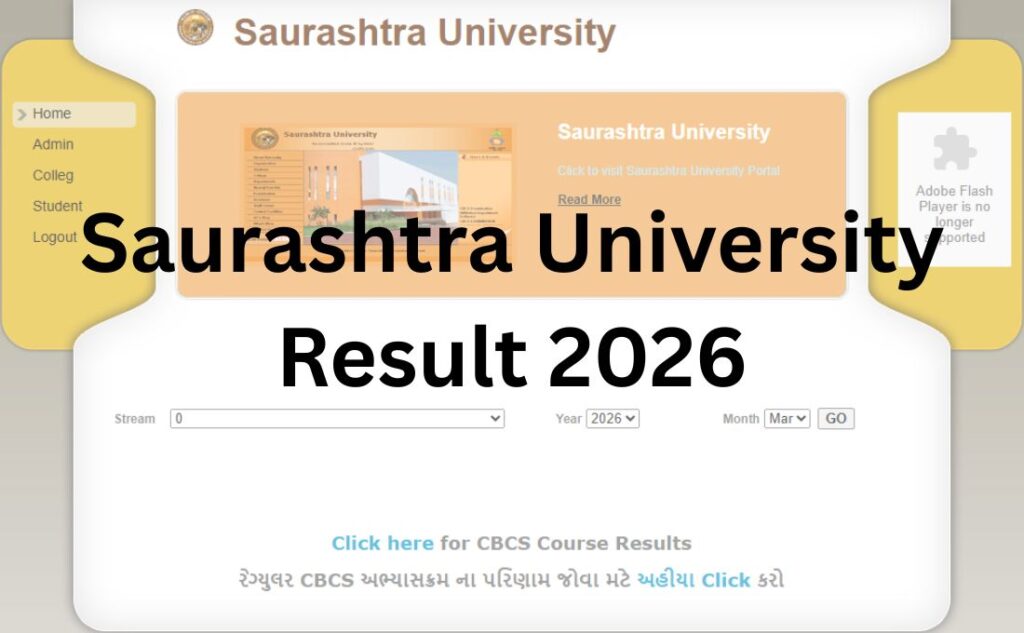
Here you filter by Stream, Year, and Month instead of picking one named exam.
Why does this matter? If you search your course on the wrong portal, it simply won’t appear in the list – and that’s the single biggest reason students think their “result isn’t out yet” when it actually is, just on the other portal.
Important note on domains: The university’s main informational website has officially migrated from www.saurashtrauniversity.edu to www.saurashtrauniversity.ac.in. If you land on a page using the old .edu domain for anything other than the results subdomain above, it will usually auto-redirect you. Always double-check you’re on an ac.in, edu, or co.in address ending in the university’s own name – never a lookalike domain with extra words or numbers added.
Saurashtra University Result 2026 (Out) – Click to Check
About Saurashtra University
Saurashtra University was established on 23rd May 1967 under the Saurashtra University Act passed by the Gujarat Legislative Assembly, following a long-standing demand for a separate university serving the Saurashtra region out of Gujarat University, Ahmedabad. It is headquartered in Rajkot, Gujarat, on an urban campus spread across roughly 363 acres.
The university is a public state university, accredited by NAAC and recognised by the UGC, with academic jurisdiction extending across Amreli, Jamnagar, Junagadh, Porbandar, Rajkot, and Surendranagar districts. It has around 28 postgraduate departments on its main campus, and a large network of affiliated colleges spread across the region, offering programs across arts, commerce, science, law, education, medicine, pharmacy, and more. Admissions to affiliated colleges are now routed through GCAS (Gujarat Common Admission Services), the state’s centralised admission portal.
Latest Result Update
Saurashtra University does not declare all results on one single date. Instead, results are released exam-wise and stream-wise as each evaluation cycle finishes – typically visible as separate entries like “BA SEM-1(2019) (January – 2026)” or “BCOM SEM-6(2019) (March – 2026)” on the CBCS result portal, each tagged with the month the result actually went live.
As of now, both portals are active and regularly updated with new exam results and supplementary exam circulars, including recent circulars for CBCS supplementary exam forms for UG Semester 5 & 6 and PG Semester 3 & 4.
For the exact status of your specific exam, search your course name directly on the relevant portal above – that dropdown/filter list is updated in near real time and is far more reliable than any third-party “result declared” claim, including this one. Bookmark the correct portal for your course type and check it periodically closer to your expected date.
Courses Covered
| Undergraduate (UG) | Postgraduate (PG) | Professional |
|---|---|---|
| BA | MA | MBBS / BDS |
| BCom | MCom | BHMS |
| BSc | MSc | B.Pharm / Pharm.D |
| BBA | MJMC | BPT / MPT |
| BCA | LLM | LLB / BA LLB |
| BArch | M.Ed | B.Ed |
| BSW | PGDCA | |
| BRS | DMLT |
This is not an exhaustive list – Saurashtra University’s affiliated colleges run a very wide range of specialisations within these broad categories. If your exact course isn’t listed by name here, it will still appear as its own entry on the relevant result portal.
How to Check Saurashtra University Result (Step-by-Step)?
For regular CBCS courses:
- Go to www.saurashtrauniversity.co.in/Master/Result.aspx
- Wait for the “Exam Name” dropdown to load fully – it can take a moment.
- Select your exact exam entry (course + semester + attempt type + month/year).
- Enter your seat number when prompted.
- Allow pop-ups in your browser – the marksheet often opens in a pop-up window, and if pop-ups are blocked, the download will silently fail.
- Your result will display on screen. Download or print it for your records.
For external/old-scheme and professional courses:
- Go to www.result.saurashtrauniversity.edu
- Select your Stream from the list (e.g., BA, BCOM, MBBS, BPT, BDS).
- Choose the Year and Month matching your exam attempt.
- Enter your seat number and submit.
- View and download your result.
If your course doesn’t appear on either portal, it may not be declared yet, or it may be listed under a slightly different stream code than you expect (for example, external and regular batches of the same course are often listed as separate entries). Check both portals before assuming the result isn’t out.
Login Credentials Required
Unlike university portals that need a username-password login, Saurashtra University’s result systems work on direct lookup:
- Seat Number – this is your primary identifier; find it on your admit card/hall ticket
- Exam Name / Stream selection – you choose this from a dropdown rather than typing it
- Year and Month – required specifically on the external/professional courses portal
- No password or captcha is typically required on either portal, but this can change, so always follow the on-screen instructions exactly as shown
Keep your admit card or previous marksheet handy – your seat number is printed on both and is the one detail you cannot recover through the result portal itself.
Details Mentioned on the Result
A typical Saurashtra University result/marksheet includes:
- Student’s full name
- Seat number/enrollment number
- College name
- Subject-wise marks (internal + external, where applicable)
- Total marks and maximum marks
- Result status (Pass / Fail / ATKT / Detained)
- Semester and course name
- Examination session (month and year)
- CGPA or percentage, depending on the scheme
Important: The result displayed online is provisional. Your final, official marksheet is the one issued by the university’s examination section, either digitally through the Degree portal (degree.saurashtrauniversity.edu) or in physical form from your college. Always cross-check every detail on the online copy against your admit card before relying on it for any official purpose.
How to Download Your Marksheet?
- Complete the result-checking steps above for your relevant portal.
- Once your result is on screen, look for a Print or Download option – this usually opens a PDF in a new tab or pop-up.
- If nothing opens, check that pop-ups are allowed for the site in your browser settings, then retry.
- Save the PDF with a clear filename (e.g., “SU_BCom_Sem4_SeatNo.pdf”) so you can find it later.
- Take a physical printout for admission, scholarship, or job application purposes – many offices still ask for a signed/stamped copy rather than a self-printed PDF, so also collect your official marksheet from your college’s examination cell.
Passing Marks
Saurashtra University follows the general passing criteria applicable across its affiliated colleges, but exact passing marks vary by course, scheme (CBCS vs. old syllabus), and specific paper – theory and practical components often have separate minimums.
As a general rule across Indian universities using a similar structure:
- Most theory papers require roughly 35-40% to pass individually
- Most practical/internal components require a separate minimum, often also around 35-40%
- Overall aggregate requirements can differ from the individual paper minimum
Do not rely on any generic percentage for a decision that matters (like whether you need to reappear). Your official passing criteria are set out in your course’s examination ordinance/syllabus document, available through your college or the university’s Academic Section – verify there before assuming pass/fail status from marks alone.
Revaluation and Reassessment Process
If you believe your paper was mis-evaluated, Saurashtra University allows students to apply for revaluation/reassessment. The general process is:
- Check the notified window – revaluation applications are only accepted within a specific period after result declaration, announced through a university circular. Missing this window usually forfeits the option entirely.
- Obtain the application form – available through the Exam Section or as a downloadable circular on saurashtrauniversity.ac.in.
- Fill in your details – course, semester, subject(s) you want re-checked, and seat number.
- Pay the revaluation fee – this is charged per subject and is set fresh for each exam cycle by university circular.
- Submit before the deadline – either online or at the examination office, depending on what that cycle’s circular specifies.
- Wait for the revised result – revaluation outcomes are typically published a few weeks after the application deadline, either as a correction to your existing marksheet or a formal revaluation result notification.
Exact revaluation fees and deadlines change every exam cycle and are published through dated circulars on the university’s Exam Circulars page. Treat any fee figure you see elsewhere online as indicative only, and confirm it from the current circular before paying.
Supplementary / Backlog Result
Students who don’t clear one or more subjects in their regular exam can appear for the supplementary (backlog) exam in the next available cycle. Supplementary results are:
- Declared separately from regular semester results, usually on a delayed timeline
- Found on the same portal as your regular course (CBCS courses on the co.in portal, external/professional on the edu portal) – supplementary exam entries are usually labelled clearly, e.g., “SUPPLEMENTARY EXAM” in the exam name
- Subject to the same seat number lookup process
Recent university circulars have specifically opened supplementary exam forms for UG Semester 5 & 6 and PG Semester 3 & 4 under CBCS – a good sign for students tracking backlog clearance timing this session. Always check the Exam Section’s circulars page for the current cycle’s exact form and result dates.
Name-Wise Result
Saurashtra University’s result portals are built around seat number lookup, not name-wise search. There is currently no public name-wise result search tool on either official portal. If you’ve lost or forgotten your seat number, your college’s examination cell or your admit card is the fastest way to recover it – don’t rely on third-party sites claiming to offer name-based lookup, as these are not official channels and can pose privacy risks.
Previous Year Results
Both result portals retain historical data rather than only showing the latest cycle:
- The external/professional courses portal (result.saurashtrauniversity.edu) shows a Year filter going back to 2014, so older batches can still retrieve their results.
- The CBCS portal similarly retains past exam-name entries in its dropdown, though very old CBCS records may eventually be archived separately.
If you need an older result for verification, official transcript, or duplicate marksheet purposes, the Online Transcript Application (available via saurashtrauniversity.co.in) is the correct formal channel rather than relying solely on the online lookup.
Common Problems While Checking Results (and How to Fix Them)
| Problem | Likely Cause | Solution |
|---|---|---|
| Course not found in dropdown | Wrong portal for your scheme (CBCS vs. external) | Try the other official portal |
| Marksheet won’t download/open | Pop-ups blocked in browser | Enable pop-ups for the site, retry |
| “Result not found” for correct seat number | Result not yet declared for that specific exam entry | Recheck later; confirm exact exam name/date |
| Site slow or unresponsive | High traffic right after a result is declared | Wait and retry during off-peak hours (early morning/late night) |
| Landed on an unfamiliar domain | Old bookmark or outdated link pointing to a retired page | Always navigate from saurashtrauniversity.ac.in directly |
| Details on marksheet look incorrect | Data entry error or you’re viewing the wrong exam entry | Recheck seat number and exam name; report discrepancies to your college’s exam cell immediately |
What to Do After Your Result?
If you passed: Download and save your provisional result, then collect your official marksheet from your college once available. Keep both digital and physical copies for admissions, scholarships, or job applications.
If you have a backlog/ATKT: Note your subject(s) carefully, check the next supplementary exam form dates on the Exam Section’s circulars page, and register within the notified window – missing a cycle can delay your degree by a full semester or year.
If you want revaluation: Follow the revaluation process outlined above, and apply within the window specified for that particular exam cycle.
If you’re moving to the next semester/year: Confirm your admission/enrollment status with your college, since some programs require minimum passing criteria in prior semesters before you can register for the next one.
If you need your result for further studies or a job: Use your official marksheet (not just the online PDF) for formal submissions, and apply for a transcript through the official transcript portal if the destination institution requires one.
Important Official Links
| Resource | Link |
|---|---|
| Official Website | www.saurashtrauniversity.ac.in |
| Result Portal (CBCS/Regular) | www.saurashtrauniversity.co.in/Master/Result.aspx |
| Result Portal (External/Professional) | www.result.saurashtrauniversity.edu |
| Exam Time Tables | www.saurashtrauniversity.ac.in (Exam → Time Table) |
| Exam Circulars | www.saurashtrauniversity.ac.in (Exam → Circulars) |
| Degree & Provisional Degree | www.degree.saurashtrauniversity.edu |
| Online Transcript Application | www.saurashtrauniversity.co.in |
| Admission Portal (GCAS) | www.gcas.gujgov.edu.in |
| Contact / Exam Section Support | via saurashtrauniversity.ac.in Contact page |
Conclusion
Checking your Saurashtra University result doesn’t have to involve guessing which website is real. Remember the one thing that trips up most students: your course type decides your portal – CBCS/regular courses go through www.saurashtrauniversity.co.in, while external and most professional programs go through result.saurashtrauniversity.edu. If your result isn’t showing on one, check the other before assuming it isn’t declared.
Bookmark this page and the correct portal for your course, keep your seat number handy, and always verify session-specific details – exact dates, fees, and passing criteria – through the university’s own circulars before making any decisions based on them.
Saurashtra University Result 2026 – FAQs
Q1. What is the official website of Saurashtra University?
Ans. The main official website is saurashtrauniversity.ac.in. The university recently migrated from saurashtrauniversity.edu, so if you land on the old domain, it should redirect you automatically.
Q2. Where do I check my Saurashtra University result?
Ans. It depends on your course type. Regular CBCS courses use saurashtrauniversity.co.in/Master/Result.aspx, while external and most professional courses (MBBS, BDS, BPT, etc.) use result.saurashtrauniversity.edu.
Q3. Why can’t I find my course on the result portal?
Ans. You may be checking the wrong portal for your scheme. Try the other official result portal – CBCS and external/professional courses are split between two separate systems.
Q4. What details do I need to check my Saurashtra University result?
Ans. Mainly your seat number, plus selecting the correct exam name (CBCS portal) or stream/year/month (external portal). No password is typically required.
Q5. Is Saurashtra University result declared on a fixed date?
Ans. No. Results are released exam-wise and stream-wise throughout the year as each evaluation cycle completes, not on one single university-wide date.
Q6. How do I download my Saurashtra University marksheet?
Ans. After viewing your result on the correct portal, use the print/download option. Make sure pop-ups are allowed in your browser, since the marksheet often opens in a pop-up window.
Q7. Is the online marksheet from the result portal my final marksheet?
Ans. No, it’s provisional. Your official marksheet comes from the university’s examination section or your college, and should be used for all formal purposes.
Q8. What are the passing marks at Saurashtra University?
Ans. Passing criteria vary by course, scheme, and paper (theory vs. practical), and are set out in your specific course’s examination ordinance. Verify with your college or the Academic Section rather than relying on a general percentage.
Q9. How do I apply for revaluation at Saurashtra University?
Ans. Get the revaluation form from the Exam Section or university circulars, fill in your subject details, pay the notified fee, and submit within the window specified for that exam cycle – this window and fee change each session.
Q10. What is the revaluation fee at Saurashtra University?
Ans. The fee is set fresh for each exam cycle through an official circular and can vary. Always check the current circular on saurashtrauniversity.ac.in rather than relying on a fixed figure from any third-party source.
Q11. How long does revaluation take?
Ans. Revaluation outcomes are typically published a few weeks after the application deadline, though the exact timeline is announced separately for each cycle.
Q12. Can I check my Saurashtra University result by name instead of seat number?
Ans. No, the official portals use seat number lookup only. There is no public name-wise search tool. Recover your seat number from your admit card or the college exam cell if needed.
Q13. What is the Saurashtra University supplementary result?
Ans. It’s the result for students who reappear for subjects they didn’t clear in the regular exam. It’s declared separately, on the same portal as your regular course, usually labelled as a supplementary exam entry.
Q14. How do I check old/previous year Saurashtra University results?
Ans. The external/professional portal has a Year filter going back to 2014. For CBCS courses, older exam-name entries remain in the portal’s dropdown. For official duplicate copies, use the transcript application.
Q15. Why does the Saurashtra University site show three different domains?
Ans. The university operates saurashtrauniversity.ac.in as its main site, plus two active results subdomains – one on .edu (external/professional courses) and one on .co.in (CBCS courses) – because these systems were built and migrated at different times.
Q16. What should I do if the result website is slow or not loading?
Ans. This usually happens right after a result is declared due to heavy traffic. Wait and retry during off-peak hours, and make sure you’re on the correct official domain, not a lookalike site.
Q17. My marksheet details look wrong – what should I do?
Ans. First confirm you selected the correct exam entry and seat number. If the error persists on your official marksheet, report it to your college’s examination cell immediately, as corrections must go through the university’s exam section.
Q18. Does Saurashtra University have a mobile app for results?
Ans. No dedicated mobile app currently exists for checking results. Both result portals are accessible through a mobile browser.