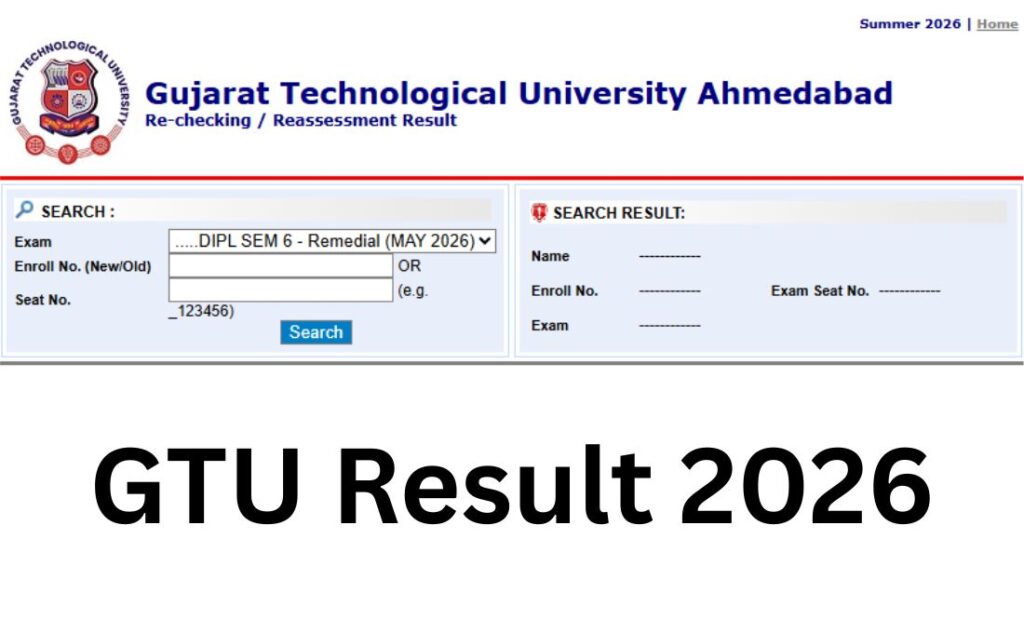

If you’ve searched “GTU result” and landed on three different websites in the last five minutes – gtu.ac.in, gturesults.in, and maybe a third-party aggregator – you’re not doing anything wrong. Gujarat Technological University genuinely runs its results through two connected but separate-looking systems, and it trips up thousands of students every result cycle. This page sorts that out, tells you exactly what’s live right now, and – unlike most result pages – actually explains what your SPI, CPI, and percentage mean once you have them.
Quick answer: Your result lives at gtu.ac.in/result.aspx, which routes you to GTU’s dedicated result server at gturesults.in. You’ll need your Enrollment Number (or Seat Number), your Student Portal Password (not your admission password), and a captcha code. Keep reading for the full walkthrough, the latest declarations, and what to do if any part of that doesn’t work.
Quick Highlights
| Detail | Information |
|---|---|
| University | Gujarat Technological University (GTU) |
| Result Status | Declared in phases (ongoing for Winter 2025 & Summer 2026 sessions) |
| Academic Session | Winter 2025 (Dec 2025 exams) and Summer 2026 (May 2026 exams) |
| Courses Covered | Diploma, BE, ME, MBA, MCA, B.Pharm, M.Pharm, B.Arch, M.Arch, BBA, PDDC, PhD, and more |
| Level | UG, PG, and Diploma |
| Official Website | gtu.ac.in |
| Result Portal | gturesults.in |
| Category | University Result |
| Credentials Needed | Enrollment/Seat Number + Student Portal Password + Captcha |
| Marksheet | Provisional PDF available online; final marksheet issued by your college |
| Recheck/Reassessment | Available within a short window after each result (verify exact days via notification) |
| Remedial (Backlog) Result | Declared separately from Regular results, course-wise |
| Latest Update | Result of DIPL SEM 1 – Remedial (MAY 2026) Exam declared on August 25, 2026 |
GTU Result 2026 Direct Link – Where to Actually Click?
There are two legitimate entry points, and it helps to know why both exist:
- gtu.ac.in/result.aspx – the official university website’s results tab. This is where GTU posts the exam-wise result links as they’re announced.
- gturesults.in – GTU’s dedicated result-hosting server. The links on gtu.ac.in usually point here, because running results on a separate server keeps the main university website from crashing under result-day traffic.
Important: Both are official GTU properties. You haven’t been redirected to a fake site if the URL changes from gtu.ac.in to gturesults.in mid-click. That said, always type the address yourself or use a bookmarked official link rather than clicking through from an unfamiliar forwarding page, since result season also brings out lookalike sites.
| GTU Result 2026 | ||
| Result | Date | Link |
| Result of DIPL SEM 1 – Remedial (MAY 2026) Exam | August 25, 2026 | |
| Result of MPH SEM 1 – Remedial (MAY 2026) Exam | August 25, 2026 | |
| Result of DIPL SEM 5 – Remedial (MAY 2026) Re-check-Re-Assess | August 25, 2026 | |
| Result of DIPL SEM 2 – Regular (MAY 2026) Exam | August 24, 2026 | |
| Result of BE SEM 3 – Remedial (MAY 2026) Exam | August 24, 2026 | |
| Result of MBA SEM 4 – Regular (MAY 2026) Re-check-Re-Assess | August 24, 2026 | |
| Result of MBA SEM 4 – Remedial (MAY 2026) Re-check-Re-Assess | August 24, 2026 | |
| Result of DIPL SEM 2 – Remedial (MAY 2026) Exam | August 21, 2026 | |
| Result of BH SEM 1 – Remedial (MAY 2026) Re-check-Re-Assess | August 20, 2026 | |
| Result of MPH SEM 2 – Regular (MAY 2026) Exam | August 19, 2026 | |
| Result of MPH SEM 2 – Remedial (MAY 2026) Exam | August 19, 2026 | |
| Result of DV SEM 1 – Remedial (MAY 2026) Exam | August 19, 2026 | |
| Result of BE SEM 4 – Regular (MAY 2026) Exam | August 19, 2026 | |
| Result of BA SEM 3 – Remedial (MAY 2026) Re-check-Re-Assess | August 19, 2026 | |
| Result of BA SEM 4 – Regular (MAY 2026) Re-check-Re-Assess | August 19, 2026 | |
| Result of DV SEM 3 – Remedial (MAY 2026) Re-check-Re-Assess | August 18, 2026 | |
| Result of DV SEM 4 – Regular (MAY 2026) Re-check-Re-Assess | August 18, 2026 | |
| Result of DV SEM 6 – Regular (MAY 2026) Re-check-Re-Assess | August 18, 2026 | |
| Result of BE SEM 4 – Remedial (MAY 2026) Exam | August 17, 2026 | |
| Result of MCA SEM 1 – Remedial (MAY 2026) Exam | August 17, 2026 | |
| Result of MCA SEM 2 – Regular (MAY 2026) Exam | August 17, 2026 | |
| Result of MCA SEM 2 – Remedial (MAY 2026) Exam | August 17, 2026 | |
| Result of DV SEM 2 – Regular (MAY 2026) Exam | August 17, 2026 | |
| Result of DV SEM 2 – Remedial (MAY 2026) Exam | August 17, 2026 | |
| Result of BV SEM 1 – Remedial (MAY 2026) Re-check-Re-Assess | August 17, 2026 | |
| Result of BV SEM 2 – Regular (MAY 2026) Re-check-Re-Assess | August 17, 2026 | |
| Result of BV SEM 2 – Remedial (MAY 2026) Re-check-Re-Assess | August 17, 2026 | |
| Result of MN SEM 7 – Remedial (MAY 2026) Re-check-Re-Assess | August 17, 2026 | |
| Result of BH SEM 2 – Regular (MAY 2026) Re-check-Re-Assess | August 14, 2026 | |
| Result of BH SEM 2 – Remedial (MAY 2026) Re-check-Re-Assess | August 14, 2026 | |
| Result of BH SEM 3 – Remedial (MAY 2026) Re-check-Re-Assess | August 14, 2026 | |
| Result of Pharm.D YEAR 3 – Regular (MAY 2026) Re-check-Re-Assess | August 14, 2026 | |
| Result of Pharm.D YEAR 3 – Remedial (MAY 2026) Re-check-Re-Assess | August 14, 2026 | |
| Result of MN SEM 6 – Regular (MAY 2026) Exam | August 13, 2026 | |
| Result of MN SEM 6 – Remedial (MAY 2026) Exam | August 13, 2026 | |
| Result of DIPL NCC SEM 3 – Remedial (MAY 2026) Exam | August 13, 2026 | |
| Result of DIPL NCC SEM 4 – Regular (MAY 2026) Exam | August 13, 2026 | |
| Result of DIPL NCC SEM 5 – Remedial (MAY 2026) Exam | August 13, 2026 | |
| Result of DIPL NCC SEM 6 – Regular (MAY 2026) Exam | August 13, 2026 | |
| Result of DIPL NCC SEM 6 – Remedial (MAY 2026) Exam | August 13, 2026 | |
| Result of BI SEM 1 – Remedial (MAY 2026) Re-check-Re-Assess | August 13, 2026 | |
| Result of MAM SEM 5 – Remedial (MAY 2026) Re-check-Re-Assess | August 13, 2026 | |
| Result of MAM SEM 6 – Regular (MAY 2026) Re-check-Re-Assess | August 13, 2026 | |
| Result of BB SEM 6 – Regular (MAY 2026) Re-check-Re-Assess | August 13, 2026 | |
| Result of BE NCC SEM 1 – Remedial (MAY 2026) Exam | August 12, 2026 | |
| Result of BE NCC SEM 2 – Regular (MAY 2026) Exam | August 12, 2026 | |
| Result of BE NCC SEM 2 – Remedial (MAY 2026) Exam | August 12, 2026 | |
| Result of BE NCC SEM 3 – Remedial (MAY 2026) Exam | August 12, 2026 | |
| Result of BE NCC SEM 4 – Regular (MAY 2026) Exam | August 12, 2026 | |
| Result of BE NCC SEM 5 – Remedial (MAY 2026) Exam | August 12, 2026 | |
| Result of BE NCC SEM 6 – Regular (MAY 2026) Exam | August 12, 2026 | |
| Result of BE NCC SEM 6 – Remedial (MAY 2026) Exam | August 12, 2026 | |
| Result of MAM SEM 7 – Remedial (MAY 2026) Re-check-Re-Assess | August 12, 2026 | |
| Result of MAM SEM 8 – Regular (MAY 2026) Re-check-Re-Assess | August 12, 2026 | |
| Result of MAM SEM 8 – Remedial (MAY 2026) Re-check-Re-Assess | August 12, 2026 | |
| Result of ME SEM 1 – Remedial (MAY 2026) Exam | August 10, 2026 | |
| Result of BV SEM 3 – Remedial (MAY 2026) Re-check-Re-Assess | August 10, 2026 | |
| Result of IC SEM 4 – Regular (MAY 2026) Re-check-Re-Assess | August 10, 2026 | |
| Result of IC SEM 4 – Remedial (MAY 2026) Re-check-Re-Assess | August 10, 2026 | |
| Result of IC SEM 6 – Regular (MAY 2026) Re-check-Re-Assess | August 10, 2026 | |
| Result of IC SEM 6 – Remedial (MAY 2026) Re-check-Re-Assess | August 10, 2026 | |
| Result of ME SEM 2 – Regular (MAY 2026) Exam | August 07, 2026 | |
| Result of BE SEM 5 – Remedial (MAY 2026) Exam | August 06, 2026 | |
| Result of ME SEM 2 – Remedial (MAY 2026) Exam | August 06, 2026 | |
| Result of IB SEM 1 – Remedial (MAY 2026) Re-check-Re-Assess | August 06, 2026 | |
| Result of BPH SEM 7 – Remedial (MAY 2026) Re-check-Re-Assess | August 06, 2026 | |
| Result of MCA SEM 3 – Remedial (MAY 2026) Re-check-Re-Assess | August 06, 2026 | |
| Result of BI SEM 2 – Regular (MAY 2026) Re-check-Re-Assess | August 06, 2026 | |
| Result of BI SEM 2 – Remedial (MAY 2026) Re-check-Re-Assess | August 06, 2026 | |
| Result of CS SEM 6 – Regular (MAY 2026) Re-check-Re-Assess | August 06, 2026 | |
| Result of BE SEM 6 – Regular (MAY 2026) Exam | August 05, 2026 | |
| Result of BE SEM 6 – Remedial (MAY 2026) Exam | August 05, 2026 | |
| Result of BE SEM 7 – Remedial (MAY 2026) Re-check-Re-Assess | August 05, 2026 | |
| Result of BS SEM 2 – Regular (MAY 2026) Re-check-Re-Assess | August 04, 2026 | |
| Result of DIPL SEM 3 – Remedial (MAY 2026) Exam | August 03, 2026 | |
| Result of M.Arch SEM 2 – Regular (MAY 2026) Exam | August 03, 2026 | |
| Result of M.Arch SEM 2 – Remedial (MAY 2026) Exam | August 03, 2026 | |
| Result of DIPL SEM 6 – Regular (MAY 2026) Re-check-Re-Assess | August 03, 2026 | |
| Result of DIPL SEM 6 – Remedial (MAY 2026) Re-check-Re-Assess | August 03, 2026 | |
| Result of PDDC SEM 1 – Remedial (MAY 2026) Re-check-Re-Assess | August 03, 2026 | |
| Result of PDDC SEM 2 – Remedial (MAY 2026) Re-check-Re-Assess | August 03, 2026 | |
| Result of PDDC SEM 3 – Remedial (MAY 2026) Re-check-Re-Assess | August 03, 2026 | |
| Result of PDDC SEM 4 – Remedial (MAY 2026) Re-check-Re-Assess | August 03, 2026 | |
| Result of PDDC SEM 5 – Remedial (MAY 2026) Re-check-Re-Assess | August 03, 2026 | |
Login Credentials – Where Most Students Actually Get Stuck
This is the single most common support question during every GTU result cycle, so it’s worth slowing down on.
To check your result, GTU typically asks for:
- Enrollment Number or Seat/Exam Number – printed on your admit card and college ID.
- Student Portal Password – this is not the same as your original admission or ERP login password. It’s the password tied to your GTU Student Portal / MIS account. If you never changed it, it’s often a system-generated default – check your college’s exam cell or your welcome email/SMS from when you were enrolled.
- Captcha code – a simple security check shown on the result page.
If your password doesn’t work, don’t keep guessing – repeated failed attempts can temporarily lock the account. Instead:
- Use the “Forgot Password” option on the GTU Student Portal, if available for your course.
- Contact your college’s examination cell – they can usually verify or reset your student portal credentials faster than GTU’s central helpdesk during peak result days.
- Double-check whether the result window is asking for a password at all – some regular semester results only need enrollment/seat number and captcha, without a password, so read the page carefully before assuming your credentials are wrong.
About Gujarat Technological University
GTU was established by the Gujarat state government in May 2007 to bring systematic, unified technical education under one university, replacing the earlier arrangement where technical colleges were affiliated to Gujarat University. It’s a public state university recognised by the UGC and approved by the AICTE, with NAAC accreditation.
GTU is headquartered in Chandkheda, Ahmedabad, and affiliates a large network of engineering, pharmacy, management, architecture, and applied sciences colleges across Gujarat, including well-known institutes like L.D. College of Engineering and Birla Vishvakarma Mahavidyalaya. It runs programmes at Diploma, undergraduate, and postgraduate levels, plus doctoral research, across streams like engineering, pharmacy, management (MBA/MCA), architecture, and hotel management. The university also runs its own School of Engineering and Technology (GTU-SET) directly on its Chandkheda campus.
Because GTU is an affiliating university, your marksheet and result actually reflect GTU’s central examination system even though your classes happen at your individual college – which is exactly why the result portal, not your college website, is the authoritative source.
Latest GTU Result Update
As of the first week of August 2026, GTU has been releasing results in a steady stream for the Winter 2025 examination session (December 2025 – January 2026 exams), alongside Remedial and Re-check/Re-Assessment results tied to the Summer 2026 (May 2026) exam cycle.
Most recently, GTU declared the Result of Result of DIPL SEM 1 – Remedial (MAY 2026) Exam, Result of MPH SEM 1 – Remedial (MAY 2026) Exam, Result of DIPL SEM 5 – Remedial (MAY 2026) Re-check-Re-Assess, Result of DIPL SEM 2 – Regular (MAY 2026) Exam, Result of BE SEM 3 – Remedial (MAY 2026) Exam, Result of MBA SEM 4 – Regular (MAY 2026) Re-check-Re-Assess, Result of MBA SEM 4 – Remedial (MAY 2026) Re-check-Re-Assess on August 25, 2026, with the recheck/re-assess application window closing shortly after. Earlier in the cycle, results for BE, MBA, M.Pharm, BA, ME, and B.Arch programmes were released in phases between March and July 2026, and Summer 2026 (May exam) results for other courses are expected to continue rolling out through the rest of 2026.
Because GTU affiliates dozens of programmes across Diploma, UG, and PG levels, it almost never declares “the” result on a single date – your specific course and semester result appears on its own notification, separate from other programmes. The most reliable way to know if yours is out is to check the result section on gtu.ac.in directly for your exact course name and semester, rather than assuming based on a general “GTU result declared” headline.
Courses Covered
| Level | Programmes |
|---|---|
| Diploma | Diploma in Engineering (DE), Diploma in Pharmacy (DP), Diploma in Architecture (DA), Diploma in Vocation (DV) |
| Undergraduate | BE, B.Pharm, B.Arch, BBA, BHMCT, B.Voc, Integrated MCA, Integrated MBA |
| Postgraduate | ME, M.Pharm, MBA, MCA, M.Arch, M.Sc (Industrial Biotechnology), PGDM, PGDDM, PGDHM |
| Doctoral | Ph.D across engineering, pharmacy, management, and applied sciences |
| Other | PDDC (Post Diploma Degree Course), PG Diplomas, Pharm.D |
How to Check Your GTU Result – Step by Step?
- Go to gtu.ac.in and open the Examination or Result section (or go directly to gturesults.in if you already know your result has been posted there).
- Find the exact listing that matches your course, semester, and exam type – for example, “BE SEM 4 – Regular (Winter 2025)” or “DIPL SEM 3 – Remedial (May 2026).” GTU lists dozens of these individually, so scan carefully for the right one.
- Click the matching result link.
- Enter your Enrollment Number or Seat Number.
- Enter your Student Portal Password, if the page asks for one.
- Type the captcha code exactly as shown.
- Click Search or Submit.
- Your result will display on-screen – check your name, enrollment number, and subject codes match before assuming the marks shown are yours.
- Download or save the result as a PDF immediately. GTU’s result pages for older exam cycles aren’t always kept live indefinitely, and this is your only proof until the official marksheet arrives.
Understanding Your Result: SPI vs CPI vs CGPA
This is where most other GTU articles either skip the explanation entirely or get it wrong by calling everything “CGPA.” GTU actually uses three distinct, connected numbers:
- SPI (Semester Performance Index) – your performance in one semester only. It’s the credit-weighted average of the grade points you scored in each subject that semester.
- CPI (Cumulative Performance Index) – your performance across all semesters completed so far, on the same 10-point scale. If you clear a backlog subject later, your CPI updates to reflect the passing grade – but your original SPI for that semester still shows the failure; it isn’t recalculated.
- CGPA (Cumulative Grade Point Average) – for 4-year programmes (like BE), your final degree classification is based on the CGPA calculated from your last four semesters specifically, not all eight. For 2-year programmes, the CPI across all semesters is used instead.
Converting to percentage: GTU commonly uses the formula Percentage = (CPI − 0.5) × 10. So a CPI of 7.5 converts to roughly 70%. This is different from many other universities, so don’t apply a generic CGPA-to-percentage formula to a GTU result.
Grading scale: Marks are split between internal assessment (up to 30) and the university exam (up to 70), added together and converted to a letter grade – from AA (10 grade points) down to FF (fail). Passing typically requires a minimum of 35% in each subject, though exact passing thresholds can vary slightly by course, so check your specific course’s evaluation scheme if you’re on the border.
ATKT (Allowed to Keep Terms): If you’ve failed in a limited number of subjects (commonly up to four, but this is set by GTU’s academic regulations for your specific programme), you may still be allowed to proceed to the next semester under ATKT while you clear the backlog separately. Always confirm your own ATKT eligibility with your college – this isn’t something to assume from a general rule.
Downloading Your Marksheet
- Log in to the same result page using your enrollment number and student portal password.
- Once your result is displayed, look for a Download or Print option – usually a PDF icon or button on the result screen.
- Save the file with a clear name (e.g., “GTU_Sem4_Result_[YourName].pdf”) so you can find it later.
- Take a printout as backup, especially if you’re using this result for a placement interview, admission, or scholarship application in the near term.
Keep in mind: what you download here is a provisional result/marksheet, not your final degree marksheet. GTU distributes the physical, stamped final marksheets to colleges, which then hand them to students – this usually takes a few weeks after the online result. Hold on to the provisional copy until you receive the original.
Recheck vs. Reassessment vs. Revaluation – What GTU Actually Calls It?
Competing articles often use “revaluation” as a catch-all term. GTU’s own process distinguishes between two things:
- Rechecking – a check that your answer sheet was totalled and evaluated correctly, with no re-reading of your answers by a new examiner. This catches totalling errors, not judgment calls on your answers.
- Reassessment – your answer script is re-evaluated by a different examiner. This is the process most students actually mean when they say “revaluation.”
To apply:
- Log in to the recheck/reassessment section of the GTU result portal (commonly at a URL like gturesults.in’s Recheck login page) using your enrollment number and password.
- Select the subject(s) you want reassessed. GTU usually caps how many subjects you can apply for per attempt.
- Pay the prescribed fee online.
- Submit before the deadline – this window is short, often just a few working days from your result declaration, so don’t wait.
- Reassessed results are announced separately on the same result portal, usually as a distinct “Re-check/Re-Assess” result listing.
Important: Reassessment fees and application deadlines change between exam cycles and are announced in GTU’s official circular for each exam. Don’t rely on a fee figure or day-count you saw last semester – check the current notification on gtu.ac.in before applying, since submitting late or paying the wrong fee usually isn’t fixable afterward. Also note that reassessment is typically limited to theory papers only – internal assessment, viva, practicals, and term work generally aren’t eligible.
Remedial (Backlog/Supplementary) Results
GTU uses the term “Remedial” for what many other universities call a supplementary or backlog exam. If you failed a subject in a Regular exam, you’ll appear for that subject again in a later Remedial exam cycle, and the result is declared as a separate listing – for example, “DIPL SEM 3 – Remedial (May 2026),” distinct from the original “DIPL SEM 3 – Regular” result.
Search for your Remedial result the same way you’d search for a Regular result – by locating the exact course, semester, and “Remedial” tag on the result portal, using your enrollment number. Clearing a Remedial subject updates your CPI, but as noted above, doesn’t change your original SPI for that semester.
Can You Check Your GTU Result by Name?
No. GTU’s result portal requires your Enrollment Number or Seat Number – there’s no name-based search available on the official site. If you’ve lost or forgotten your enrollment number, check your admit card, ID card, or ask your college’s examination cell; they can look it up against your name and admission year.
Previous Year and Older Results
Older semester results generally remain accessible on gtu.ac.in and gturesults.in using the same enrollment number and password, filed under the relevant exam session and year. If a very old result isn’t showing, it’s often because the listing has been archived – in that case, your college’s examination department can issue a certified copy or verify your academic record directly.
Common Problems While Checking Your Result (and Fixes)
| Problem | What to Do |
|---|---|
| Website slow or not loading | Try gturesults.in directly instead of routing through gtu.ac.in, or try again during off-peak hours (early morning/late night) |
| “Invalid Password” error | Confirm you’re using your Student Portal Password, not your college admission or email password |
| Result not found for your enrollment number | Double-check you’re on the correct exam listing (Regular vs Remedial, correct semester); if still not found, contact your college exam cell |
| Captcha not loading or unreadable | Refresh the page; try a different browser if it persists |
| Result shows “Not Declared” | Your specific course/semester result may not be released yet – GTU declares course-wise, not all at once |
| Marks look wrong or missing for a subject | Note it down and consider applying for reassessment within the deadline; also confirm with your college if it might be a data entry issue |
| Site looks different from what you expected | Confirm you’re on gtu.ac.in or gturesults.in and not a lookalike third-party domain |
What to Do After Your Result?
- If you’ve passed: Download and save your provisional result. Wait for your college to issue the official marksheet, and use it to plan your next semester registration, placement applications, or higher studies.
- If you have a backlog: Note your Remedial exam eligibility and application dates – these are published separately from the Regular exam schedule. Continue under ATKT rules if applicable, based on your college’s confirmation.
- If you’re unsatisfied with your marks: Apply for Rechecking or Reassessment within the deadline, understanding the difference between the two as explained above.
- If this is your final semester: Your CGPA (based on your last four semesters, for 4-year courses) will determine your degree classification. Start tracking convocation announcements on gtu.ac.in – GTU invites eligible students based on CPI/CGPA for in-person convocation, with details published separately.
Important Links
| Resource | Link |
|---|---|
| Official Website | www.gtu.ac.in |
| Result Portal | www.gturesults.in |
| Result Page (direct) | www.gtu.ac.in/result.aspx |
| Student Portal / MIS | Accessible via gtu.ac.in |
| Recheck/Reassessment Login | Available on gturesults.in during the application window |
| Examination Cell Contact | info@gtu.ac.in, registrar@gtu.ac.in |
GTU Result 2026 – Frequently Asked Questions
Q1. Where do I check my GTU result?
Ans. Go to gtu.ac.in and open the Result section, or visit gturesults.in directly. Both are official GTU properties – the university’s main site typically links straight through to the result server.
Q2. What details do I need to check my GTU result?
Ans. Your Enrollment Number or Seat Number, your Student Portal Password (for most result types), and a captcha code. Some Regular result listings only ask for enrollment number and captcha, without a password.
Q3. Why is my Student Portal Password not working?
Ans. It’s often confused with your admission or ERP login password, which is different. Check with your college’s exam cell for your correct Student Portal credentials, or use the portal’s password reset option if available.
Q4. Can I check my GTU result using just my name?
Ans. No, GTU doesn’t offer name-based result search. You need your enrollment or seat number.
5. Is gturesults.in a safe, official site?
Ans. Yes – it’s GTU’s dedicated result-hosting server, and links from gtu.ac.in’s official result page point here. Always navigate to it directly or via gtu.ac.in rather than clicking unfamiliar shared links.
Q6. What is SPI in GTU result?
Ans. SPI (Semester Performance Index) shows your performance in one specific semester, calculated as the credit-weighted average of your grade points for that semester’s subjects.
Q7. What is the difference between SPI, CPI, and CGPA at GTU?
Ans. SPI covers one semester, CPI covers all semesters completed so far, and CGPA (used for final degree classification in 4-year courses) is based specifically on your last four semesters.
Q8. How do I convert my GTU CPI to a percentage?
Ans. GTU commonly uses Percentage = (CPI − 0.5) × 10. For example, a CPI of 8.0 gives roughly 75%. Confirm this against your official grade card, since formulas can be revised.
Q9. What are the passing marks in GTU exams?
Ans. A minimum of around 35% per subject is typically required, though exact thresholds can vary slightly by course – check your programme’s evaluation scheme for your specific pass criteria.
Q10. What is ATKT in GTU?
Ans. ATKT (Allowed to Keep Terms) lets you move to the next semester with a limited number of backlog subjects, which you clear later through Remedial exams. Confirm your exact backlog limit with your college.
Q11. Is the online GTU result the same as my final marksheet?
Ans. No. The online result is a provisional marksheet. Your final, stamped marksheet is issued through your college after GTU distributes the physical documents, which usually takes a few weeks.
Q12. How do I download my GTU marksheet PDF?
Ans. After your result appears on-screen following login, use the download or print option on the result page to save it as a PDF, and keep a printed backup.
Q13. What is the difference between Rechecking and Reassessment at GTU?
Ans. Rechecking only verifies totalling and evaluation accuracy without a fresh reading. Reassessment involves a different examiner re-evaluating your answer script – this is what most students mean by “revaluation.”
Q14. How do I apply for GTU reassessment?
Ans. Log in to the recheck/reassessment section on the result portal with your enrollment number and password, select your subject(s), pay the fee, and submit before the deadline – usually a short window right after your result is declared. Confirm the current fee and deadline via GTU’s official circular for your exam.
Q15. What is a GTU Remedial result?
Ans. It’s GTU’s term for a supplementary or backlog exam result – for subjects you didn’t clear in the Regular exam, declared separately under a “Remedial” tag for the same course and semester.
Q16. Can I apply for reassessment on practical or internal marks?
Ans. Generally no – reassessment is usually limited to theory papers only, not internal assessment, viva, or practical components. Confirm this against your specific exam’s rules.
Q17. How often does GTU declare results?
Ans. Twice a year in broad terms – Winter session results (from December exams) and Summer session results (from May exams) – but within each session, individual course and semester results are released in phases over several weeks or months, not all on one date.
Q18. What should I do if my GTU result shows an error?
Ans. Note the discrepancy and consider applying for reassessment within the deadline if it concerns exam marks; for data or name errors, contact your college’s examination cell directly, since some corrections need to go through your institute rather than GTU centrally.