
If you’ve searched for your MDU result and ended up more confused than when you started, you’re not imagining it. Type “MDU result” into Google and you’ll get pointed toward mdu.ac.in, result.mdurtk.in, results.mduedu.org, and sometimes even the old mdurohtak.ac.in – often on the same page, sometimes in the same sentence. Only one of these is actually linked from Maharshi Dayanand University’s own website today.
That one is result.mdu.ac.in.
This guide sorts out exactly which link to trust, walks you through checking your result step by step, and explains something most guides get wrong: how MDU’s revaluation and rechecking process actually works (hint – it’s not an online form, whatever you may have read elsewhere).
Why There Are So Many “Official” MDU Result Websites?
Maharshi Dayanand University has been through a fair bit of digital reorganisation over the years. It started life as Rohtak University, and its early web presence lived on domains like mdurohtak.ac.in and mdurohtak.net.in. Some of those old addresses are still technically reachable and still get indexed by Google, which is part of why they keep showing up in search results years after the university consolidated its main site under mdu.ac.in.
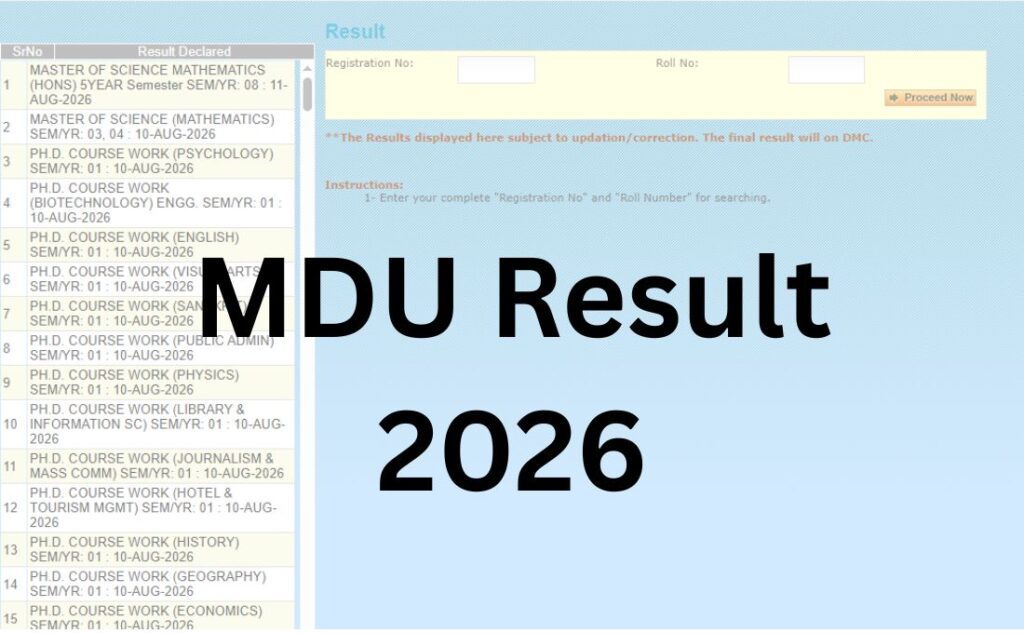
Layered on top of that, MDU – like most large Indian universities – runs its examination results on a separate result-processing subdomain rather than the main institutional site. That subdomain is result.mdu.ac.in, and it’s the tool you land on when you click “Results” from the Examinations menu on the university’s own homepage. It’s a lightweight, form-based lookup tool: no admissions banners, no course listings, just a search box for your registration number and roll number.
Third-party portals like result.mdurtk.in and results.mduedu.org are not linked from MDU’s official navigation. That doesn’t automatically make them fake – some are legitimate mirrors run by data aggregators that pull the same result feed – but if you’re only going to trust one source, trust the one MDU itself links to.
Quick Highlights
| Detail | Information |
|---|---|
| University Name | Maharshi Dayanand University (MDU), Rohtak |
| Result Status | Declared on a rolling, course-by-course basis through 2026 |
| Academic Session | 2025–26 (odd/even semester and annual exams) |
| Courses Covered | UG, PG, Diploma, Certificate, Ph.D coursework, CDOE/DDE programmes |
| Levels | Regular, Reappear, CDOE (Distance), Improvement |
| Official Website | mdu.ac.in |
| Result Portal (direct) | result.mdu.ac.in |
| Category | University Result |
| Login Credentials | Registration Number + Roll Number |
| Marksheet/DMC | Provisional online; final DMC issued by the university |
| Revaluation | Offline application only – by post or in person |
| Result Gazette | Separate PDF archive at mdu.ac.in |
| Student Portal | student.mdu.ac.in |
Direct MDU Result Link
Official result portal: result.mdu.ac.in/postexam/result.aspx
To use it, you’ll need your Registration Number and Roll Number. There’s no date of birth field and no captcha on the current version of the form — just the two ID fields and a search button. If a third-party site tells you to enter a captcha or DOB on the “official” MDU result page, you’ve probably landed on a lookalike aggregator, not the university’s own tool.
| MDU Result 2026 | ||
| Result | Date | Link |
| PH.D. COURSE WORK (ZOOLOGY) SEM/YR: 01 | August 18, 2026 | Click Here |
| PH.D. COURSE WORK (YOGA SCIENCE) SEM/YR: 01 | August 18, 2026 | Click Here |
| PH.D. COURSE WORK (STATISTICS) SEM/YR: 01 | August 18, 2026 | Click Here |
| PH.D. COURSE WORK (PHYSICS) SEM/YR: 01 | August 18, 2026 | Click Here |
| PH.D. COURSE WORK (PHYSICS)- UIET SEM/YR: 01 | August 18, 2026 | Click Here |
| PH.D. COURSE WORK (PHARMACEUTICAL SCIENCES) SEM/YR: 01 | August 18, 2026 | Click Here |
| PH.D. COURSE WORK (MEDICAL BIO-TECHNOLOGY) SEM/YR: 01 | August 18, 2026 | Click Here |
| PH.D. COURSE WORK (MICROBIOLOGY) SEM/YR: 01 | August 18, 2026 | Click Here |
| PH.D. COURSE WORK (MATHS)- UIET SEM/YR: 01 | August 18, 2026 | Click Here |
| PH.D. COURSE WORK (MATHEMATICS) SEM/YR: 01 | August 18, 2026 | Click Here |
| PH.D. COURSE WORK (LAW) SEM/YR: 01 | August 18, 2026 | Click Here |
| PH.D. COURSE WORK (HOTEL MANAGEMENT) SEM/YR: 01 | August 18, 2026 | Click Here |
| PH.D. COURSE WORK (FORENSIC SCIENCE) SEM/YR: 01 | August 18, 2026 | Click Here |
| PH.D. COURSE WORK (ENVIRONMENTAL SCIENCE) SEM/YR: 01 | August 18, 2026 | Click Here |
| PH.D. COURSE WORK (ECONOMICS) SEM/YR: 01 | August 18, 2026 | Click Here |
| PH.D. COURSE WORK (DEFENCE & STRATEGIC STUDIES) SEM/YR: 01 | August 18, 2026 | Click Here |
| PH.D. COURSE WORK (CIVIL)-UIET SEM/YR: 01 | August 18, 2026 | Click Here |
| PH.D. COURSE WORK (BOTANY) SEM/YR: 01 | August 18, 2026 | Click Here |
| PH.D. COURSE WORK (BIO-TECHNOLOGY) SEM/YR: 01 | August 18, 2026 | Click Here |
| PH.D. COURSE WORK (BIOCHEMISTRY) SEM/YR: 01 | August 18, 2026 | Click Here |
| B.COM.LL.B. (HONS.) 5 YEAR SEM/YR: 02 | August 18, 2026 | Click Here |
| B.TECH SEM/YR: 02 (REAPPEAR), 03, 04 | August 18, 2026 | Click Here |
| M.A. (HINDU STUDIES) SEM/YR : 04 | August 14, 2026 | Click Here |
| M.SC. (STATISTICS) SEM/YR : 04 | August 13, 2026 | Click Here |
| MASTER OF SCIENCE (BOTANY) SEM/YR : 02 | August 13, 2026 | Click Here |
| MASTER OF SCIENCE (BIOINFORMATICS) SEM/YR : 02 | August 13, 2026 | Click Here |
| MASTER OF SCIENCE (BIOTECHNOLOGY) SEM/YR : 02 | August 13, 2026 | Click Here |
| MASTER OF SCIENCE (AGRICULTURAL BIOTECHNOLOGY) SEM/YR : 02 | August 13, 2026 | Click Here |
| MASTER OF ARTS (SANSKRIT) SEM/YR : 04 | August 13, 2026 | Click Here |
| MASTER OF ARTS (GEOGRAPHY) SEM/YR : 02 | August 13, 2026 | Click Here |
| APGDCA SEM/YR : 01 | August 13, 2026 | Click Here |
| MASTER OF COMMERCE SEM/YR : 04 | August 13, 2026 | Click Here |
| MCA (ONLY BRIDGE COURSE) SEM/YR : 01 | August 13, 2026 | Click Here |
| MASTER OF COMPUTER APPLICATION (MCA) SEM/YR : 04 | August 13, 2026 | Click Here |
| MASTER OF COMMERCE SEM/YR : 04 | August 13, 2026 | Click Here |
| MASTER OF ARTS (SANSKRIT) SEM/YR : 02 | August 13, 2026 | Click Here |
| MASTER OF ARTS (PSYCHOLOGY) SEM/YR : 02 | August 13, 2026 | Click Here |
| MASTER OF ARTS (HINDU STUDIES) SEM/YR : 02 | August 13, 2026 | Click Here |
| MASTER OF ARTS (GEOGRAPHY) SEM/YR : 03 | August 13, 2026 | Click Here |
| MASTER OF ARTS (ENGLISH) SEM/YR : 02, 03 | August 13, 2026 | Click Here |
| B.ARCH SEM/YR : 02, 04, 06, 08, 10 | August 13, 2026 | Click Here |
| DIPLOMA IN YOGA SCIENCE SEM/YR : 01, 02 | August 13, 2026 | Click Here |
| BACHELOR OF PHARMACY (B.PHARMACY) SEM/YR : 01, 02, 03, 04, 05, 06 | August 13, 2026 | Click Here |
| B.SC.(HOME SCIENCE) (ReAppear Only) SEM/YR : 02, 04 | August 13, 2026 | Click Here |
| B.VOC(SPORT,NUTRITION & PHYTHERAPY) SEM/YR : 02, 04, 06 | August 13, 2026 | Click Here |
| B.VOC.(SOFTWARE DEVELOPMENT) SEM/YR : 04, 05, 06 | August 13, 2026 | Click Here |
| B.VOC-(RETAIL MANAGEMENT) SEM/YR : 02, 04, 05, 06 | August 13, 2026 | Click Here |
| B.VOC (MRK. MGT. & INFORMATION TECHNOLOGY) SEM/YR : 02, 04, 05, 06 | August 13, 2026 | Click Here |
| B.VOC (INFORMATION TECHNOLOGY) SEM/YR : 02, 04, 05, 06 | August 13, 2026 | Click Here |
| BACHELOR OF VOCATIONAL (INTERIOR DESIGN) SEM/YR : 02, 04 | August 13, 2026 | Click Here |
| B.VOCATIONAL (CATERING TECHNOLOGY & HOTEL MANAGEMENT) SEM/YR : 02, 06 | August 13, 2026 | Click Here |
| MASTER OF SCIENCE MATHEMATICS (HONS) 5YEAR Semester SEM/YR : 02 (ReAppear), 10 | August 12, 2026 | Click Here |
| MASTER OF ARTS (ECONOMIC HONS 5-YEAR) Semester SEM/YR : 10 | August 12, 2026 | Click Here |
| L.L.B (HONS) 3 YEAR SEM/YR : 02, 04, 05 | August 11, 2026 | Click Here |
| B.B.A.LL.B.(HONS) 5 YEAR COURSE SEM/YR : 02, 04, 06, 08, 09 | August 11, 2026 | Click Here |
| MBA (EXECUTIVE) EVENING : SEM/YR : 04 | August 11, 2026 | Click Here |
| MBA FOR WORKING PROFESSIONAL : SEM/YR : 02, 04 | August 11, 2026 | Click Here |
| MBA BUSINESS PSYCHOLOGY : SEM/YR : 02, 04 | August 11, 2026 | Click Here |
| MBA (ARTIFICIAL INTELLIGENCE & DATA SCIENCE) : SEM/YR : 02 | August 11, 2026 | Click Here |
| MBA : SEM/YR : 02, 03, 04 | August 11, 2026 | Click Here |
About Maharshi Dayanand University
MDU was established in 1976 under Haryana Act No. XXV of 1975, initially focused on life sciences and inter-disciplinary research, and was renamed after the social reformer Maharshi Dayanand Saraswati the following year. Based in Rohtak, about 75 km from Delhi, it’s now an NAAC ‘A+’ accredited state university spread across a 600-plus acre campus, with more than 250 affiliated colleges across Haryana.
The university runs full-time programmes through its own University Teaching Departments as well as distance and online programmes through its Centre for Distance and Online Education (CDOE), covering everything from undergraduate arts and commerce degrees to engineering, law, pharmacy, and doctoral research. With roughly 170,000 students connected to it in some form, MDU is one of the largest state universities in northern India – which is also part of why its result system has to process such a high volume of courses on a staggered schedule rather than all at once.
Latest MDU Result Update
MDU does not release one single “MDU Result 2026” on one date. Instead, the result portal is updated continuously as each course and semester combination gets processed by the Controller of Examination’s office. Recent entries on the live portal have covered a wide range – from B.Tech and B.Pharmacy final semesters, to BCA, BBA, and B.Com across multiple semesters, to CDOE-mode Master’s programmes in Hindi, English, Economics, and Political Science.
Because of this rolling pattern, the most reliable way to check your status isn’t to search “MDU Result 2026 date” – it’s to search the result portal directly using your registration and roll numbers, since your specific course may already be out even if the broader semester isn’t fully declared. For exact declaration dates for your course, the Datesheet and Result Gazette sections on mdu.ac.in are the primary official sources; this article will be updated as new batches are declared.
Courses Covered Under MDU Results
| Level | Example Courses |
|---|---|
| Undergraduate (UG) | BA, B.Sc (Pass/Hons), B.Com (General/Hons/Vocational), BCA, BBA, B.Tech, B.Pharmacy, LLB (Hons) |
| Postgraduate (PG) | MA, M.Sc, M.Com, MBA, MCA, M.Tech, M.Pharma, LLM, M.Ed |
| Integrated/5-Year | BA LLB (Hons), MA (Hons) 5-Year Integrated programmes across several faculties |
| Diploma/Certificate | Diploma in Physical Education, PG Diploma in Data Analytics, Certificate courses in French, German, Spanish, and more |
| Doctoral | Ph.D coursework across departments including Pharmaceutical Sciences, Law, Biotechnology |
| Distance/Online (CDOE) | BA, B.Com, MA (multiple subjects), M.Com, M.Sc Mathematics — both regular and online modes |
How to Check Your MDU Result – Step by Step
- Go to the official result portal. Open result.mdu.ac.in in your browser, or click “Results” under the Examinations menu on mdu.ac.in.
- Find your course in the declared list. The portal shows a running table of which courses and semesters have been declared, with dates – scroll to confirm your programme is listed before searching.
- Enter your Registration Number. This is the number assigned when you first enrolled at MDU, not your college roll number.
- Enter your Roll Number. This is your examination roll number, printed on your admit card.
- Submit the form. The page will load your subject-wise result if it has been processed.
- Cross-check the details on screen. Confirm your name, course, and semester match before treating the marks as final.
- Save or screenshot the result. There’s no dedicated PDF download button on this lookup tool, so take a screenshot or print the page (Ctrl+P) for your records until your DMC is issued.
Login Credentials Required
| Field | Where to Find It |
|---|---|
| Registration Number | Your original enrolment/admission documents |
| Roll Number | Printed on your admit card for that specific examination |
Unlike some university portals, MDU’s result tool does not currently ask for date of birth or a captcha code. If you’re being asked for either on a page claiming to be MDU’s official result site, double-check the URL in your address bar.
What’s Shown on Your MDU Result?
- Student name
- Registration number and roll number
- Course and semester/year
- Subject-wise marks (theory, practical, internal where applicable)
- Total marks and result status (Pass/Reappear/Fail)
- Division/grade, where applicable
- CGPA or percentage depending on the scheme (CBCS/NEP)
Remember: this online display is provisional. Your Detailed Marks Card (DMC), issued separately by the university, is the document colleges, employers, and further-study institutions will actually ask for.
How to Get Your MDU Marksheet / DMC?
The result portal shows your marks on screen but is not designed as a downloadable marksheet generator. For your official DMC:
- Check your college – most affiliated colleges receive and distribute DMCs directly to students after each result declaration.
- If you’re a CDOE/distance student, DMCs are typically issued through the Centre for Distance and Online Education office rather than a college.
- For duplicate or lost DMCs, applications are made through the university’s Academic Branch, generally with a prescribed fee and supporting documents (your provisional result printout and ID proof).
- Some digital marksheets and academic records are also accessible via DigiLocker’s National Academic Depository (NAD), which MDU is linked to — worth checking if you need a digitally verifiable copy quickly.
Passing Marks at MDU
Passing requirements vary by course and scheme, but the general pattern followed across most UG programmes is:
- A minimum of roughly 32 out of 80 (around 40%) in each theory paper
- A minimum of around 40% in practicals, where applicable
- An overall aggregate of approximately 40% across theory, internal assessment, and practicals combined
Important: these are general benchmarks reported across several MDU courses and are not identical for every programme (professional courses like B.Tech, B.Pharmacy, and law often carry their own scheme-specific passing criteria, sometimes with slightly different theory/practical splits). Always confirm the exact passing marks for your specific course and scheme against your syllabus or the examination ordinance for that programme — don’t assume the general UG figure applies to yours.
MDU Revaluation and Rechecking – What Actually Happens (Read This Before You Search Online)
This is the part where most result-aggregator articles get MDU wrong. Several third-party pages tell students to “apply for revaluation online through the MDU portal.” Based on MDU’s own published re-evaluation form and process documentation, that isn’t accurate – the process is offline:
- Application format: A prescribed paper form must be submitted, either sent by registered post to the university or delivered in person – not filled through an online portal.
- Deadline: Applications must reach the university within 30 days of the result declaration for that specific examination.
- Fee payment: Fees are paid via bank draft drawn in favour of the Finance Officer, M.D. University, Rohtak (exact amounts vary by course and number of papers – verify the current fee schedule via the university’s Academic/Examination Branch notice for your session).
- Answer-book inspection: If you want to see your evaluated answer book before deciding whether to apply for re-evaluation, you can request this for an additional fee (around ₹100 per answer book at last published rates), but the request must be made in writing within 15 days of the result declaration – a shorter window than the revaluation deadline itself.
- Rechecking vs. revaluation: Rechecking typically covers verifying that marks were totalled correctly; revaluation involves the answer book being evaluated again. Confirm which one your query needs, since the forms and fees can differ.
- Result of revaluation: If revaluation increases your position enough to affect merit-list rankings (including gold medal eligibility in some cases), the university does account for that in the revised result.
Bottom line: don’t expect to submit a revaluation request from your phone. Budget time to send a form by post or visit the examination branch on campus, and keep your provisional result printout and ID proof ready as supporting documents.
Supplementary / Reappear Result
MDU refers to backlog exams as “Reappear” rather than “supplementary” or “back paper,” and reappear results are declared through the same result.mdu.ac.in portal – you’ll often see “ReAppear Only” explicitly marked next to a course entry in the declared-results list. Reappear/improvement exam forms are typically filed through the student portal (student.mdu.ac.in) ahead of the relevant exam cycle, and results follow the same course-by-course rolling declaration pattern as regular semester results.
Name-Wise Result
MDU’s result portal is search-based (registration number + roll number), not browsable by name. There is no public name-wise result list on the official portal – if a third-party site claims to offer one, treat it cautiously, since it would likely require scraping data from the same registration-based system anyway.
Previous Year / Archived MDU Results
For older results and formal record-keeping, MDU maintains a Result Gazette section on its main site (accessible via the Examinations menu), which functions as a separate PDF-based archive distinct from the live result-lookup tool. This is useful if you need historical results for verification purposes rather than a fresh personal lookup.
Common Problems Students Face While Checking MDU Results
| Problem | Likely Cause | What to Do |
|---|---|---|
| “No record found” | Course/semester not yet declared, or wrong registration number entered | Check the declared-results list on the portal first; re-verify your registration number against your admission documents |
| Page not loading / slow | Heavy traffic right after a fresh declaration | Wait 20-30 minutes and retry, or check late at night/early morning |
| Landed on a different-looking “MDU result” site | Third-party aggregator, not the official portal | Navigate manually to result.mdu.ac.in rather than clicking search-result ads |
| Marks look different from what you expected | Result is provisional; internal marks or practicals may be pending upload | Wait for the DMC; contact your college’s exam cell if the discrepancy persists after DMC issue |
| Can’t find a download/print button | The portal is a lookup tool, not a document generator | Use browser print-to-PDF (Ctrl+P) to save a copy for now |
| Confusion between “Regular” and “CDOE” listings | Distance-mode students share the same portal but different entry labels | Look specifically for “CDOE” in the course name when searching the declared list |
After Your MDU Result – What’s Next
- If you’ve passed: Wait for your DMC through your college (or the CDOE office for distance students), and keep your provisional result printout safe in the meantime for admission or job application purposes.
- If you’re in reappear: Note the reappear exam form filing window on the student portal, and plan your revaluation/rechecking application (if needed) within the 30-day offline deadline discussed above.
- If you’re moving to the next semester: Check the Academic Calendar and Admission Notices sections on mdu.ac.in for registration windows.
- If you’re graduating: Start tracking migration certificate and final degree documentation requirements early, particularly if you’re applying elsewhere — MDU’s Regn. & Scholarships Branch handles migration certificates.
Important MDU Links
| Resource | Link |
|---|---|
| Official Website | mdu.ac.in |
| Result Portal (direct) | result.mdu.ac.in |
| Student Portal | student.mdu.ac.in |
| Examinations Section | mdu.ac.in (Examinations menu) |
| Datesheet | mdu.ac.in (Examinations → Datesheet) |
| Result Gazette | mdu.ac.in (Examinations → Result Gazette) |
| Centre for Distance and Online Education (CDOE) | mdudde.net |
| Academic Calendar | mdu.ac.in (Academics section) |
| Contact / Exam Branch Query | reg.admission@mdu.ac.in |
MDU Result 2026 – FAQs
Q1. Is the MDU Result 2026 out?
Ans. MDU doesn’t declare one single result date for the whole university – results are released course-by-course and semester-by-semester throughout the year. Check result.mdu.ac.in and look for your specific course and semester in the declared-results list rather than searching for a single “release date.”
Q2. What is the official MDU result website?
Ans. The university’s own homepage (mdu.ac.in) links to result.mdu.ac.in as its result-checking tool. Other domains circulating online, such as result.mdurtk.in or results.mduedu.org, are not linked from MDU’s current official navigation.
Q3. What details do I need to check my MDU result?
Ans. Just your Registration Number and Roll Number. The current portal doesn’t ask for a date of birth or a captcha.
Q4. Where do I find my MDU registration number?
Ans. It’s on your original admission/enrolment documents issued when you joined MDU, separate from your examination roll number.
Q5. Is the MDU online result final?
Ans. No. MDU explicitly states the online result is provisional and subject to correction – your Detailed Marks Card (DMC) is the final, official document.
Q6. How do I download my MDU marksheet?
Ans. The result portal displays your marks but doesn’t generate a downloadable PDF marksheet directly. Your official DMC is issued through your college (or the CDOE office for distance learners); in the meantime, you can print or screenshot the online result page for reference.
Q7. How can I apply for MDU revaluation or rechecking?
Ans. Offline only. You need to submit a prescribed application form by registered post or in person, along with the fee paid via bank draft in favour of the Finance Officer, M.D. University, Rohtak, within 30 days of your result declaration. There is no online revaluation form on the official portal.
Q8. What’s the difference between MDU rechecking and revaluation?
Ans. Rechecking generally verifies that your marks were totalled correctly. Revaluation means your answer book is evaluated again by an examiner. Check which process applies to your concern before applying, since procedures and fees may differ.
Q9. Can I see my evaluated answer book before applying for revaluation?
Ans. Yes, MDU allows answer-book inspection for identification purposes on payment of an additional fee (historically around ₹100 per answer book), but you must request this in writing within 15 days of the result declaration — earlier than the 30-day revaluation deadline.
Q10. What are the passing marks at MDU?
Ans. Most UG programmes require roughly 40% overall, with a minimum of around 32/80 in individual theory papers, though this varies by course and scheme. Always verify exact passing criteria for your specific programme, especially for professional courses like B.Tech, B.Pharmacy, or law.
Q11. Does MDU have a supplementary or back paper result?
Ans. MDU calls this “Reappear” rather than supplementary/back paper. Reappear results are shown on the same result.mdu.ac.in portal, usually marked “ReAppear Only” against the relevant course entry.
Q12. Is there a name-wise MDU result search?
Ans. No. The official portal only supports lookup via registration number and roll number, not by name.
Q13. How is the CDOE/distance result different from the regular result?
Ans. CDOE (Centre for Distance and Online Education) results appear on the same result.mdu.ac.in portal as regular results but are labelled with “CDOE” in the course name. DMCs for CDOE students are typically issued through the CDOE office rather than a college.
Q14. What if my MDU result shows “No record found”?
Ans. First, confirm your course and semester actually appear in the declared-results list on the portal – it may simply not be processed yet. If it is listed, double-check your registration number against your original admission documents.
Q15. Where can I find older MDU results?
Ans. MDU maintains a separate Result Gazette archive (PDF-based) accessible from the Examinations menu on mdu.ac.in, distinct from the live individual-result lookup tool.
Q16. How do I check my MDU exam datesheet?
Ans. The Datesheet is published under the Examinations section on mdu.ac.in, separate from the results tool – check there for upcoming exam schedules.
Q17. Who do I contact for MDU result or reappear form issues?
Ans. For admission/reappear form technical help, MDU’s contact is reg.admission@mdu.ac.in, and the Academic Branch helpline is available on working days.
Q18. Can I get my MDU marksheet through DigiLocker?
Ans. MDU is linked to the National Academic Depository (NAD) through DigiLocker, which can be a faster route to a digitally verifiable copy of some academic records – worth checking if you need documentation quickly.