
If you searched “DDU result” and landed straight on a confusing ERP page asking for a father’s name instead of your date of birth, you’re not alone. Deen Dayal Upadhyaya Gorakhpur University runs one of the more fragmented result systems among UP state universities – and figuring out which portal actually has your result can eat up more time than the exam did.
This guide sorts out exactly which DDU portal to use for your course, what credentials each one asks for, how revaluation actually works here, and what to do if your result simply isn’t showing up.
Quick Highlights
| Detail | Information |
|---|---|
| University Name | Deen Dayal Upadhyaya Gorakhpur University (DDU / DDUGU) |
| Result Status | Rolling declarations — check the notice board for your specific course/semester |
| Academic Session | 2025-26 (current) |
| Courses Covered | UG, PG, Diploma, Certificate, Ph.D across Arts, Commerce, Science, Engineering, Law, Agriculture, Education |
| UG/PG | Both |
| Official Website | ddugu.ac.in |
| Category | University Result |
| Result Portals | erp.ddugu.ac.in (Non-NEP/Annual/Ph.D) and result.ddugu.ac.in (CBCS Regular & Back, ODL/OL, D.Pharm) |
| Required Credentials | Varies by portal — see section below |
| Marksheet Availability | Provisional PDF online; original from affiliated college |
| Revaluation | Yes – apply offline through your college’s examination cell |
| Supplementary/Back Result | Yes – separate CBCS Back Examination link |
| Latest Update | Verify via the official Examination Notices page for your exact date |
Direct Result Link
The single most important thing to understand before clicking any link: DDU does not have one result page — it has two, and picking the wrong one is the most common reason students say their result “isn’t showing.”
- Main university website: ddugu.ac.in
- All-results index page: erp.ddugu.ac.in/All_Result.aspx — this page lists every result category and routes you to the correct sub-portal
- Always start from the All-Results index rather than guessing a direct link, since the correct sub-portal changes depending on your exam type and session.
| DDU Result | |
| Result | Link |
| 1st Year & 2nd Year (Private Annual) | |
| Center for Distance and Online Education (OL & ODL) | |
| Result of Semester Non-NEP Examination/Annual 2025-26 | |
| Result of CBCS (UG/PG) Back Examination 2025-26 | |
| Result of CBCS (UG/PG) Regular Examination 2025-26 | |
| Ph.D Result-2025 | |
| D.Pharm Result-2024-25 | |
About Deen Dayal Upadhyaya Gorakhpur University
DDU Gorakhpur began functioning in 1957 as the University of Gorakhpur, starting with the faculties of Arts, Commerce, Law, and Education before Science, Engineering, Medicine, and Agriculture were added over the following decades. It’s now accredited A++ by NAAC and holds Category 1 status from the UGC, and it affiliates roughly 123 colleges spread across five districts of the Gorakhpur division.
The university runs full-fledged faculties in Agriculture, Arts, Commerce, Engineering & Technology, Law, Medicine, and Science, alongside popular professional programmes like BTech, MBA, MCA, BJMC, and BEd. It’s also expanded into Online Learning (OL) and Open & Distance Learning (ODL) tracks, both of which — notably — are hosted on their own separate websites rather than as sections within the main university portal.
Which DDU Result Portal Do You Actually Need?
This is where most students lose time. DDU splits its results across two different subdomains based on exam type, not based on course. Here’s how to tell which one is yours:
Use erp.ddugu.ac.in if you are checking:
- Semester result under the Non-NEP / Annual system
- Private/individual (non-college) annual exam result
- Ph.D result
- Historical results going back to 2015-16
Use result.ddugu.ac.in if you are checking:
- CBCS (UG/PG) Regular Examination result
- CBCS (UG/PG) Back Examination result
- D.Pharm result
- Online Learning (OL) or Open & Distance Learning (ODL) result
If you enrolled under the CBCS framework and search on the erp.ddugu.ac.in Non-NEP page, you’ll get a “record not found” error even though your result is declared — it’s simply sitting on the other subdomain. When in doubt, always route through the All-Results index page rather than a bookmarked deep link.
Courses Covered
| UG Programmes | PG Programmes | Professional/Other |
|---|---|---|
| BA | MA | BTech / MTech |
| BSc | MSc | BEd / MEd |
| BCom | MCom | LLB / LLM / BA LLB |
| BBA | MBA | BPEd |
| BCA | MCA | D.Pharm / B.Pharm |
| BHMCT | — | Ph.D (all faculties) |
How to Check Your DDU Result – Step by Step
Step 1: Visit the official website of the Deen Dayal Upadhyaya Gorakhpur University at https://ddugu.ac.in/
Step 2: On the menu bar of the home page, click on the tab for “Examination”
Step 3: From the dropdown menu, click on the tab for “Results”
Step 4: A complete list of all the categories of DDU Result will be available on the screen
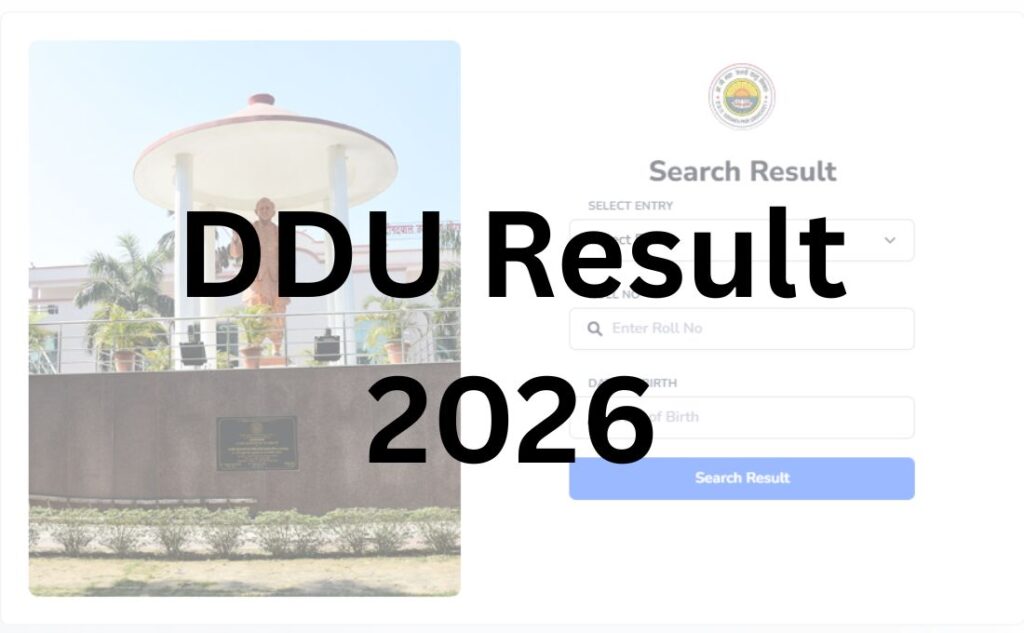
Step 5: Click on the link, and the login form for DDU Result will appear on the screen
Step 6: Select “entry”, enter “roll number” and enter “date of birth” in the required sections of the login form
Step 7: Click on the tab for “Search Result” to process the form
Step 8: Check and save the DDU Result for later use.
Login Credentials Required – This Also Varies by Portal
Unlike most universities where one credential set works everywhere, DDU’s two portals ask for different things:
| DDU Result Login Credentials | |
|
Result Type / Portal
|
Required Details
|
| CBCS Regular/Back Result (result.ddugu.ac.in) |
Semester + Roll Number + Date of Birth
|
| Non-NEP Semester/Annual Result (erp.ddugu.ac.in) |
Roll Number + Father’s Name
|
| First-Semester NEP Students |
Your result may only display if your ABC ID (Academic Bank of Credits) is linked with the SAMARTH portal, an increasingly common requirement as DDU migrates newer batches to NEP 2020 structures.
|
If your date of birth doesn’t work, don’t assume the site is down — try the father’s name field on the other portal instead. This single mix-up accounts for a large share of “result not found” complaints in student forums.
Details Mentioned on the DDU Result
- Student name
- Roll number and enrollment number
- Subject-wise theory and practical marks
- Total marks obtained
- Result status (Pass/Fail/Back)
- CGPA (for NEP/CBCS batches) or aggregate marks (for Non-NEP)
- Division/Class
- Semester and course name
- Examination session
How to Download Your DDU Marksheet?
- Complete the result-checking steps above and reach your result display page.
- Use the on-screen “Print” or “Download PDF” option (most DDU result pages render as browser-printable pages rather than a dedicated download button — use your browser’s print-to-PDF function if no button is visible).
- Save the file with a clear name (e.g., RollNo_Sem_Result.pdf) for your records.
- Remember this is a provisional marksheet — valid for immediate purposes like semester enrollment or PG admission, but not a substitute for your original marksheet.
- Collect your original, signed marksheet from your affiliated college’s examination cell once it’s issued — DDU does not courier or digitally issue the final certified copy.
Passing Marks
DDU generally follows the standard UP state university pattern of minimum passing marks in both theory and practical/internal components separately, with an overall aggregate requirement for the semester. Exact passing thresholds can vary slightly by faculty (e.g., professional courses like BTech or law papers sometimes carry different internal-external splits). Verify the exact passing criteria for your specific course and semester via your department’s examination ordinance or the official notification, since figures published by third-party sites are frequently outdated or generalised.
Revaluation and Scrutiny Process
DDU’s revaluation process has one detail that trips up a lot of students: you can’t apply directly to the university – you apply through your college.
- Eligibility: Any student unsatisfied with their declared marks in a theory paper is generally eligible to apply for revaluation/scrutiny.
- Where to apply: Submit your application at your affiliated college’s examination cell, not directly to the DDU examination section.
- Timeline to apply: Typically within 15–30 days of the result declaration – this window can shift slightly by session, so confirm the exact cutoff from your college notice board or the university’s examination notices page.
- What happens next: Your college compiles and forwards applications to the DDU Examination Section. This forwarding step is why revaluation applications submitted late in the window sometimes get delayed further – colleges often batch-process rather than forward daily.
- Fees: A per-paper revaluation/scrutiny fee applies. Verify the current fee via the official notification, as it’s periodically revised and not something safe to quote as a fixed figure.
- Result timeline: Revised results are usually updated on the ERP portal roughly 30–45 days after the application is forwarded, though this can extend during peak periods with high volumes of applications.
There’s also a distinct process called “Ank Sudhar” (marks improvement), handled through a separate SUDHAR portal — this is different from revaluation. Ank Sudhar lets eligible students re-attempt a paper to improve their score in a later exam cycle, rather than requesting a re-check of the same answer script. Don’t confuse the two when deciding what to apply for.
Supplementary / Back Paper Result
If you didn’t clear one or more papers, you fall under the CBCS Back Examination category (for CBCS-enrolled students) or the Back Paper/Improvement Examination category (for Non-NEP students, listed separately by academic year on the ERP portal). Both categories have their own dedicated result links on the All-Results index — search for “Back Examination” specifically rather than the regular result link, since the two are never combined on the same page.
Name-wise Result
DDU does not publish a searchable name-wise result list publicly. Results are only accessible using your specific roll number combined with the correct secondary credential (DOB or father’s name, depending on portal). If you’ve lost your roll number, contact your college’s examination cell — they maintain the mapping and can retrieve it for you.
Previous Year Results
The ERP All-Results index maintains an unusually long archive — results are listed individually going back to the 2015-16 academic session, making DDU one of the more transparent state universities for historical record access. This is useful if you need an old marksheet for verification, job applications, or higher-education admission where the college hasn’t retained your paperwork.
Common Problems While Checking DDU Results (And Fixes)
| Problem | Likely Cause | Fix |
|---|---|---|
| “Record not found” | Using the wrong portal (CBCS vs Non-NEP) | Recheck your enrollment type and switch portals |
| DOB not accepted | You’re on the Non-NEP portal, which needs father’s name instead | Try the father’s name field or switch to the CBCS portal |
| Result page not loading | Server overload during peak declaration hours | Retry during off-peak hours (early morning/late night); use Chrome |
| First-semester result missing | ABC ID not linked to SAMARTH | Contact your college to complete SAMARTH/ABC ID linking |
| Captcha errors | Browser extension conflicts | Try Incognito mode or a different browser |
| PDF won’t download | No dedicated download button on some result pages | Use your browser’s “Print to PDF” function instead |
What to Do After Your DDU Result?
- If you passed: Proceed with semester enrollment or apply for your next academic step (admission counselling, placement registration, or higher studies) using your provisional marksheet.
- If you’re in back/backlog: Track the CBCS Back Examination or Back Paper/Improvement schedule specifically — DDU announces these separately from regular exams, often with a shorter notice window.
- If you want a re-check: Start your revaluation/scrutiny application through your college within the applicable window — don’t wait, since colleges often close intake a few days before the university’s own cutoff.
- For admissions or placements elsewhere: Most institutions accept the provisional ERP marksheet for initial processing, but confirm with the receiving institution whether they require the original college-issued copy upfront.
Important Links
| Resource | Link |
|---|---|
| Official Website | www.ddugu.ac.in |
| All-Results Index | www.erp.ddugu.ac.in/All_Result.aspx |
| CBCS Regular/Back Result Portal | www.result.ddugu.ac.in |
| Examination Notices | www.ddugu.ac.in/notice-examination.php |
| SAMARTH Student Portal | www.ddugu.samarth.edu.in |
| Online Learning (OL) | www.onlineddugu.com |
| Controller of Examinations | www.ddugu.ac.in/exam-controller.php |
Frequently Asked Questions
Q1. Why does DDU have two different result websites?
Ans. DDU splits results by exam type rather than hosting everything on one portal. Non-NEP semester, annual, private, and Ph.D results sit on erp.ddugu.ac.in, while CBCS Regular, CBCS Back, D.Pharm, and distance-learning results sit on result.ddugu.ac.in. Always start from the All-Results index page to avoid picking the wrong one.
Q2. What credentials do I need to check my DDU result?
Ans. It depends on the portal. The CBCS result portal asks for semester, roll number, and date of birth. The Non-NEP/ERP portal asks for roll number and father’s name instead. If one doesn’t work, try the credential set for the other portal.
Q3. Is DDU result declared on a fixed date every year?
Ans. No. DDU declares results on a rolling basis throughout the academic year, with different semesters, courses, and back-paper batches announced on separate dates. Check the official Examination Notices page for the specific announcement relevant to your course.
Q4. How do I apply for DDU revaluation?
Ans. Submit your revaluation/scrutiny application through your affiliated college’s examination cell, not directly to the university, typically within 15–30 days of your result being declared. Your college forwards it to the DDU Examination Section.
Q5. How long does DDU revaluation take?
Ans. Revised results generally appear on the ERP portal about 30–45 days after your application is forwarded by your college, though this can take longer during high-volume periods.
Q6. What is Ank Sudhar and is it the same as revaluation?
Ans. No. Ank Sudhar is a separate marks-improvement process handled through the SUDHAR portal, letting eligible students re-attempt a paper in a later cycle. Revaluation is a re-check of your existing answer script.
Q7. My date of birth isn’t being accepted on the DDU result page — what’s wrong?
Ans. You’re likely on the Non-NEP/ERP portal, which requires your father’s name rather than date of birth. Switch to the correct portal based on your enrollment type.
Q8. Can I download my DDU marksheet directly as a PDF?
Ans. Yes, though several DDU result pages don’t have a dedicated download button — use your browser’s “Print to PDF” option if needed. This provisional copy is valid for immediate academic use.
Q9. Where do I get my original signed marksheet?
Ans. From your affiliated college’s examination cell. DDU does not issue certified original marksheets directly through the online portal.
Q10. What if my first-semester result isn’t showing at all?
Ans. This usually means your ABC ID isn’t linked to the SAMARTH portal yet, a common issue for NEP-enrolled first-year students. Contact your college to complete this linking.
Q11. How do I check my DDU back paper result?
Ans. Look specifically for the “CBCS (UG/PG) Back Examination” or “Back Paper/Improvement Examination” link on the All-Results index – it’s listed separately from the regular result link for your session.
Q12. Does DDU provide a name-wise result search?
Ans. No. Results are only retrievable using your roll number along with the correct secondary credential for your portal.
Q13. How far back does DDU’s result archive go?
Ans. The ERP All-Results index lists individual results going back to the 2015-16 session, useful for retrieving old marksheets for verification purposes.
Q14. My DDU result page is stuck loading — what should I do?
Ans. This is usually server overload during peak hours right after a result is declared. Try again during early morning or late at night, and use Chrome or Firefox as recommended by the university.
Q15. Is DDU result shown in CGPA or percentage?
Ans. NEP/CBCS-enrolled students typically see CGPA on a 10-point scale; you’ll need to apply a conversion formula for an equivalent percentage where required by an employer or institution. Non-NEP results are more commonly shown as aggregate marks/percentage directly.
Q16. How do I check results for DDU’s Online Learning (OL) or ODL programmes?
Ans. These results are hosted separately from the main university result system – check onlineddugu.com for Online Learning results and odlddugu.com for ODL programme information, with actual result search routed through the result.ddugu.ac.in CBCS portal under the “Center for Distance and Online Education” link.
Q17. Can I check my DDU Ph.D result on the same portal as UG/PG?
Ans. Ph.D results have their own dedicated link on the All-Results index (separate from UG/PG links) but are hosted on the same erp.ddugu.ac.in subdomain as Non-NEP results.