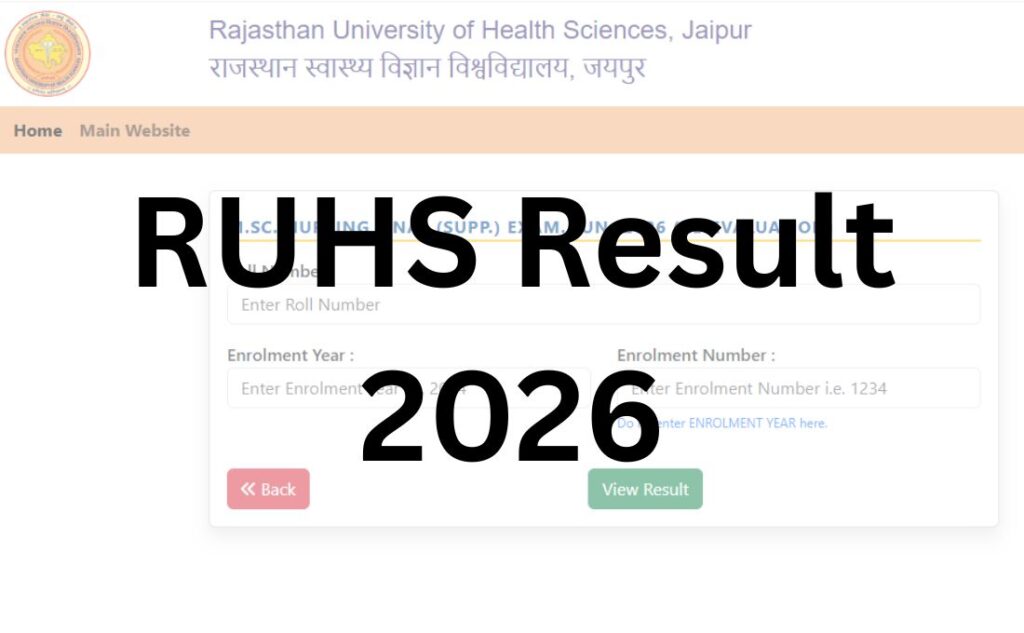

If you searched “RUHS result” and landed here, there’s a good chance you’re about to click the wrong link – not because you did anything wrong, but because Rajasthan University of Health Sciences runs its results across more than one website, and almost nobody explains which one applies to you.
Here’s the short version. If you’re an enrolled student waiting on a semester or annual exam result – MBBS, BDS, BSc Nursing, Pharmacy, BPT, MSc Nursing, MPH, or any paramedical course – your result lives on results.ruhsraj.org, a dedicated results portal separate from the university’s main website. If you’re a fresh applicant who sat the RUHS CUET (the entrance test for BSc Nursing, paramedical, and pharmacy admissions) or the PET (Ph.D. entrance), your result is usually published on a separate, year-specific exam website – for example, a domain like ruhscuet2026.com that changes number every admission cycle – and only cross-linked from the main RUHS site.
This guide walks through both paths properly, plus everything that comes after the result: revaluation, supplementary exams, marksheet downloads, and the common errors students run into on RUHS’s portals. Since RUHS updates specific dates, fees, and notifications constantly through the year, always cross-check the exact figures against the live notification before you act on them – we’ll flag those spots clearly.
Quick Highlights
| Detail | Information |
|---|---|
| University Name | Rajasthan University of Health Sciences (RUHS), Jaipur |
| Main Website | ruhsraj.org |
| Degree/Semester Result Portal | results.ruhsraj.org |
| Entrance Exam (CUET/PET) Results | Separate, year-specific exam domain (verify current link via official notification) |
| Examination Portal | ruhsraj.org.in |
| Notifications & Archived PDFs | old.ruhsraj.org |
| Category | University Result |
| Courses Covered | MBBS, BDS, MD/MS, MDS, D.Pharm, B.Pharm, M.Pharm, BSc Nursing, MSc Nursing, Post Basic BSc Nursing, BPT, BSc MLT, B.Sc Ophthalmic Techniques, BRT, MPH, Ph.D., and more |
| Login Credentials Needed | Roll number / enrolment number (result portal varies by course) |
| Revaluation Available | Yes, application-based, after result declaration |
| Supplementary Result | Published separately, usually a few weeks after main result |
| Latest Update | Check “Latest Announcements” on ruhsraj.org – new results are posted there first |
About Rajasthan University of Health Sciences
RUHS was established in 2005 under the Rajasthan University of Health Sciences Act (Act No. 1 of 2005) and began functioning in January 2006, with its campus at Sector-18, Kumbha Marg, Pratap Nagar, Jaipur. It exists specifically to regulate and standardise medical and health science education across Rajasthan, and it does this through a large affiliated network – several hundred government and private colleges – spanning medicine, dentistry, nursing, pharmacy, physiotherapy, and paramedical sciences. The Governor of Rajasthan serves as Chancellor, with a Vice-Chancellor heading academic administration.
Because RUHS is an affiliating and examining university rather than a single teaching campus, its Controller of Examinations office handles result declaration for dozens of distinct courses and batches simultaneously – which is a big part of why the results section of the website looks dense and why results roll out course-by-course rather than all at once.
Latest Result Update
RUHS publishes new result and re-evaluation notifications on a rolling basis throughout the year – recent examples include B.Sc. Nursing semester results, B.Pharmacy semester and re-evaluation results, D.Pharmacy results, M.Sc. Nursing results, and MD/MS results across multiple sessions, all announced individually as each course’s evaluation is completed.
Because RUHS does not follow one fixed annual result calendar the way some universities do – different courses, different batches, and both main and supplementary exams are evaluated on their own timelines – the most reliable way to know if your specific result is out is to check the “Latest Announcements” list on the RUHS homepage, which is updated as each result is declared. Treat any date or “expected on” figure you see elsewhere, including in this article, as provisional until you see it confirmed in an official RUHS notification.
Courses Covered Under RUHS Examinations
| Faculty | Representative Courses |
|---|---|
| Medicine | MBBS, MD, MS, DM, M.Ch |
| Dentistry | BDS, MDS |
| Pharmacy | D.Pharm, B.Pharm, M.Pharm |
| Nursing | BSc Nursing, Post Basic BSc Nursing, MSc Nursing |
| Physiotherapy | BPT |
| Paramedical Sciences | BSc MLT, B.Sc (Hons.) Ophthalmic Techniques, Bachelor of Radiation Technology (BRT), M.Sc Radio Therapy Technology |
| Public Health | Master of Public Health (MPH) |
| Research | Ph.D. (across all faculties) |
How to Check Your RUHS Degree/Semester Exam Result?
This is the path for enrolled students checking a semester, annual, main, or re-evaluation result for a degree programme.
- Go to the RUHS results portal at results.ruhsraj.org, or navigate there via “Examination → Results” from the ruhsraj.org main menu.
- Find your exact result listing. RUHS lists results by exact course name, part/semester, and exam session (for example, “B.Sc. Nursing I & V Semester (Main) Exam. April-2026”) – scan for the listing that matches your course and session precisely, since similarly named listings for different semesters or schemes (New Scheme vs Old Scheme) are published separately.
- Click the matching result link, which typically opens a search or login window.
- Enter your login details – usually your roll number or enrolment/registration number, sometimes alongside your name or date of birth, depending on the specific result window.
- Submit and view your result. Your provisional marksheet will display on screen with subject-wise marks and overall status.
- Download and save a PDF copy for your records – but don’t treat it as your final document (see the note on marksheets below).
| RUHS Result 2026 | |
| Result | Link |
|
M.Sc. NURSING FINAL (SUPP.) EXAM. JUN.-2026 (Re-Evaluation)
|
Click Here |
|
M.Sc. NURSING PREVIOUS (SUPP.) EXAM. JUN.-2026 (Re-Evaluation)
|
Click Here |
|
D. PHARMACY PART-II (SUPP.) EXAM. APR.-2026 (Re-Evaluation)
|
Click Here |
|
D. PHARMACY (New Scheme) PART-I (SUPP.) EXAM. APR.-2026 (Re-Evaluation)
|
Click Here |
|
D. PHARMACY (New Scheme) PART-II (SUPP.) EXAM. APR.-2026 (Re-Evaluation)
|
Click Here |
|
B.Sc. NURSING II Semester (SUPP.) EXAM. APR.-2026 (Re-Evaluation)
|
Click Here |
|
B.Sc. NURSING VI Semester (MAIN) EXAM. APR.-2026 (Re-Evaluation)
|
Click Here |
|
B.Sc. NURSING III Semester (MAIN) EXAM. APR.-2026 (Re-Evaluation)
|
Click Here |
|
B.Sc. NURSING V Semester (MAIN) EXAM. APR.-2026 (Re-Evaluation)
|
Click Here |
|
B.Sc. NURSING IV Semester (SUPP.) EXAM. APR.-2026 (Re-Evaluation)
|
Click Here |
|
B.Sc. NURSING I Semester (MAIN) EXAM. APR.-2026 (Re-Evaluation)
|
Click Here |
|
THIRD PROF. M.B.B.S. PART-II (New Scheme) (SUPP.) EXAM. JUN.-2026
|
Click Here |
|
THIRD PROF. M.B.B.S. PART-II (SUPP.) EXAM. JUN.-2026
|
Click Here |
|
B. Pharmacy VII Semester – End Semester Re-Exam. MAY-2026 (Re-Evaluation)
|
Click Here |
|
B. Pharmacy VI Semester – End Semester Exam. APR.-2026 (Re-Evaluation)
|
Click Here |
|
B. Pharmacy V Semester – End Semester Re-Exam. MAY-2026 (Re-Evaluation)
|
Click Here |
|
B. Pharmacy IV Semester – End Semester Exam. APR.-2026 (Re-Evaluation)
|
Click Here |
|
B. Pharmacy III Semester – End Semester Exam. MAY-2026 (Re-Evaluation)
|
Click Here |
|
B. Pharmacy II Semester – End Semester Re-Exam. APR.-2026 (Re-Evaluation)
|
Click Here |
|
B. Pharmacy I Semester – End Semester Exam. APR.-2026 (Re-Evaluation)
|
Click Here |
|
M. Pharmacy (Pharmaceutics) II Semester – End Semester Re-Exam. APR.-2026 (Re-Evaluation)
|
Click Here |
|
M. Pharmacy (Pharmaceutics) I Semester – End Semester Exam. APR.-2026 (Re-Evaluation)
|
Click Here |
|
M. Pharmacy (Pharmacology) II Semester – End Semester Re-Exam. APR.-2026 (Re-Evaluation)
|
Click Here |
|
M. Pharmacy (Pharmacology) I Semester – End Semester Exam. APR.-2026 (Re-Evaluation)
|
Click Here |
How to Check Your RUHS CUET / Entrance Exam Result?
This is the path for candidates who sat an admission entrance test, not a degree exam.
- Identify the correct exam website for your admission year. RUHS CUET results are typically hosted on a dedicated, year-specific domain rather than the main university site – the exact URL is announced in the official result notification each year, so search “RUHS CUET result [current year] official” or check the link posted under Latest Announcements on ruhsraj.org rather than guessing the domain.
- Look for the result or scorecard link on that portal’s homepage.
- Log in with your application/roll number and date of birth (or the password you set during registration, depending on the year’s process).
- View your scorecard, which will show your marks, category-wise rank, and qualifying status.
- Download and save your scorecard – you’ll need it for the counselling and seat allotment process that follows.
Why this matters: CUET results determine admission and counselling rank, while degree-exam results determine your academic progression. Because both are called “RUHS result” in everyday conversation, and because CUET’s hosting domain changes with the admission cycle, this is the single most common point of confusion in this space – double-check which one you actually need before you start hunting for login credentials.
Login Credentials Explained
Different RUHS result windows ask for slightly different combinations, so keep the following on hand:
- Roll Number – assigned for the specific exam session; printed on your admit card.
- Registration/Enrolment Number – assigned at admission; RUHS enrolment forms are collected separately by academic session, so make sure you’re using the number tied to the correct year.
- Date of Birth – commonly used as a secondary verification field, especially for CUET and entrance-test portals.
- Captcha – a standard security check on most result search pages.
If you’ve lost your roll number or enrolment number, your college’s examination cell can usually retrieve it faster than trying to search it via the RUHS portal.
What Your RUHS Result Shows?
Once your marksheet loads, expect to see:
- Candidate name
- Roll number and enrolment/registration number
- Course, part/semester, and exam session
- Subject-wise marks (theory and practical, where applicable)
- Total marks and overall percentage
- Pass/fail or “Re-appear” status per subject
- Division or grade (where the course uses a grading system)
- A note indicating whether the marksheet is provisional
Downloading Your Marksheet
- After your result loads on screen, look for a print or download icon, usually near the top of the marksheet.
- Save the file as a PDF before closing the tab – results portals occasionally have short display windows and re-searching can be slower during peak traffic right after a result is announced.
- Take a screenshot as a backup if the download button is unresponsive; this is common in the first hour after a big result goes live.
- Collect your original marksheet from your college’s examination cell. The online copy is explicitly provisional – it’s meant for quick reference and admission/job applications in the short term, not as your permanent academic record.
Passing Marks
RUHS courses generally require candidates to secure a minimum aggregate – commonly cited around 50% in theory and practical papers for many undergraduate and postgraduate programmes, with some professional courses (like MBBS) following separate, subject-specific passing criteria set by the relevant regulatory body (NMC for medical, DCI/NCISM equivalents for dental, INC for nursing).
Because passing marks, grace-mark policies, and minimum practical thresholds can differ by course, scheme (New vs Old), and faculty – and because these are exactly the kind of figures that get revised – treat any specific percentage as indicative only and verify against your course’s official ordinance or the exam notification for your specific session before drawing conclusions about your own result.
Revaluation / Re-Evaluation Process
RUHS does accept re-evaluation applications after a result is declared, and re-evaluation results are published as a separate result category on results.ruhsraj.org – distinct from the main result listing for the same exam. In practice, the process generally follows this shape:
- Application window – RUHS opens re-evaluation applications for a limited period after the main result is declared. This window is usually short, so check the notification the moment your main result is out if you’re considering it.
- Apply per subject – re-evaluation is typically requested subject-by-subject, not for the whole exam at once.
- Fee payment – a per-subject fee applies; this figure changes periodically, so confirm the current fee against the live re-evaluation notification rather than an old article.
- Processing time – re-evaluation results are usually published weeks to a couple of months after the application window closes, again as their own listing (e.g., “Re-Evaluation Result… EXAM. APR.-2026”).
- Outcome – your marks may increase, decrease, or remain the same after re-evaluation; RUHS applies the revised marks as final for that subject.
Note on scope: Some universities offer a cheaper, faster “photocopy of answer sheet” or “verification of marks” option before committing to full re-evaluation. RUHS’s public notifications don’t consistently detail a separate photocopy-only tier the way some boards do – if this matters to you, confirm directly with your college’s examination cell or the Controller of Examinations office whether such an intermediate option exists for your specific course.
Supplementary / Back Paper Result
If you don’t clear one or more subjects in the main exam, RUHS conducts supplementary (“Supp.”) exams, and the results are published as their own listing on results.ruhsraj.org – search specifically for “(SUPP.)” in the exam title matching your course, part, and session. Supplementary results generally follow a similar timeline pattern to main results: published individually, course-by-course, as evaluation completes, rather than on one fixed calendar date.
Name-Wise Result Search
RUHS’s result portals are built around roll number/enrolment number lookup rather than a searchable name-wise merit list for degree exams. For CUET and other entrance tests, a downloadable merit list or scorecard search is sometimes made available separately during the counselling phase – check the specific admission notification for that option rather than assuming it exists across all result types.
Previous Year Results
Older result listings tend to move from the live results portal into the archived notifications hosted on old.ruhsraj.org as newer sessions are published. If you’re looking for a result from a prior academic year, that archive – reachable via the “Examination” menu on the main site – is the better starting point than searching the current results portal.
Common Problems While Checking RUHS Results (And Fixes)
- “Website is slow or not loading” right after a result is announced – this is expected; traffic spikes immediately after a result goes live. Wait 15–30 minutes and retry, or try during off-peak hours (early morning or late night).
- “My result isn’t showing” even though it was announced – check whether you’re on the correct listing. RUHS separates Main, Supplementary, and Re-Evaluation results for the same exam under different links; also confirm you’re checking results.ruhsraj.org and not accidentally searching on the CUET-specific domain (or vice-versa).
- “Invalid roll number” error – re-check the number against your admit card for typos, and confirm you’re using the roll number for the correct exam session (not a different year’s number).
- Captcha not loading or repeatedly failing – try a different browser, clear your cache, or switch from mobile data to Wi-Fi (or vice-versa); captcha rendering issues are usually a browser/connection quirk rather than an account problem.
- PDF won’t download – take a screenshot of the result as a backup, then retry the download after peak traffic eases.
- Can’t tell if a listed result applies to your scheme (New vs Old) – read the exact exam title carefully; RUHS is precise about labelling New Scheme vs Old Scheme separately, and picking the wrong one will show either no result or someone else’s format expectations.
What to Do After Your Result?
- If you passed: Download and save your provisional marksheet, then collect the original from your college’s examination cell for your permanent record.
- If you have a backlog/failed subject: Watch for the supplementary exam notification and form submission window for your course – these are published on the main site under Latest Announcements.
- If you want to challenge your marks: Apply for re-evaluation within the window specified in the result notification.
- If you’re moving to the next stage (internship, admission, higher studies, job application): Most institutions accept the downloaded provisional result initially, but confirm whether they require your original marksheet or a transcript before a hard deadline.
Important Links
| Resource | Link |
|---|---|
| Main Website | ruhsraj.org |
| Degree/Semester Results | results.ruhsraj.org |
| Examination Portal | ruhsraj.org.in |
| Archived Notifications | old.ruhsraj.org |
| Online Application Portal | online.ruhsraj.org |
| Admissions Portal | admissions.ruhsraj.org |
| Student Grievance Redressal | grc.ruhsraj.org |
| Contact / Controller of Examinations | Available via “Administration” menu on ruhsraj.org |
RUHS Result 2026 – FAQs
Q1. Is the RUHS result out?
Ans. It depends on your course and exam session – RUHS publishes results individually as each course’s evaluation is completed rather than on one fixed date. Check the “Latest Announcements” section on ruhsraj.org, which lists newly declared results as they go live.
Q2. Where do I check my RUHS degree result?
Ans. Enrolled students checking semester or annual degree exam results should use results.ruhsraj.org, a dedicated results portal separate from the main university website.
Q3. Is the RUHS CUET result the same as the RUHS degree result?
Ans. No. RUHS CUET is the entrance test for admission and is usually published on a separate, year-specific exam website. Degree exam results for enrolled students are on results.ruhsraj.org. These are commonly confused because both get called “RUHS result.”
Q4. What details do I need to check my RUHS result?
Ans. Typically your roll number or enrolment/registration number, and sometimes your date of birth as a secondary check, plus a captcha.
Q5. What is the RUHS passing percentage?
Ans. Many RUHS courses require an aggregate around 50% in theory and practical, though this varies by course, scheme, and faculty. Always verify against your specific course’s official notification or ordinance rather than assuming a single figure applies universally.
Q6. How do I download my RUHS marksheet?
Ans. After logging into results.ruhsraj.org with your roll/enrolment number, your marksheet displays on screen with a download or print option. Save it as a PDF and also collect the original from your college’s examination cell.
Q7. Is the online RUHS marksheet final?
Ans. No – the online copy is explicitly provisional. Your college’s examination cell issues the original marksheet, which is your official record.
Q8. How do I apply for RUHS revaluation?
Ans. Re-evaluation applications open for a limited window after the main result is declared, are usually filed per subject with an applicable fee, and results are published separately as “Re-Evaluation Result” listings on results.ruhsraj.org.
Q9. How long does RUHS re-evaluation take?
Ans. Processing time varies, but re-evaluation results are typically published weeks to a couple of months after the application window closes. Check the specific re-evaluation notification for your exam for exact timelines.
Q10. What if my marks decrease after revaluation?
Ans. RUHS treats the revised marks from re-evaluation as final – they can increase, decrease, or stay the same compared to the original result.
Q11. When is the RUHS supplementary result declared?
Ans. Supplementary (“Supp.”) results are published as their own listing on results.ruhsraj.org, typically some weeks after the corresponding main exam, though timing varies by course.
Q12. Can I check RUHS results by name instead of roll number?
Ans. Degree exam result portals are built around roll number/enrolment number lookup rather than name-wise search. Name-wise merit lists, where available, are typically limited to entrance exam counselling processes.
Q13. My RUHS result page isn’t loading – what should I do?
Ans. This is common in the first hour after a result is announced due to high traffic. Wait and retry, try a different browser, or check during off-peak hours.
Q14. I’m getting an “invalid roll number” error – why?
Ans. Double-check your roll number against your admit card, and confirm you’re using the number for the correct exam session, since a mismatch between sessions is a common cause.
Q15. Where can I find RUHS results from previous years?
Ans. Older result notifications typically move to the archived section hosted on old.ruhsraj.org as newer sessions are published – check there via the “Examination” menu.
Q16. Does RUHS notify results via SMS or email?
Ans. RUHS’s public communication is primarily through website notifications rather than guaranteed individual SMS/email alerts. Don’t rely solely on a personal notification – check the portal directly around your expected result date.
Q17. What is the difference between New Scheme and Old Scheme results at RUHS?
Ans. These refer to different curriculum/examination structures for the same course, and RUHS publishes their results as separate listings. Make sure you’re checking the listing matching your admission batch’s scheme.
Q18. I passed but need my result for a job or higher-studies application – is the downloaded PDF enough?
Ans. Many institutions accept the provisional downloaded result initially, but always confirm whether the specific application requires your original marksheet or an official transcript before a submission deadline.