
If you’ve searched for your Munger University result and landed on three different websites in the last ten minutes, you’re not doing anything wrong. Munger University genuinely has published results across more than one online system over the past few years — the main university website, a dedicated result portal, and occasionally a third-party hosting link tucked into an official notice. This guide walks you through exactly where to look depending on your exam, how to actually get your marksheet once you’re there, and what “scrutiny” really means at this university (hint: it isn’t the same as revaluation).
Where Munger University Actually Publishes Results?
Munger University’s main website, mungeruniversity.ac.in, is where every result notification starts. Under the “Examination” menu, the “Result” page lists every declared result as a dated entry, each linked either to a downloadable PDF notice or to the portal where you can actually check your individual marksheet.
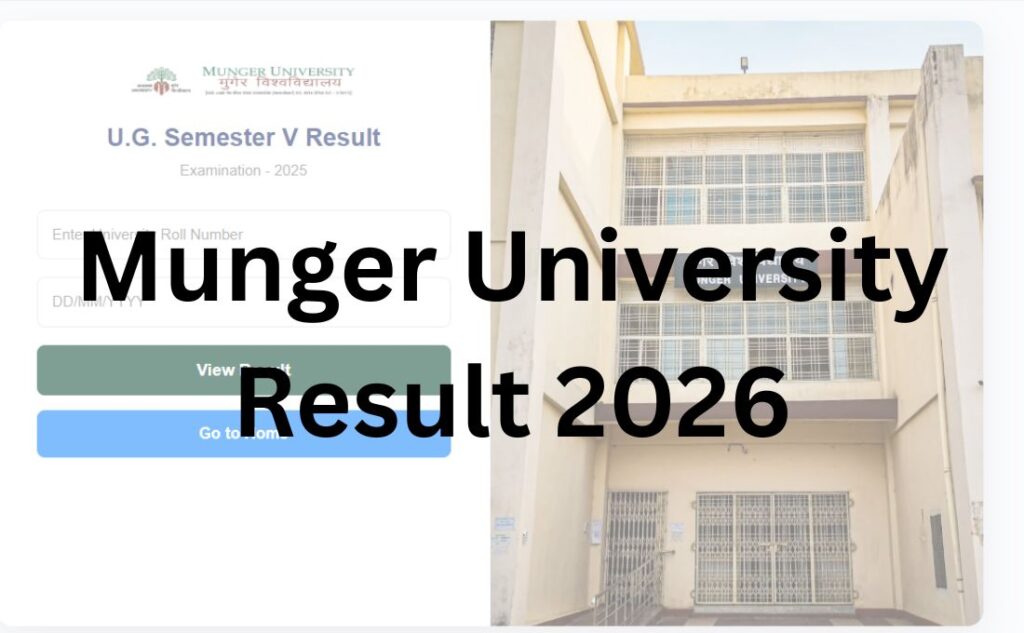
For the individual marksheet lookup, though, the university mostly directs students to a separate site: munivexam.in. This is the “Munger University Result Portal,” and it’s organized by semester and course — UG CBCS Semester-I, Semester-III, Semester-V, PG Semester-I, PG Semester-III, LL.B, B.Ed, B.Pharma, and so on, each with its own dedicated link on the homepage.
Here’s the part that trips a lot of students up: not every result stays on munivexam.in. Some notices link out to a completely different domain for the same batch of students — for instance, one UG CBCS Semester-III result batch has been hosted on a third-party portal rather than munivexam.in itself. Older results (some PG Semester results from a couple of years back) were even published through a /marksheet/public/ page directly on the main university domain, or through a now-separate student login system. The practical takeaway: don’t assume last year’s link still works for this year’s result. Always start from the Result page on mungeruniversity.ac.in and click through to whatever link is attached to your specific exam notice, rather than bookmarking munivexam.in and assuming everything lives there permanently.
Note: Because portal names and links have changed across sessions, treat any URL you find on a third-party website (including this one) as a starting point, not a guarantee. Cross-check against the official Result page before entering your details anywhere.
Munger University Result – Quick Overview
| Detail | Information |
|---|---|
| University Name | Munger University (MU) |
| Location | Munger, Bihar |
| Established | 2018 (bifurcated from Tilka Manjhi Bhagalpur University) |
| Result Type | Semester (CBCS) and Part-wise (older pattern) |
| UG/PG | Both |
| Official Website | mungeruniversity.ac.in |
| Primary Result Portal | munivexam.in |
| Category | University Result |
| Login Credentials | Roll Number + College selection |
| Marksheet Availability | Provisional online; original via college |
| Rechecking Process | Called “Scrutiny,” not revaluation |
| Backlog Result | Declared separately under “Part-II/III Backlog” or semester backlog |
| Latest Update | Verify current status via official notification |
About Munger University
Munger University was carved out of Tilka Manjhi Bhagalpur University and formally established on 18 March 2018 as a state university in Bihar, under the administrative umbrella of the Governor of Bihar as Chancellor. It’s headquartered at the Administrative Block on the R.D. & D.J. College campus in Munger.
The university runs undergraduate, postgraduate, and professional programmes – BA, BSc, BCom, BBA, BCA, LLB, B.Ed, B.Pharma, and various MA/MSc/MCom postgraduate courses – through a mix of constituent colleges and a larger number of affiliated colleges spread across the Munger, Lakhisarai, and neighbouring districts of Bihar. Like most Bihar state universities that transitioned in recent years, Munger University now runs the CBCS (Choice Based Credit System) semester pattern for newer admission batches, while some older-batch students are still completing their degrees under the earlier “Part I/II/III” annual system – which is exactly why you’ll see both semester-wise and part-wise results listed side by side on the university’s result page.
Latest Result Update
Munger University declares results on a rolling basis through the academic year – UG semester results, PG semester results, backlog results, and professional course results (LLB, B.Ed, B.Pharma) are each published as separate notifications as evaluation for that batch completes. Because declaration dates shift from session to session and don’t follow a single fixed calendar, please check the official Result page on mungeruniversity.ac.in for the current status of your specific exam rather than relying on a date mentioned elsewhere.
Courses Covered Under Munger University Results
| Undergraduate | Postgraduate | Professional |
|---|---|---|
| BA | MA | LL.B |
| BSc | MSc | B.Ed |
| BCom | MCom | B.Pharma |
| BCA | Ph.D (Course Work) | |
| BBA |
How to Check Munger University Result: Step by Step?
Because the exact link changes by exam, the safest path is always to start from the university’s own Result page rather than a saved bookmark.
- Go to the official website at mungeruniversity.ac.in.
- Click “Examination” in the main menu, then select “Result.”
- Scroll to find your exam — results are listed by date, most recent first, with the course, session, and semester/part clearly named (for example, “UG CBCS Sem-III Session-2024-2028 Result Exam-2025”).
- Click the result link for your exam. Some entries link straight to munivexam.in, others open a PDF notice first — if it’s a PDF, look inside it for the actual result-checking link, since notices often include the portal URL in the text.
- On the result portal, select your exact semester/course from the homepage list — munivexam.in organizes these as separate buttons rather than one universal search box.
- Enter your Roll Number exactly as printed on your admit card.
- Select your College from the dropdown — this matters because Munger University’s affiliated colleges share the same portal, and picking the wrong college for a similar roll number will return no result or the wrong one.
- Complete the captcha if prompted, then submit.
- Your result will display on screen — check it carefully before closing the tab, since some portals don’t let you search the same result twice without re-entering details.
- Download or screenshot the marksheet immediately, and save a PDF copy — provisional online marksheets aren’t always available indefinitely on every portal iteration.
Login Credentials Required
Unlike some universities that ask for a mix of seat number and mother’s name, Munger University’s result portals are built around two fields:
- Roll Number – as issued for that specific examination, printed on your admit card.
- College – selected from a dropdown list, since the same portal serves every constituent and affiliated college under the university.
Some notices and semester-specific links may also ask you to first pick the examination year (useful when a portal page covers multiple admission batches under one semester link, like “Semester-I 2023-2027, 2024-2028, 2025-2029” shown together).
Details Mentioned on the Munger University Result
Once your marksheet loads, check these fields carefully:
- Student’s name
- Roll number
- College name
- Course and semester/part
- Subject-wise marks (theory and practical/internal, where applicable)
- Total marks and result status (pass/fail/backlog)
- CGPA (for CBCS-pattern courses) or percentage (for older Part-pattern courses)
- Examination year
How to Download Your Marksheet?
- After your result appears on screen, look for a print, download, or PDF icon – most Munger University result pages render the marksheet directly in the browser rather than opening a separate download button.
- Use your browser’s Print → Save as PDF option if there’s no dedicated download button; this is the most reliable way to get a usable copy across most of the university’s portal variants.
- Save the file with a clear name (course, semester, your name) so you can find it later – you may need it for a scrutiny application, admission to the next semester, or a job application.
- Take a screenshot as backup in case the PDF save doesn’t capture the full page.
CGPA to Percentage: What Munger University Students Should Know
CBCS-pattern courses at Munger University report results in CGPA rather than a straight percentage. If you need a percentage figure for a job application or further-study admission, the commonly used conversion for Bihar’s CBCS system is CGPA × 9.5. This is a widely applied formula across CBCS universities, but it’s worth confirming with your college’s examination cell that this is the exact multiplier your specific programme uses, since conversion rules can be revised.
Scrutiny – Not the Same Thing as Revaluation
This is where a lot of generic result guides get Munger University wrong. If you’re unhappy with your marks, the university’s process is called “Scrutiny,” and it is explicitly not a full re-evaluation of your answer script.
According to university notices, scrutiny only checks for:
- Totalling errors — whether the marks awarded to individual answers were added up correctly.
- Unmarked or unposted answers — whether the examiner missed evaluating or transferring marks for a question you attempted.
Scrutiny does not involve anyone re-reading and re-judging the quality of your answers. If you were hoping for a fresh examiner’s opinion on a borderline answer, scrutiny won’t get you that – only a correction of clerical or totalling mistakes.
How Scrutiny Works?
- Wait for the official notice. The examination department releases scrutiny dates separately for each exam batch after that batch’s result is declared – there’s no fixed, university-wide scrutiny calendar.
- Apply within the window. Scrutiny windows are typically short — commonly around 7 to 10 days from result declaration, though this varies by notice, so check the specific circular for your exam rather than assuming a fixed number.
- Get the application form from your college or the university’s examination section, as directed in that batch’s notice.
- Pay the scrutiny fee. Fees are charged per paper, with a cap on how many papers you can apply for at once. Exact amounts are revised periodically – verify the current fee via the official notification before paying anything.
- Submit through your college, along with the fee receipt, before the deadline in the notice.
- Scrutiny won’t be entertained for practical, viva, or internal assessment marks – it applies to theory papers only.
- Wait for the revised result. If a totalling or posting error is found, a corrected marksheet is issued; if nothing is found, your original result stands.
Supplementary and Backlog Results
Munger University publishes backlog results separately from regular semester or part results – you’ll usually see entries explicitly marked “Backlog” on the Result page (for example, “Degree Part-II (Backlog) Exam Result Notice”). If you’re carrying a backlog paper, check the Result page for a notice matching your specific part/semester and “Backlog” designation, rather than assuming it will appear under the regular result link for your batch.
Students under the older annual Part-pattern who are clearing backlog papers alongside a later part’s exam should double-check which admission session their backlog notice applies to – Munger University sometimes runs backlog exams for two or three different admission-year batches in the same notice.
Common Problems While Checking Your Result
| Problem | What’s Likely Happening | What To Do |
|---|---|---|
| “No record found” | Wrong college selected, or roll number typo | Re-check your admit card; try the exact college name as listed in the dropdown |
| Old bookmarked link doesn’t work | Portal changed for this session’s result | Go back to mungeruniversity.ac.in → Examination → Result and find the current link |
| PDF notice but no visible result link | Link may be embedded inside the PDF text | Open the PDF and look for a hyperlink or portal name mentioned in the notice body |
| Result shows for wrong semester/session | Multiple admission batches share one result page | Carefully select the correct examination year/session before searching |
| CGPA shown, but you expected a percentage | Your course is under the CBCS pattern | Use the CGPA × 9.5 formula, or confirm with your college’s exam cell |
| Site slow or unresponsive right after declaration | High traffic immediately after a fresh result | Wait a short while and try again rather than repeatedly resubmitting the form |
What to Do After Checking Your Result?
- Passed: Save your provisional marksheet, and start planning your next semester’s admission or exam form as per the university calendar.
- Backlog subject(s): Check the specific backlog notice for your part/semester, and note the next backlog exam window – Munger University generally allows students to carry backlog papers forward within defined limits.
- Disagree with your marks: Apply for scrutiny within the notified window, understanding that it corrects totalling errors, not the examiner’s judgment.
- Need the original marksheet: Provisional online marksheets are for immediate reference; collect your original marksheet from your college’s examination section as per their schedule.
- Applying elsewhere: If a percentage figure is required and your marksheet shows CGPA, get an official conversion certificate from your college if the receiving institution needs it in writing.
Important Links
| Resource | Link Type |
|---|---|
| Official Website | mungeruniversity.ac.in |
| Result Portal | munivexam.in |
| Examination Notification Page | mungeruniversity.ac.in → Examination → Exam Notification |
| Scrutiny Application | Via examination notice / college, as circulated per exam |
| Student Login (UMIS) | umismuslc.mungeruniversity.ac.in |
| Grievance Redressal | grievance.mungeruniversity.ac.in |
Always verify these against the live “Examination” menu on the official site, since portal sub-links are updated by the university without notice.
Munger University Result – FAQs
Q1. Why does Munger University have more than one result website?
Ans. Munger University has used different hosting systems for results across sessions – the main site’s own pages, a dedicated portal at munivexam.in, and occasionally third-party links included in official notices. There isn’t one single permanent result URL, so it’s best to start from the “Result” page on mungeruniversity.ac.in each time and follow whichever link is attached to your specific exam.
Q2. What login details do I need to check my Munger University result?
Ans. You’ll need your Roll Number, exactly as printed on your admit card, and you’ll need to select your College from a dropdown list. Some result pages also ask you to pick the correct examination year first, especially where one page covers multiple admission batches.
Q3. Is Munger University’s “Scrutiny” the same as revaluation?
Ans. No, and this is a common misunderstanding. Scrutiny only checks for totalling errors and unmarked or unposted answers – it does not involve a fresh examiner re-reading and re-judging your answers. If you’re hoping for a full re-evaluation, scrutiny won’t provide that; it strictly corrects clerical and calculation mistakes.
Q4. How much does scrutiny cost at Munger University, and how do I apply?
Ans. Scrutiny fees are charged per paper, generally with a cap on the number of papers you can apply for in one application. Exact amounts are revised periodically, so verify the current fee and paper limit through the official notification for your specific exam rather than relying on a fixed figure from any article.
Q5. How much time do I get to apply for scrutiny after my result is declared?
Ans. Scrutiny windows are typically short, often around 7 to 10 days from the result declaration date, though this can vary by notice. The university generally does not extend these deadlines, so check the specific circular for your exam as soon as your result is out and apply promptly if you plan to.
Q6. My Munger University result shows CGPA – how do I convert it to a percentage?
Ans. Munger University’s CBCS-pattern courses typically use the formula Percentage = CGPA × 9.5, which is common across Bihar’s CBCS universities. If an admission or job application specifically requires an official percentage certificate rather than a self-calculated figure, request a conversion certificate from your college’s examination cell.
Q7. What’s the difference between “Part” results and “Semester (CBCS)” results at Munger University?
Ans. Older admission batches at Munger University follow the annual “Part I/II/III” examination pattern, while newer batches follow the CBCS semester system. Both appear on the same Result page, so make sure you’re clicking the notice that matches your actual admission year and pattern, not just your course name.
Q8. My result is showing “No record found” – what should I check first?
Ans. Double-check that you’ve selected the correct college from the dropdown and entered your roll number exactly as printed on your admit card, without extra spaces or leading zeros missing. If both are correct and it still fails, the result for your specific session or backlog batch may not have gone live on that particular portal page yet.
Q9. Does Munger University declare results for affiliated colleges as well as constituent colleges?
Ans. Yes. Munger University conducts examinations and declares results for its constituent colleges as well as its network of affiliated colleges across the region. Students from any affiliated college check results the same way – by selecting their specific college from the dropdown on the result portal.
Q10. Where can I find my backlog result at Munger University?
Ans. Backlog results are published as separate notices on the Result page, usually labelled clearly with “Backlog” alongside the relevant Part or Semester. Check for a notice matching both your specific part/semester and the word “Backlog,” rather than expecting it under your regular batch’s standard result link.
Q11. Can I check someone else’s result using just their name at Munger University?
Ans. No, the portals require a Roll Number and College selection rather than offering a name-based search. This is intentional – it keeps individual results private and accessible only to the student with the correct login details.
Q12. What if the Munger University result website is slow or not loading?
Ans. This usually happens right after a fresh result declaration, when traffic to the specific portal page spikes. Wait a short while before retrying, and avoid repeatedly resubmitting the form, which can sometimes make the page slower for everyone. If the issue persists over a longer period, try again later in the day.
Q13. I found an error in my name or college on the marksheet – what should I do?
Ans. Report it to your college’s examination cell as soon as possible, along with your admit card or admission documents as proof. Corrections to personal or institutional details generally need to go through your college rather than directly through the university, and are handled separately from the scrutiny process for marks.
Q14. Is there a name-wise or roll-list style result available for Munger University?
Ans. Some individual exam notices do include a scrutiny list or an absent-candidates list as a downloadable PDF, but the main marksheet lookup is always Roll Number and College based, not a searchable name-wise list for the general result.
Q15. How do I access my previous years’ Munger University results?
Ans. Older results sometimes remain listed further down the Result page on the official site, occasionally linking to an older hosting system than the current munivexam.in portal. If an old link doesn’t work anymore, contact your college’s examination department directly for a duplicate marksheet or confirmation of your historical record.
Q16. Does Munger University offer grace marks?
Ans. Specific grace mark policies depend on the course, regulations, and university/state board rules in force for that academic session, and aren’t applied as a blanket rule to every result. If you’ve narrowly missed passing, check with your college’s examination cell about whether any grace marks provision applies to your specific paper and pattern.
Q17. What should I do after passing my final semester at Munger University?
Ans. Save your provisional marksheet, then follow up with your college’s examination section for your original marksheet and, eventually, degree/convocation formalities. If you need documents for job applications or further study before the original marksheet is issued, ask your college whether a provisional certificate or bona fide letter can be issued in the interim.
Q18. Why does one Munger University result link take me to a completely different website (not munivexam.in or mungeruniversity.ac.in)?
Ans. For certain exam batches, the university has hosted results through a separate third-party result-hosting service rather than its own portal. This is intentional on the university’s part, not a sign of a fake or unofficial link – but always confirm you reached that link by clicking through from the official “Result” page on mungeruniversity.ac.in, rather than from a random search result.