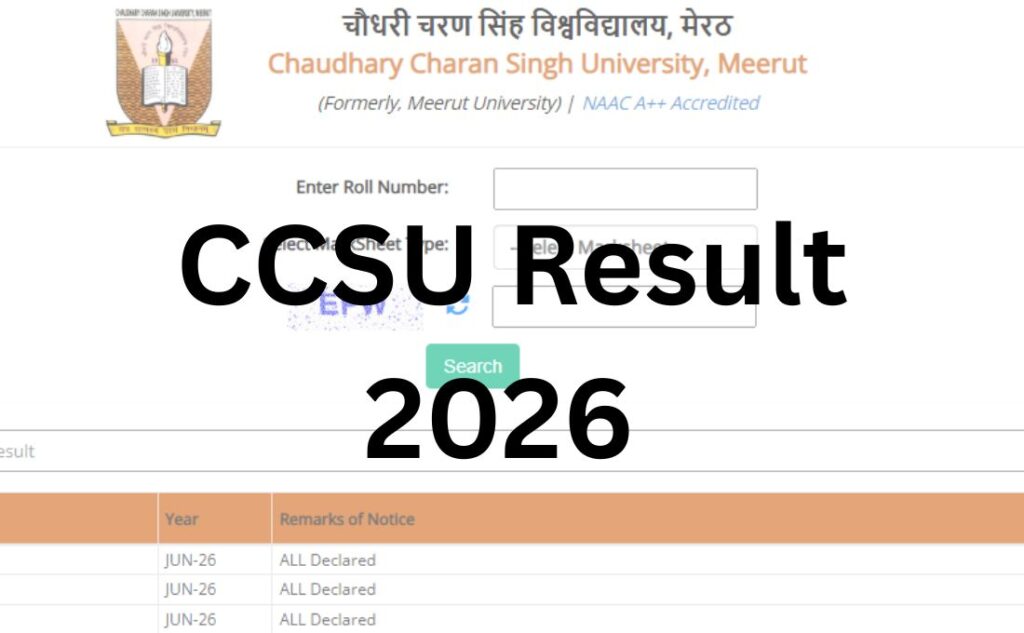

Chaudhary Charan Singh University (CCSU), Meerut has been declaring the CCSU Result 2026 in phases since April 2026, covering even-semester and private/back examinations across UG, PG, and professional courses. If you’re searching for your result, this guide gives you the direct route to the official portal, a step-by-step checking process, and answers to every question you might have – from login credentials to revaluation and backlog results.
The CCSU Result 2026 has been released for M.Com(Pvt) I Year, M.A.(Pvt) I Year, B.COM.(Pvt.) I Year, B.A.(Pvt.) I Year, LL.B Sem-II, LL.B Sem-IV, BBA Sem-IV, BCA Sem-IV, etc., at its result portal. The direct links connecting students with their subject-wise CCSU Result 2026 are attached in the article below.
All the students who are trying to check their CCSU Result need to use their roll number as the required login credential in the login form. The provisional marksheet shares key details like the student’s name, father’s name, subject code, subject-wise marks, status of pass or fail, etc.
| CCSU Result 2026 | |
| University Name | Chaudhary Charan Singh University, Meerut |
| Exam | Semester Exam |
| Category | University Result |
| Status | Released |
| CCSU Result 2026 Date | August 23, 2026 |
| Login Credential | Roll Number |
| Official Website | www.ccsuniversity.ac.in |
CCSU Result 2026 Direct Link
The online portal sharing access to the subject-wise CCSU Result 2026 has been activated by Chaudhary Charan Singh University, Meerut, at its official website. All the students can now check and click on the links for the CCSU result attached in the table below to connect with the login form.
| CCSU Result 2026 | |||
| Result | Year | Date | Link |
| M.Com(Pvt) I Year | 2026 | August 23, 2026 | Click Here |
| M.A.(Pvt) I Year | 2026 | August 20, 2026 | Click Here |
| B.COM.(Pvt.) I Year | 2026 | August 07, 2026 | Click Here |
| B.A.(Pvt.) I Year | 2026 | August 07, 2026 | Click Here |
| LL.B Sem-II | Jun-26 | August 07, 2026 | Click Here |
| LL.B Sem-IV | Jun-26 | August 07, 2026 | Click Here |
| BBA Sem-IV | Jun-26 | August 07, 2026 | Click Here |
| BCA Sem-IV | Jun-26 | August 07, 2026 | Click Here |
Steps to Check CCSU Result 2026
The step by step process to be followed by students to check and access their CCSU Result 2026 is detailed below:
Step 1: Visit the official website of the Chaudhary Charan Singh University, Meerut at https://www.ccsuniversity.ac.in/
Step 2: On the menu bar of the home page, click on the tab for “Results”
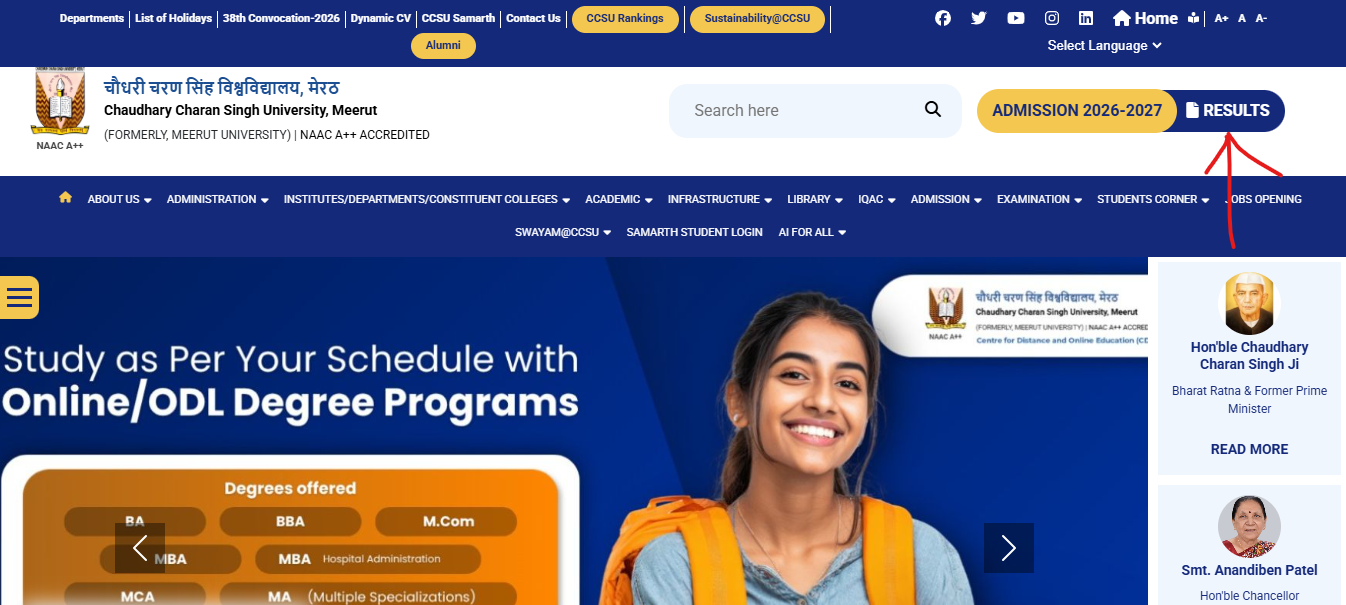
Step 3: A new window will open on the screen sharing links for various results
Step 4: Click on the tab for “All Odd/ even semester (Traditional/ Professional Courses) Result-2019 onwards”
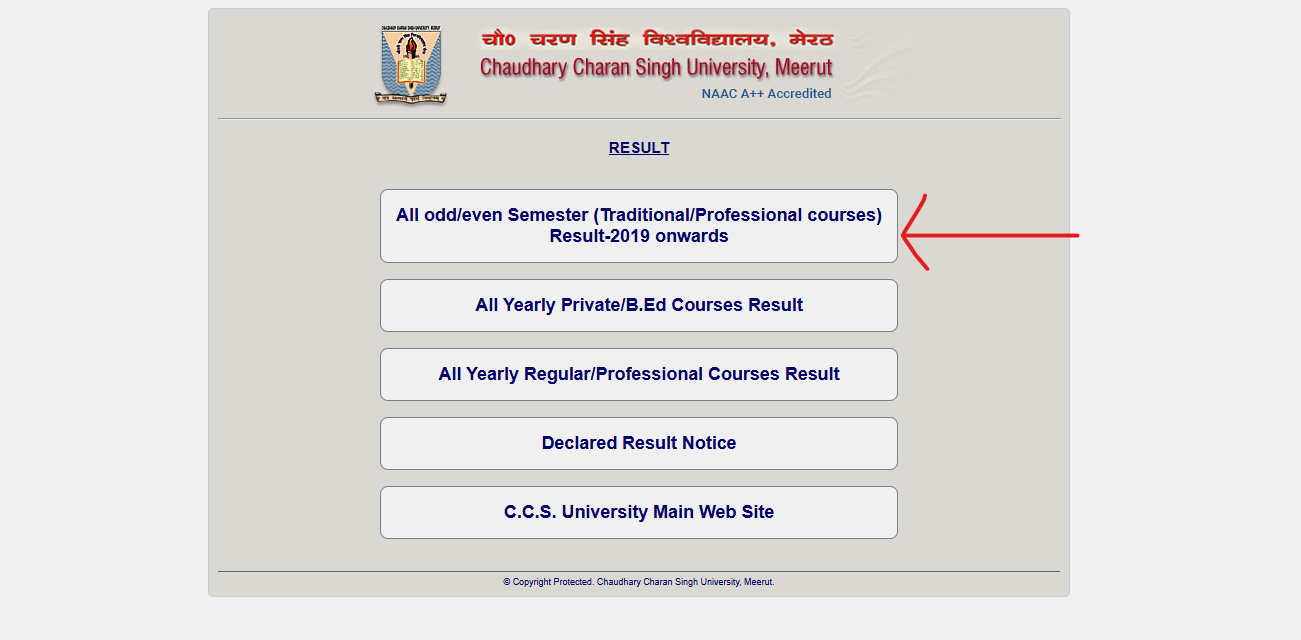
Step 5: On clicking the link, a new window will open on the screen containing the CCSU Result login form
Step 6: Enter “Roll Number” and select “Marksheet Type”
Step 7: Enter the “Security Captcha” and process the form by clicking at “Search”

Step 8: The CCSU Result 2026 will appear on the screen
Step 9: Check and save the result for later use.
Details Mentioned on CCSU Result 2026
After accessing their CCSU Result 2026, the students need to check and verify that all the details mentioned on it are correct and up to the mark. Some of the key details mentioned on the CCSU Result are:
- Student’s name
- Father’s name
- Mother’s name
- Roll number
- Date of birth
- Course name
- Semester
- Subject name
- Subject code
- Subject-wise marks
- Passing marks
- Status of pass or fail, etc.
Passing Marks at CCSU
While exact passing criteria can vary slightly by course and can be revised by the university, the general pattern followed by most Indian state universities – including CCSU – is:
- Theory papers: Minimum 33% marks required to pass
- Practical papers: Minimum 33–40% marks required, depending on the course
- Overall aggregate: Minimum 33% combined average across all papers in most UG/PG courses
- Grace marks: The university may award a limited number of grace marks under its moderation policy to help borderline candidates clear a paper – this is applied automatically and does not need a separate application
Always confirm the exact passing criteria for your specific course and semester through your college’s examination department, since professional and NEP-based programs sometimes carry different grading rules.
CCSU Revaluation Process
If you believe your marks don’t reflect your actual performance, you can apply for revaluation (also called re-checking or re-evaluation) of your answer scripts.
Eligibility: Any student who has appeared for the exam and received their result can apply for revaluation of one or more subjects.
How to apply:
- Visit the official website and look for the “Revaluation” or “Answer Book Section” link under the Examination tab.
- Fill in your roll number, course, and the subject(s) you want re-evaluated.
- Pay the applicable revaluation fee per subject (this varies by course level – confirm the current amount on the official notice before paying).
- Submit the form within the university’s specified window.
Timeline: CCSU generally provides a 15-day window after result declaration for students to submit revaluation applications. Apply as soon as your result is out to avoid missing the deadline.
Result of revaluation: Revaluation outcomes are usually declared a few weeks after the application window closes and are published separately on the same result portal.
Contact for queries: If you face issues with revaluation, students can reach the university’s Answer Book Section at 0121-2600506 or 7417557610, or the Result Cell at 7599557520. (Always verify these numbers on the official website first, as helpline numbers can change.)
Supplementary / Backlog Result
Students who fail one or more papers can appear for CCSU’s back/supplementary examinations, usually conducted a few months after the main exam cycle.
- Backlog exam forms are released separately by the examination department – watch the official notice board for the schedule.
- Backlog/supplementary results are declared on the same result portal, typically listed as “Back Paper” or “ex-student” result links.
- Passing criteria for backlog papers are the same as regular exams (usually 33% minimum).
- There is generally no limit on the number of attempts within the permitted duration of the course, but this should be confirmed through your college, as rules can change by course and academic regulation.
Name-Wise Result
CCSU does not publish a searchable name-wise result list for privacy and data-protection reasons. Results can only be accessed using your roll number (and sometimes registration number) – this is standard practice across almost all Indian universities to prevent unauthorized access to other students’ academic records.
Previous Year Results
If you need to access an older CCSU result (for example, for a job application or higher-education admission that requires past academic records):
- The official result portal usually retains an archive link for previous academic sessions under the same “Results” tab.
- If you can’t find your old result online, you can request an official transcript or duplicate marksheet from the university’s examination branch by submitting an application along with the prescribed fee.
Common Problems While Checking CCSU Result (And How to Fix Them)
| Problem | Likely Cause | What to Do |
|---|---|---|
| Website loading slowly | High traffic right after result declaration | Wait 15–20 minutes and retry, or try during off-peak hours (early morning/late night) |
| “Server Error” message | Temporary server overload | Refresh the page after a few minutes; avoid repeatedly resubmitting the form |
| “Invalid Roll Number” | Typo, or result not yet uploaded for your course | Double-check your admit card; if correct, your result may not be live yet |
| Roll number not found | Course/semester result not declared, or record mismatch | Contact your college examination cell to confirm your enrollment status |
| Result shows “Result Awaited” or “RW” | A subject mark or internal assessment is pending | Contact your college; this usually resolves once pending data is uploaded |
| Captcha not matching | Case-sensitive entry error | Retype carefully, matching upper/lower case exactly |
| Browser compatibility issues | Older browser version or outdated cache | Clear your browser cache, or try a different browser (Chrome/Firefox) |
| Page redirects to a suspicious site | You may be on an unofficial/lookalike domain | Close the tab immediately and re-enter ccsuniversity.ac.in manually |
What to Do After the CCSU Result Is Out?
- If you passed: Download and save your provisional marksheet. Proceed with admission to the next semester/year, scholarship renewal, or apply for your final marksheet from your college.
- If you failed a paper: Check the backlog/supplementary exam schedule and apply for revaluation if you believe your answer script was mis-evaluated.
- If you have a backlog carried forward: Confirm your eligibility to continue to the next semester under the university’s promotion rules, since some backlogs may affect eligibility for the next year.
- For higher studies or job applications: Collect your final marksheet and provisional/degree certificate from the university once available, as most institutions and employers require the original document, not the online printout.
- For placements: Keep both your provisional and final marksheets ready, as campus placement drives typically require verified academic documents.
Important Links Table
| Resource | Link |
|---|---|
| Official Website | ccsuniversity.ac.in |
| Results Section | Available via “Results” tab on the homepage |
| Examination Notice Board | Available via “Examination” section on the homepage |
| Student Section/Portal | Available via “Student Section” tab on the homepage |
| Answer Book / Revaluation Section | Linked under the Examination tab on the official website |
| Result Cell Contact | 7599557520 (verify on official site) |
| Answer Book Section Contact | 0121-2600506 / 7417557610 (verify on official site) |
CCSU Result 2026 – FAQs
Q1. What if there is a mistake on the CCSU Result?
Ans. If any student finds any error or mistake in the details mentioned on their CCSU Result, they must immediately connect with the college/ university administration for rectification of the issue.
Q2. How can I apply for CCSU Result revaluation?
Ans. After the release of the CCSU Result, the university provides a 15-day window in which any student can fill the result revaluation form along with the revaluation fee in case they need revaluation of their answer scripts.
Q3. How can I contact the university for result-related issues?
Ans. If any student is facing any issues related to their CCSU Result, they can contact the Result Cell at 7599557520 or the Answer Book Section at 0121-2600506 / 7417557610.
Q4. What details do I need to check my CCSU result?
Ans. You mainly need your roll number. Some courses also require your registration/enrollment number and a security captcha to complete the login process.
Q5. My CCSU result shows “Result Awaited.” What does this mean?
Ans. This usually means one or more of your internal or practical marks haven’t been uploaded yet. Contact your college’s examination department to resolve this, as it typically clears up once pending marks are submitted.
Q6. How can I download my CCSU marksheet?
Ans. After logging in with your roll number on the official result portal, your provisional marksheet will display on screen. Use the download/print option, or save it as a PDF using your browser, and keep a copy for future use.
Q7. Is the online CCSU marksheet valid for admissions?
Ans. The online provisional marksheet is generally accepted for temporary use, such as applying to the next semester. For final admissions, jobs, or higher studies, you’ll need the original, signed marksheet issued later by the university or your college.
Q8. What are the minimum passing marks at CCSU?
Ans. Most courses require a minimum of 33% in theory and practical papers, along with an overall aggregate of around 33%, though this can vary slightly by course – always confirm with your college for your specific program.
Q9. How do I apply for CCSU revaluation?
Ans. Visit the official website’s Examination or Answer Book section, fill in your roll number and the subject(s) you want re-checked, and pay the prescribed fee within the university’s application window, usually around 15 days from result declaration.
Q10. What is the CCSU revaluation fee?
Ans. The revaluation fee varies by course and is revised periodically by the university. Check the current fee structure directly on the official notice published under the Examination section before applying.
Q11. When will CCSU declare backlog/supplementary results?
Ans. Backlog results are declared separately, usually a few months after the back-paper exams are conducted. The exact schedule is announced on the university’s examination notice board.
Q12. Can I check my CCSU result using just my name?
Ans. No. CCSU does not provide name-wise result search for privacy reasons. You must use your roll number (and sometimes registration number) to access your result.
Q13. The CCSU result website isn’t loading. What should I do?
Ans. This is common right after a result is declared due to heavy traffic. Wait a while and try again, preferably during non-peak hours, or try a different browser or device.
Q14. How can I get my previous year’s CCSU result?
Ans. Older results are usually available in an archive section on the official result portal. If unavailable online, you can apply to the university’s examination branch for a duplicate marksheet or transcript.
Q15. Who do I contact for CCSU result-related problems?
Ans. You can contact CCSU’s Result Cell or Answer Book Section using the phone numbers listed on the official website’s Examination page. Always verify the current number online, as helpline details can be updated.
Q16. Does CCSU provide CGPA or percentage on the result?
Ans. CCSU results typically show both, depending on the course and the university’s grading scheme in effect for that program – check your marksheet for the applicable format.
Q17. What should I do if there’s an error in my CCSU result?
Ans. Report it immediately to your college examination cell or the university’s Result Cell with your roll number and details of the discrepancy, so it can be corrected before you submit the marksheet anywhere official.