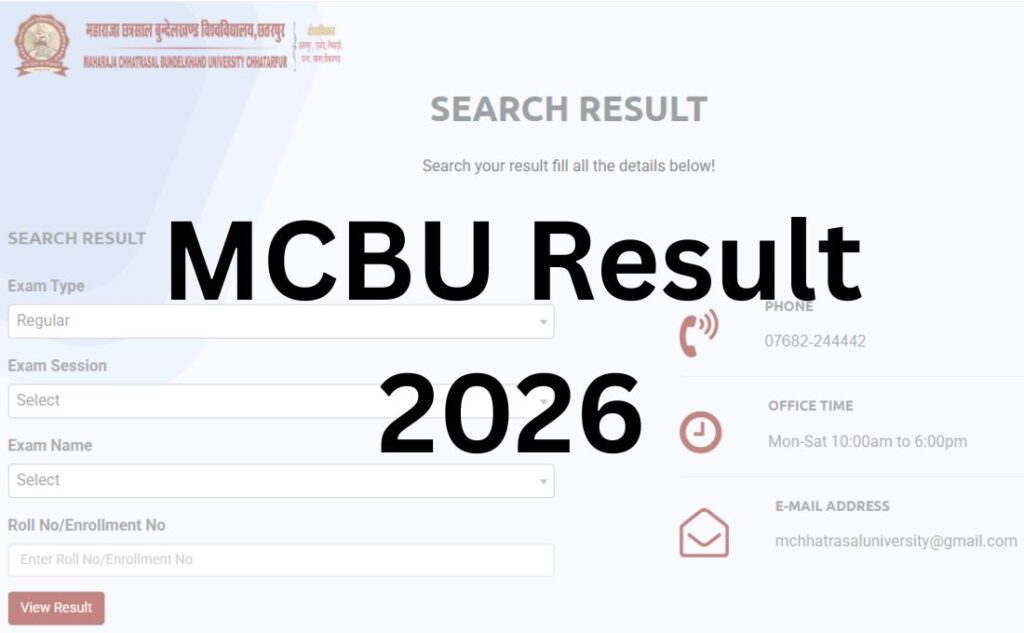

If you’ve searched for “MCBU result” and landed on a page that keeps switching between Chhatarpur and Jhansi, you’re not imagining things. There are genuinely two “Bundelkhand” universities in India, and a lot of result-checking guides blend facts from both without telling you. This guide is only about Maharaja Chhatrasal Bundelkhand University (MCBU), Chhatarpur, Madhya Pradesh – the university most students typing “MCBU result” actually mean.
We’ll walk through exactly where to check your result, what each portal on the university’s site is for, how revaluation and retotaling work, and what to do if something on your marksheet doesn’t look right.
MCBU vs Bundelkhand University: Clear This Up First
This mix-up costs students real time, so let’s sort it before anything else.
| MCBU (this article) | Bundelkhand University, Jhansi | |
|---|---|---|
| Full name | Maharaja Chhatrasal Bundelkhand University | Bundelkhand University |
| Location | Chhatarpur, Madhya Pradesh | Jhansi, Uttar Pradesh |
| Official website | mcbu.ac.in | bujhansi.ac.in |
| Established | 2014 (by Act of MP State Legislature) | 1975 |
| Result portal | MP Online (mponline.gov.in) | University’s own result server |
If your college, roll number, or admit card mentions Chhatarpur, Panna, Damoh, Sagar, or Tikamgarh districts, or if your fee receipt shows MP Online, you’re an MCBU student and this guide applies to you. If your documents mention Jhansi or Uttar Pradesh, you need the Bundelkhand University, Jhansi result system instead – it is not covered here.
Quick Highlights
| Detail | Information |
|---|---|
| University Name | Maharaja Chhatrasal Bundelkhand University (MCBU) |
| Location | Chhatarpur, Madhya Pradesh |
| Established | 2014 (Act of MP State Legislature) |
| Result Status | Declared in phases across the academic year – check the official portal for your specific course and semester |
| Academic Structure | Semester system for regular UG/PG courses; annual pattern for many private candidates (verify for your specific course) |
| Courses Covered | UG, PG, Diploma, Certificate, Ph.D. |
| Official Website | mcbu.ac.in |
| Category | University Result |
| Result Portal | mcbu.mponline.gov.in (MP Online) |
| Required Credentials | Enrollment number / roll number + date of birth |
| Marksheet Availability | PDF, downloadable and printable from the result portal |
| Revaluation / Retotaling | Available via MP Online “Counterbase” application |
| Supplementary Result | Declared separately after supplementary exams |
| Affiliated Colleges | Approximately 149+ colleges across Chhatarpur, Sagar, Damoh, Panna, and Tikamgarh districts (verify current count on the official site) |
Direct Result Link
The two starting points you’ll actually use are:
- Official university site: https://mcbu.ac.in → “Student Zone” → “Results”
- Result search portal: the MP Online-hosted search tool linked from that Results page
Important: Do not search for “MCBU result” on generic search engines and click the first unfamiliar link. Several private aggregator sites use “mcburesults.in” or similar names that are not the official university domain. Always start from mcbu.ac.in and follow the official link through, or type the MP Online URL directly.
About Maharaja Chhatrasal Bundelkhand University
MCBU was established by an Act of the Madhya Pradesh State Legislature in 2014 and is headquartered in Chhatarpur. It serves as the primary state university for the Bundelkhand region of Madhya Pradesh, with affiliated colleges spread across Chhatarpur, Damoh, Panna, Sagar, and Tikamgarh districts. The university offers undergraduate, postgraduate, diploma, certificate, and doctoral programmes across arts, science, commerce, education, and other faculties, and is recognised by the UGC. It is currently headed by a Vice-Chancellor and administered through a Registrar’s office that oversees examinations and results. The university has also set up a dedicated coaching centre for competitive exams and runs its own research journal, reflecting its focus beyond just degree-granting functions.
Latest Result Update
MCBU releases results in phases through the academic year, rather than on one single fixed date for every course. Recent notifications on the official site have included supplementary exam timetables for multiple UG years (B.A., B.Sc., B.Com, and their Honours variants) across regular and private categories.
Because declaration schedules shift session to session, the most reliable way to know if your specific result is out is to:
- Check the “News Updates” section on mcbu.ac.in, or
- Directly search your roll number on the MP Online result portal – if the result isn’t declared yet, the portal will tell you so.
Do not rely on third-party “result date” predictions circulating on social media or unofficial forums.
Courses Covered Under MCBU Results
| Course Level | Examples |
|---|---|
| Undergraduate (UG) | B.A., B.Sc., B.Com, B.C.A., B.B.A., B.Ed., LL.B. |
| Postgraduate (PG) | M.A., M.Sc., M.Com, M.Ed., LL.M., M.S.W. |
| Professional/Technical | B.Tech, MBA, MCA (through affiliated institutes) |
| Diploma & Certificate | Various diploma and certificate courses |
| Research | Ph.D. across faculties |
How to Check Your MCBU Result – Step by Step?
- Go to the official website: Visit mcbu.ac.in.
- Open Student Zone → Results. This takes you to a page with two options – keep reading below to know which one you need.
- Choose the semester/annual result search tool (not the “DET Results” link – see the next section for the difference).
- Select your course, exam type (Regular/Private), and session.
- Enter your roll number or enrollment number exactly as printed on your admit card or previous marksheet.
- Enter your date of birth where prompted.
- Submit and view your result on screen.
- Download the PDF and save it before closing the tab – some result portals time out sessions quickly.
- Take a printout for your records; you’ll need it for revaluation applications, admission to the next semester, or job applications.
The Two Result Sections on mcbu.ac.in – What Each One Actually Is
This is where most guides fall short, and it’s genuinely confusing if you don’t know it in advance.
1. Main “Results” search (via MP Online) This is the tool almost every student needs. It’s where semester-wise and annual UG/PG exam results for regular and private candidates are published, searchable by roll number or enrollment number.
2. “DET Results” page This is a separate section listing subject-wise PDF documents (Botany, Chemistry, Commerce, Economics, English, and so on). It is not a roll-number lookup tool – it’s a set of static result/merit lists organised by subject, typically tied to departmental or research-entry examinations rather than regular semester UG/PG results. If you’re checking a routine semester result, you almost certainly want the main portal, not this page. If you were specifically told by your department that your result will appear here (for example, for a Ph.D. entrance or departmental test), then this is the right place – but confirm with your department first, since the university does not label this section in detail.
Login Credentials Required
| Credential | Where to Find It |
|---|---|
| Roll Number | Admit card, previous marksheet |
| Enrollment Number | Registration receipt, ID card, or previous marksheet |
| Date of Birth | As per your 10th/12th marksheet |
| Captcha (if applicable) | Displayed on the portal login screen |
If you’ve lost your enrollment number, check your admission/registration receipt from your affiliated college, or contact the college examination cell – they hold your enrollment records.
Details Mentioned on the MCBU Result
- Candidate’s Name
- Roll Number / Enrollment Number
- Father’s/Mother’s Name
- Course and Semester/Year
- Subject-wise Marks (Theory + Practical, where applicable)
- Total Marks Obtained
- Result Status (Pass/Fail/RL – Result Later/W.H. – Withheld)
- Percentage and/or CGPA
- Division (First/Second/Third)
- Examination Session
How to Download Your MCBU Marksheet?
- Complete the result search steps above.
- Once your result appears on screen, look for a “Print” or “Download PDF” option.
- Save the file with a clear name
- Open the PDF to confirm your name, roll number, and marks are legible and correctly recorded.
- Print at least two copies – one for personal records, one as a spare for submissions.
Passing Marks
Passing criteria vary by course, faculty, and whether a subject has separate theory and practical components. As a general pattern across MP state universities:
- A minimum percentage is required in theory components individually.
- A separate minimum is required in practical components, where applicable.
- Some courses also apply an aggregate minimum across all papers in a semester/year.
- Grace marks, where permitted, are typically capped per paper and per year, and are applied automatically by the university where eligible.
Revaluation, Retotaling & View Answer Book – What’s the Difference
MCBU offers three related but distinct services through the MP Online “Counterbase” application system:
| Service | What It Means |
|---|---|
| Retotaling | Re-adding the marks already awarded on your answer sheet, to catch addition errors. No re-checking of answers. |
| Revaluation | Your answer sheet is re-evaluated by an examiner. Marks can go up or down based on this re-check. |
| View Answer Book (VAB) | You get to see a scanned copy of your own evaluated answer sheet, without requesting a mark change. |
How to apply:
- Go to the MP Online MCBU portal (linked from mcbu.ac.in under Student Services).
- Select “Apply for Retotaling / Revaluation / View Answer Book.”
- Enter your enrollment number and date of birth.
- Choose the specific subject(s) and service type.
- Pay the applicable fee online.
- Submit and save your application receipt/reference number.
Fee: Retotaling and revaluation fees are typically charged per subject and are usually in the range of roughly ₹150–₹300, but this varies by year and service type – confirm the current fee on the MP Online payment page before applying, since it is not fixed information.
Timeline: Applications generally need to be submitted within a specific window (commonly 10–15 days) after result declaration – check the exact deadline in the revaluation circular released alongside your result, since this window can change.
Result of revaluation: The university typically retains whichever score is higher between the original and the revised evaluation, and updates your result and marksheet accordingly.
Supplementary / Back Paper Result
If you don’t clear one or more papers in a semester or annual exam, MCBU conducts supplementary exams (sometimes called back-paper exams) for both regular and private candidates. To appear:
- Watch for the supplementary exam timetable notification on mcbu.ac.in (published under News Updates or Examination sections).
- Fill and submit the supplementary exam form along with the fee before the deadline.
- Appear for the specific paper(s) you need to clear.
- The supplementary result is published separately on the same MP Online result portal, using the same roll number/enrollment number lookup.
Name-wise Result
MCBU’s official result portal is built around roll number/enrollment number search, not name-based search. If you don’t remember your roll number, contact your college’s examination cell rather than searching by name – official MP state university portals rarely support open name-wise lookup, largely for data privacy reasons.
Previous Year Results / Result Archive
For older sessions, the same MP Online portal usually retains historical result records under the relevant session/year filter. If you can’t locate a previous year’s result online, your college examination department maintains physical and digital records and can issue a duplicate marksheet on request (usually for a fee).
Common Problems While Checking MCBU Results (and Fixes)
| Problem | Likely Cause | What to Do |
|---|---|---|
| “Result not found” | Result not yet declared, or wrong roll/enrollment number entered | Double-check the number against your admit card; recheck after a few hours if not yet declared |
| Website slow or not loading | High traffic on MP Online right after declaration | Try during off-peak hours (early morning/late night) |
| “W.H.” or “RL” shown instead of marks | Withheld due to pending dues, missing documents, or malpractice case | Contact your college office or MCBU examination cell directly – this needs to be resolved administratively, not online |
| Captcha not loading | Browser extension or ad-blocker interference | Disable extensions temporarily, or try a different browser |
| PDF not downloading | Pop-up blocker enabled | Allow pop-ups for the MP Online domain |
| Marks look incorrect | Genuine printing or evaluation error | Apply for retotaling/revaluation through the official process – don’t assume it’s a website glitch |
What To Do After Your MCBU Result?
- If you passed: Download and safely store your marksheet. Begin preparing documents for the next semester’s admission or, if you’re graduating, for provisional certificate and degree applications.
- If you have a backlog: Note the supplementary exam schedule and apply within the notified window.
- If you’re not satisfied with your marks: Apply for retotaling or revaluation within the deadline mentioned in the post-result circular.
- If you’re moving to another institution: You’ll need a migration certificate, which MCBU allows students to apply for online via mcbu.ac.in under Student Services.
- If you’re job-hunting or applying for further studies: Most employers and universities accept the provisional marksheet initially; keep your original certificates ready for verification later.
Important Links
| Purpose | Link |
|---|---|
| Official University Website | mcbu.ac.in |
| Result Portal (MP Online) | mcbu.mponline.gov.in |
| Retotaling/Revaluation/VAB Application | Via MP Online, linked from mcbu.ac.in Student Services |
| Migration Certificate Application | Via MP Online, linked from mcbu.ac.in Student Services |
| Academic Calendar | mcbu.ac.in/academic-calendar |
| Contact/Helpdesk | mcbu.ac.in/contact-us |
MCBU Result 2026 – FAQ Section
Q1. What is MCBU’s full form?
Ans. MCBU stands for Maharaja Chhatrasal Bundelkhand University, a state university located in Chhatarpur, Madhya Pradesh, established in 2014.
Q2. Is MCBU the same as Bundelkhand University, Jhansi?
Ans. No. MCBU (Chhatarpur, Madhya Pradesh) and Bundelkhand University (Jhansi, Uttar Pradesh) are two separate, independently governed universities. They only share part of their name.
Q3. Where can I check my MCBU result?
Ans. Through the official MP Online-hosted result portal, accessible via mcbu.ac.in under Student Zone → Results.
Q4. What details do I need to check my MCBU result?
Ans. Your roll number or enrollment number and date of birth, entered exactly as they appear on your admit card or previous marksheet.
Q5. What is the difference between the main Results page and the DET Results page on mcbu.ac.in?
Ans. The main Results page leads to the roll-number-based semester/annual result search most students need. The DET Results page lists separate subject-wise PDF documents typically tied to departmental or entrance-related results – confirm with your department if you’re unsure which one applies to you.
Q6. Why does the MCBU result portal have “mponline” in the URL?
Ans. MCBU, like several other Madhya Pradesh state universities, uses the shared MP Online government portal to host and manage exam results, rather than running result servers on its own domain.
Q7. How do I apply for MCBU revaluation?
Ans. Log in to the MP Online MCBU portal, select the Retotaling/Revaluation/View Answer Book option, enter your enrollment number and date of birth, choose your subject(s), pay the fee, and submit.
Q8. What is the difference between retotaling and revaluation at MCBU?
Ans. Retotaling only rechecks the addition of marks already given. Revaluation involves a fresh evaluation of your answers by an examiner and can change your marks either way.
Q9. How much does MCBU revaluation cost?
Ans. Fees are typically charged per subject and commonly fall in an approximate range, but the exact amount changes periodically – always confirm the current fee on the MP Online payment page before applying.
Q10. What does “W.H.” mean on my MCBU marksheet?
Ans. It usually means your result is withheld, often due to pending dues, missing documents, or an unresolved case. Contact your college office or the MCBU examination cell to resolve it.
Q11. Can private candidates check results on the same MCBU portal?
Ans. Yes. Both regular and private candidates use the same MP Online result search, selecting the correct exam type (Regular/Private) before entering their details.
Q12. What if my MCBU result shows “not declared”?
Ans. It means your specific course, semester, or session’s result hasn’t been published yet. Check the News Updates section on mcbu.ac.in for the latest declaration status.
Q13. How do I download my MCBU marksheet as a PDF?
Ans. After your result appears on the portal, use the Print or Download option to save it as a PDF before closing the browser tab, since some sessions time out quickly.
Q14. Is there a name-wise search option for MCBU results?
Ans. No, the official portal is built around roll number/enrollment number lookup. If you’ve lost your number, contact your college’s examination cell.
Q15. What should I do if I fail a paper at MCBU?
Ans. You can appear for the supplementary/back-paper exam once the timetable is notified, by submitting the exam form and fee before the deadline.
Q16. How do I apply for a migration certificate from MCBU?
Ans. Through the Student Services section on mcbu.ac.in, which links to the relevant MP Online application form.
Q17. Are MCBU results available for previous academic sessions?
Ans. Yes, historical results are generally accessible on the same MP Online portal by selecting the relevant session or year, and duplicate marksheets can be requested from your college for older records not shown online.
Q18. What should I do if my MCBU marks appear incorrect?
Ans. Apply for retotaling or revaluation through the official MP Online process within the notified deadline, rather than assuming it’s a website error.