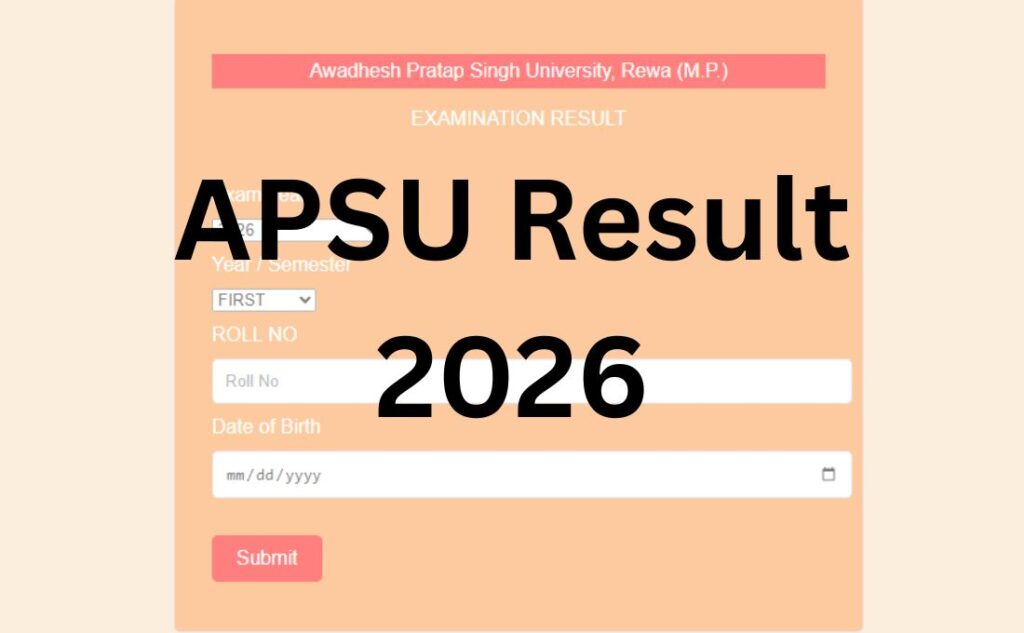

If you’ve searched “APSU result 2026” and landed on five different websites telling you five different things, you’re not alone. Here’s the part almost nobody explains clearly: Awadhesh Pratap Singh University doesn’t have one result website – it has two, and they’re for different students.
Get this wrong, and you’ll spend twenty minutes typing your roll number into a portal that was never going to show your result in the first place. Let’s fix that first, then walk through everything else – revaluation, passing marks, marksheet download, and what to do if something goes wrong.
The Two-Portal Split
Awadhesh Pratap Singh University, Rewa (APSU) runs examinations for two very different groups of students, and each group checks results on a different site:
If you study in a University Teaching Department (UTD) – meaning you’re enrolled directly on the main APSU campus in Rewa, not through an affiliated college – your result is published at result.apsurewa.ac.in.
If you study in one of APSU’s 65 affiliated colleges – spread across Rewa, Satna, Sidhi, Shahdol, Umaria, and Singrauli districts – your result is published at apsuresult.co.in/apsumsht. This is a separate marksheet portal, and it’s the one most students actually need, since the vast majority of APSU’s student strength sits in affiliated colleges, not the main campus.
Both portals ask for your Roll Number and Date of Birth – not a password- so there’s no “forgot password” step for checking a result.
There’s a third site in the mix too: apsu.mponline.gov.in, the MPOnline portal. This one doesn’t show results at all. It handles admissions, exam form submission, admit card downloads, and – importantly – revaluation and retotaling applications. If you’ve been searching for “APSU revaluation apply online” and ending up confused, this is the portal you actually want, not the result site.
Quick check: UTD student → result.apsurewa.ac.in. Affiliated college student → apsuresult.co.in/apsumsht. Want revaluation, admit card, or admission? → apsu.mponline.gov.in.
If you’re not sure which category you fall into, check your admit card or fee receipt – it will say either “University Teaching Department” or the name of your specific affiliated college.
Quick Highlights
| Detail | Information |
|---|---|
| University | Awadhesh Pratap Singh University (APSU), Rewa |
| Established | 20 July 1968 |
| UGC Recognition | February 1972 |
| Result Portal (UTD) | result.apsurewa.ac.in |
| Result Portal (Affiliated Colleges) | apsuresult.co.in/apsumsht |
| Admission / Revaluation Portal | apsu.mponline.gov.in |
| Official Website | apsurewa.ac.in |
| Category | University Result |
| Courses Covered | UG, PG, Diploma, PG Diploma, Professional |
| Credentials Needed | Roll Number + Date of Birth |
| Marksheet | Provisional copy available online; original from your college |
| Revaluation | Applied via MPOnline, not the result portal |
| Affiliated Colleges | 65, across 6 districts |
About Awadhesh Pratap Singh University
APSU is named after Captain Awadhesh Pratap Singh, a freedom fighter from the Vindhya region, and was established on 20 July 1968. It received UGC recognition in February 1972 and holds membership with the Association of Indian Universities (AIU) and the Association of Commonwealth Universities (ACU).
As a teaching-cum-affiliating university, APSU has two arms: its own University Teaching Departments on the main Rewa campus, and a network of 65 affiliated colleges spread across Rewa, Satna, Sidhi, Shahdol, Umaria, and Singrauli districts. This dual structure is exactly why the result-checking process splits into two portals – it isn’t a website quirk; it reflects how the university itself is organised. APSU offers undergraduate, postgraduate, diploma, and professional programmes including B.Ed, LLB, and MBA, largely through its affiliated college network in the Vindhya region of Madhya Pradesh.
Latest Result Update
APSU runs its odd-semester examinations (roughly November–December) and even-semester examinations (roughly May–June) on a rolling annual cycle, with results for each batch of exams typically published within a few weeks to a couple of months of the exam concluding. Supplementary and back-paper exams follow their own separate result timeline after the main results.
As of this writing, both result portals are live and actively listing exam sessions through mid-2026, including supplementary examination results for recent sessions.
This is exactly the kind of detail that changes every cycle – don’t take any specific date as final. Bookmark this page and always cross-verify the live notification board on apsurewa.ac.in or your college’s notice board before assuming a result is delayed or missing.
APSU Result 2026 (Out) – Click to Check
Courses Covered Under APSU Results
| Undergraduate (UG) | Postgraduate (PG) | Professional / Diploma |
|---|---|---|
| BA | MA | B.Ed / M.Ed |
| BSc | MSc | LLB |
| BCom | MCom | BPEd / MPEd |
| BCA | MCA | PGDCA |
| BBA | MBA | PGDGC |
| BSW | – | PGDYEd |
How to Check Your APSU Result – Step by Step?
For UTD students (main campus):
- Go to result.apsurewa.ac.in.
- Select the relevant exam session and semester/year from the list shown.
- Enter your Roll Number.
- Enter your Date of Birth in the format requested.
- Submit, and your result will display on-screen.
- Save or screenshot it, then use the download option (where available) for a PDF copy.
For affiliated college students:
- Go to apsuresult.co.in/apsumsht.
- Choose your Exam Year from the dropdown (recent sessions including supplementary exams are listed separately).
- Select your Year/Semester (First through Tenth, depending on your programme).
- Enter your Roll Number and Date of Birth.
- Click Submit.
- Your provisional result/marksheet will appear – download and save it immediately, since result portals for smaller universities can go offline temporarily during high-traffic periods.
Login Credentials Required
| Credential | Where to Find It |
|---|---|
| Roll Number | Printed on your admit card / hall ticket |
| Date of Birth | As per your academic records (DD-MM-YYYY format usually) |
| Captcha (if shown) | Displayed on-screen, case-sensitive |
No login ID or password is required to view a result – only to access the MPOnline SIS (Student Information System) for admission or form-filling purposes, which is a separate credential system entirely.
What Your Result Will Show?
Once your result appears, it typically includes:
- Full name and roll number
- Enrollment number
- Subject-wise theory and practical marks
- Total marks obtained and maximum marks
- Result status (Pass / Fail / ATKT)
- Percentage and division (First, Second, Third)
- Semester/year and course name
- Examination session (e.g., “Dec 2025” or “Jun 2026”)
CGPA is shown for programmes running under the semester/credit system; annual-mode programmes will show marks and division instead.
Downloading Your Marksheet
The result screen on both portals is provisional – meant for immediate reference, not for official submission anywhere.
- After your result displays, look for a “Print” or “Download” option.
- Save it as a PDF (use your browser’s print-to-PDF function if there’s no direct download button).
- Keep this provisional copy for reference during admissions, interviews, or scholarship applications where an interim proof of result is accepted.
- For the original, signed marksheet, you’ll need to collect it in person from your affiliated college (or the university examination department if you’re a UTD student), usually a couple of weeks after the result is declared. Carry a valid ID and your admission/fee receipt.
Passing Marks
Based on APSU’s grading pattern, students generally need a minimum of 35% aggregate to pass a semester or annual examination, with each individual subject also needing to be cleared separately – you can’t compensate a failed subject purely with high marks elsewhere.
Important: Exact passing criteria can vary slightly by programme (professional courses like B.Ed or LLB sometimes carry different theory/practical split requirements), and grace-mark policies are revised periodically. Always confirm the applicable passing criteria for your specific course against your official examination scheme document rather than relying on a general figure.
Revaluation and Retotaling – Where Students Get Confused
This is the single most misunderstood part of the APSU result process, and it’s worth being precise about it.
Revaluation does not happen on the result portal. You apply for it through the MPOnline portal, under a form typically labelled something like “Application for Reval/Retotal/VAB” (Verification of Answer Book). Here’s the general process:
- Log in or register on apsu.mponline.gov.in.
- Locate the Revaluation / Retotaling / VAB application form for APS University.
- Select your examination, subject(s), and the specific service you need:
- Retotaling – rechecking of the addition of marks already awarded (no re-evaluation of answers)
- Revaluation – a fresh evaluation of your answer script by another examiner
- VAB (Verification of Answer Book) – checking that all your answers were actually evaluated and no page was missed
- Pay the applicable fee online per subject.
- Submit before the deadline – this window is typically a short, fixed number of days from the date of result declaration, so don’t delay if you’re considering it.
- Revised results, if any, are published separately and can take several weeks depending on volume.
A gap most articles don’t mention: revaluation is generally applicable to theory papers only, not practical or internal assessment components – confirm this against your specific course rules before applying and paying the fee.
Supplementary / Back Paper Result
If you have ATKT (Allowed to Keep Term) subjects or have failed specific papers, APSU conducts supplementary examinations, and these results are published separately from the main semester result – usually a few weeks after the supplementary exam itself, on the same result portals (UTD or college, based on your category). Look for the exam year clearly marked as a supplementary session (e.g., “2025 SUPP EXAM”) in the dropdown rather than the regular semester listing.
Common Problems and Fixes
| Problem | Likely Cause | What to Do |
|---|---|---|
| “Roll number not found” | Wrong number entered, or result not yet uploaded for your college | Double-check against admit card; wait and retry after a few hours |
| Portal not loading / very slow | High traffic right after declaration | Try during off-peak hours (early morning), or try the alternate UTD/college portal if you’re unsure which applies |
| Result shows but marks look wrong | Provisional data entry error | Report to your college examination cell immediately – don’t wait, since correction and revaluation deadlines are tight |
| DOB not matching | Format mismatch (DD-MM-YYYY vs MM-DD-YYYY) or record error at admission | Try alternate formats; if it still fails, contact your college’s exam section to correct university records |
| Result declared but marksheet download unavailable | Server sync delay | Recheck after 24–48 hours; use the print/screenshot as interim proof meanwhile |
What to Do After Your Result?
- If you’ve passed: download and save your provisional marksheet, then plan your original marksheet collection from your college.
- If you have ATKT/backlog: note your supplementary exam form deadline – this is usually announced shortly after results and has a short window.
- If you’re unhappy with your marks: apply for retotaling or revaluation via MPOnline within the deadline window – don’t wait to “think about it,” since these windows close fast.
- If you’re applying elsewhere (admissions/jobs): most institutions accept the provisional online marksheet as interim proof; keep the original safe once collected.
Previous Year Results
Both result portals typically retain older exam-year data in their dropdown lists (the affiliated-college portal, for instance, lists sessions going back to 2023 alongside the current year), so you can usually retrieve a past semester’s result the same way – just select the correct exam year instead of the current one.
Important Links
| Resource | Link |
|---|---|
| Official University Website | apsurewa.ac.in |
| UTD Result Portal | result.apsurewa.ac.in |
| Affiliated College Result Portal | apsuresult.co.in/apsumsht |
| Admission / Revaluation / Admit Card Portal | apsu.mponline.gov.in |
| Examination Section Contact | Via official website contact page |
APSU Result 2026 – FAQs
Q1. What is APSU?
Ans. APSU stands for Awadhesh Pratap Singh University, a state university located in Rewa, Madhya Pradesh. Established in 1968 and UGC-recognised since 1972, it operates as a teaching-cum-affiliating university with 65 affiliated colleges across six districts of the Vindhya region.
Q2. Which website should I use to check my APSU result?
Ans. It depends on where you study. University Teaching Department students use result.apsurewa.ac.in. Students at any of the 65 affiliated colleges use apsuresult.co.in/apsumsht. If unsure, check your admit card for your enrolment category.
Q3. What details do I need to check my APSU result?
Ans. Just your Roll Number (as printed on your admit card) and Date of Birth. No password or login ID is needed to view a result.
Q4. Why does my roll number show “not found”?
Ans. Usually either the number is mistyped, you’re using an enrollment number instead of a roll number, or your college’s result hasn’t been uploaded to the portal yet. Recheck against your admit card and try again after a few hours if the second reason applies.
Q5. Is apsu.mponline.gov.in the same as the result website?
Ans. No. MPOnline handles admissions, exam form submission, admit card downloads, and revaluation applications – it does not display your result. Results are only on the two dedicated result portals.
Q6. How do I apply for APSU revaluation?
Ans. Through apsu.mponline.gov.in, using the Reval/Retotal/VAB application form. You’ll select your subject, choose retotaling, revaluation, or verification of answer book, pay the fee online, and submit within the deadline window announced after your result.
Q7. What’s the difference between revaluation, retotaling, and VAB?
Ans. Retotaling rechecks the addition of your existing marks. Revaluation has your answer script re-evaluated by another examiner. VAB (Verification of Answer Book) checks that every page/answer was actually marked and nothing was missed. Each is a separate, paid application.
Q8. What are the minimum passing marks at APSU?
Ans. Generally, 35% aggregate is required, with each subject needing to be individually cleared. Exact rules can vary by professional programme, so confirm against your official course scheme.
Q9. How do I download my APSU marksheet?
Ans. After your result displays on the relevant portal, use the download/print option to save it as a PDF. This provisional copy is for reference; your original signed marksheet must be collected in person from your college or the university’s examination department.
Q10. My result is showing, but the marks look incorrect. What do I do?
Ans. Report it to your college’s examination cell right away rather than waiting – correction requests and revaluation deadlines both run on tight timelines after result declaration.
Q11. Does APSU have name-wise result search?
Ans. Standard result checking on both portals is roll-number based, not name-based. Name-wise lookup isn’t a default feature on the official portals; some third-party aggregator sites offer it, but always cross-verify any such result against the official portal before treating it as final.
Q12. Can I check previous years’ APSU results on the same portal?
Ans. Yes, both portals generally keep older exam-year sessions listed in their dropdown menus alongside the current year, so you can usually retrieve past results the same way you’d check a current one.
Q13. What happens if I have ATKT/backlog subjects?
Ans. You’ll need to appear for supplementary/back-paper exams in those specific subjects. Results for supplementary exams are published separately, usually a few weeks after that exam, and are listed as a distinct session on the result portal.
Q14. Is revaluation available for practical exams too?
Ans. Generally, revaluation applies to theory papers only, not practical or internal assessment marks – but confirm this against your specific programme’s examination rules before applying and paying the fee, since policies can vary by course.
Q15. How long does APSU take to declare results after exams?
Ans. There’s no single fixed timeline – it depends on the exam session, course, and volume of answer scripts. As a general pattern, results follow within a few weeks to a couple of months of the exam concluding, but always treat any specific date you see online as indicative, not confirmed, until it appears on the official notification.
Q16. What if the result portal is down or extremely slow?
Ans. This is common right after a result is declared, due to heavy traffic. Try again during off-peak hours, typically early morning, and make sure you’re on the correct portal for your student category before assuming there’s a technical fault.
Q17. Do I need to pay any fee to check my result online?
Ans. No, checking your result on either result.apsurewa.ac.in or apsuresult.co.in/apsumsht is free. Fees only apply for services like revaluation, retotaling, exam form submission, or admission applications through MPOnline.
Q18. Where can I get help if my result problem isn’t resolved online?
Ans. Contact your affiliated college’s examination cell first, since they handle most day-to-day corrections. For UTD students or unresolved issues, reach out to APSU’s examination department directly through the contact details on apsurewa.ac.in.